# Melange documentation
> Zero-copy authorization for PostgreSQL - OpenFGA-compatible permission checking that queries your existing domain tables directly.
---
# Documentation
Source: https://melange.sh/docs/
> Melange compiles OpenFGA authorization models into PostgreSQL functions, so permission checks run inside your existing database.
Melange is an **OpenFGA-to-PostgreSQL compiler**. It takes your authorization model (written in OpenFGA DSL) and compiles it into specialized PostgreSQL functions that run permission checks directly inside your database.
## What is an Authorization Compiler?
The pattern is similar to [Protocol Buffers](https://protobuf.dev/) or [GraphQL Code Generator](https://the-guild.dev/graphql/codegen): define a schema, run a compiler, get code tailored to your definitions.
Melange applies this pattern to authorization:
```mermaid
flowchart LR
schema["schema.fga (OpenFGA DSL)"] --> melange["melange migrate"]
melange --> funcs["PostgreSQL Functions (check_permission, etc)"]
```
Instead of a generic runtime that interprets your model at query time, Melange generates a SQL function for each relation in your schema. The authorization logic runs as PostgreSQL code: transaction-aware, query-planned, and with zero network hops.
## How It Works
1. **Define your model** - Write an OpenFGA schema (`.fga` file) describing types, relations, and permission rules
2. **Compile to SQL** - Run `melange migrate` to generate and install specialized PostgreSQL functions
3. **Query permissions** - Call the generated functions from any language or directly in SQL
Read more about Melange's architecture and how it works [here](https://melange.sh/docs/concepts/how-it-works.md).
## Why Compile to PostgreSQL?
| Traditional FGA | Melange |
|----------------|---------|
| Separate authorization service | Authorization lives in your database |
| Network round-trip for every check | Single SQL query |
| Eventual consistency with your data | Transaction-aware, always consistent |
| Generic graph traversal at runtime | Specialized functions per relation |
| Sync tuples to external store | Query your existing tables directly |
## Key Features
- **Per-Relation Code Generation** - Each relation gets its own check function, not a generic interpreter
- **Works with Your Tables** - Permissions derived from a view over your existing data (no tuple sync)
- **Transaction Aware** - Permission checks see uncommitted changes within the same transaction
- **Language Agnostic** - Generated SQL functions callable from Go, Python, Node.js, or any PostgreSQL client
- **OpenFGA Compatible** - Use familiar OpenFGA DSL syntax for authorization models
## Getting Started
- [Installation](https://melange.sh/docs/getting-started/installation.md): Install the Melange CLI via Homebrew, Go, or binary download
- [Quick Start](https://melange.sh/docs/getting-started/quick-start.md): From zero to a working permission check
- [Project Setup](https://melange.sh/docs/getting-started/project-setup.md): Configure the init wizard, starter templates, and code generation
## Concepts
Architecture and design.
- [Key Components](https://melange.sh/docs/concepts/components.md): CLI, schema, tuples view, and runtime libraries
- [How It Works](https://melange.sh/docs/concepts/how-it-works.md): Specialized SQL generation, precomputed closures, and permission checks that stay flat as data grows
- [Authorization Modelling](https://melange.sh/docs/concepts/modelling.md): Write OpenFGA schemas to define your permission model
- [Tuples View](https://melange.sh/docs/concepts/tuples-view.md): Map your domain tables to authorization tuples
## Guides
Using Melange's client libraries, middleware patterns, and operational workflows. For direct SQL access, see the [SQL API reference](https://melange.sh/docs/reference/sql-api.md).
- [Checking Permissions](https://melange.sh/docs/guides/checking-permissions.md): Validate access using the Checker API
- [Listing Objects](https://melange.sh/docs/guides/listing-objects.md): Find all objects a subject can access
- [Listing Subjects](https://melange.sh/docs/guides/listing-subjects.md): Find all subjects with access to an object
- [Caching](https://melange.sh/docs/guides/caching.md): In-memory, request-scoped, and custom cache strategies
- [Using Coding Agents](https://melange.sh/docs/guides/coding-agents.md): Docs for agents and project instructions for your schema
- [Troubleshooting](https://melange.sh/docs/guides/troubleshooting.md): Diagnose common issues with melange doctor
## Reference
Technical reference documentation.
- [Configuration](https://melange.sh/docs/reference/configuration.md): Config files, environment variables, and precedence
- [CLI Reference](https://melange.sh/docs/reference/cli.md): Commands for migrations, code generation, and validation
- [SQL API](https://melange.sh/docs/reference/sql-api.md): Generated SQL functions for permission checks
- [Go API](https://melange.sh/docs/reference/go-api.md): Runtime types, Checker, bulk checks, caching, and decision overrides
- [Generated Code](https://melange.sh/docs/reference/generated-code.md): What melange generate client produces
- [Errors](https://melange.sh/docs/reference/errors.md): Sentinel errors, validation codes, and error helpers
- [OpenFGA Compatibility](https://melange.sh/docs/reference/openfga-compatibility.md): Feature support table and migration guidance
- [Performance](https://melange.sh/docs/reference/performance.md): Benchmark results, optimization strategies, and scaling guidance
## Contributing
- [Contributing Guide](https://melange.sh/docs/contributing/index.md): Run tests, benchmarks, and understand the codebase
---
# Getting Started
Source: https://melange.sh/docs/getting-started/
> Install the Melange CLI, set up a project, and run your first permission check in PostgreSQL.
This section covers installing the CLI, setting up a project, and running your first permission check.
- [Installation](https://melange.sh/docs/getting-started/installation.md): Install the Melange CLI via Homebrew, Go, or binary download
- [Quick Start](https://melange.sh/docs/getting-started/quick-start.md): From zero to a working permission check
- [Project Setup](https://melange.sh/docs/getting-started/project-setup.md): Configure the init wizard, starter templates, and code generation
- [Creating Your Tuples View](https://melange.sh/docs/getting-started/tuples-view.md): Map your existing database tables to authorization tuples
- [Your First Migration](https://melange.sh/docs/getting-started/first-migration.md): Apply your schema and verify everything works
---
# Installation
Source: https://melange.sh/docs/getting-started/installation/
> Install the Melange CLI with Homebrew, go install, or a prebuilt binary for Linux, macOS, or Windows.
Install the Melange CLI for schema validation, migrations, and code generation.
## Prerequisites
- **PostgreSQL 14 or later**. Melange generates PL/pgSQL functions that require PostgreSQL 14+.
## Install the CLI
**Homebrew:**
```bash
brew install pthm/tap/melange
```
**Go:**
```bash
go install github.com/pthm/melange@latest
```
Requires Go 1.27 or later. The CLI lives in the root module, so install `github.com/pthm/melange`, not `.../cmd/melange` (that path was retired in v0.9.0).
**Binary:**
Download pre-built binaries from the [GitHub releases page](https://github.com/pthm/melange/releases).
Binaries are available for Linux, macOS, and Windows (amd64 and arm64). Windows builds ship as a `.zip`.
Verify the installation:
```bash
melange version
```
## Updating
Melange checks for updates in the background and prints a notice when a newer version is available. The check is non-blocking, cached for 24 hours, and disabled in CI environments (when the `CI` environment variable is set).
To update:
**Homebrew:**
```bash
brew upgrade melange
```
**Go:**
```bash
go install github.com/pthm/melange@latest
```
To disable update notifications:
```bash
melange --no-update-check migrate
```
## Next Steps
- [Quick Start](https://melange.sh/docs/getting-started/quick-start.md) to run your first permission check
- [Project Setup](https://melange.sh/docs/getting-started/project-setup.md) for configuration details
---
# Quick Start
Source: https://melange.sh/docs/getting-started/quick-start/
> The shortest path from an empty project to a working permission check in PostgreSQL with Melange.
This is the shortest path to a working permission check. It uses the default settings; see [Project Setup](https://melange.sh/docs/getting-started/project-setup.md) for customization.
You need the `melange` CLI (`brew install pthm/tap/melange` or `go install github.com/pthm/melange@latest`; see [Installation](https://melange.sh/docs/getting-started/installation.md)) and a PostgreSQL 14+ database.
## 1. Initialize Your Project
```bash
melange init -y --db postgres://localhost:5432/mydb
```
The `--db` URL is saved to `melange/config.yaml` and used by every later command. Without it, `init -y` writes the default `postgres://localhost:5432/mydb`. You can also set `MELANGE_DATABASE_URL` or pass `--db` to `melange migrate`.
This creates a `melange/` directory with a config file and starter schema:
```
myproject/
├── melange/
│ ├── config.yaml
│ └── schema.fga
└── ...
```
The default schema defines organizations with role hierarchies and repositories with inherited permissions:
```fga
model
schema 1.1
type user
type organization
relations
define owner: [user]
define admin: [user] or owner
define member: [user] or admin
type repository
relations
define org: [organization]
define owner: [user]
define admin: [user] or owner
define can_read: member from org or admin
define can_write: admin
define can_delete: owner
```
> **Note:**
See [Project Setup](https://melange.sh/docs/getting-started/project-setup.md) for details on starter templates, migration strategies, and customization options.
## 2. Create the melange_tuples View
Melange reads authorization data from a SQL view called `melange_tuples`. This view maps your existing tables into tuples.
The view below expects `organization_members`, `repositories`, and `repository_owners` tables. If you are trying Melange on an empty database, create them with some sample rows first:
```sql
CREATE TABLE organization_members (user_id text, organization_id text, role text);
CREATE TABLE repositories (id text, organization_id text);
CREATE TABLE repository_owners (user_id text, repository_id text);
INSERT INTO organization_members VALUES ('alice', 'acme', 'member');
INSERT INTO repositories VALUES ('42', 'acme');
INSERT INTO repository_owners VALUES ('bob', '42');
```
Then create the view:
```sql
CREATE OR REPLACE VIEW melange_tuples AS
-- Organization memberships
SELECT
'user' AS subject_type,
user_id::text AS subject_id,
role AS relation, -- 'owner', 'admin', or 'member'
'organization' AS object_type,
organization_id::text AS object_id
FROM organization_members
UNION ALL
-- Repository -> Organization relationship
SELECT
'organization' AS subject_type,
organization_id::text AS subject_id,
'org' AS relation,
'repository' AS object_type,
id::text AS object_id
FROM repositories
UNION ALL
-- Direct repository owners
SELECT
'user' AS subject_type,
user_id::text AS subject_id,
'owner' AS relation,
'repository' AS object_type,
repository_id::text AS object_id
FROM repository_owners;
```
> **Note:**
This view queries your existing tables directly, so there is no separate tuple store to keep in sync. See [Creating Your Tuples View](https://melange.sh/docs/getting-started/tuples-view.md) for a detailed walkthrough.
## 3. Apply Migrations
```bash
melange migrate
```
This compiles your schema into PostgreSQL functions and installs them.
To preview the generated SQL without applying:
```bash
melange migrate --dry-run
```
## 4. Check Permissions
The migration installed a `check_permission` function. Try it in SQL:
```sql
-- Returns 1 (allowed) or 0 (denied)
SELECT check_permission('user', 'alice', 'can_read', 'repository', '42');
```
Or from application code:
**Go:**
```go
import (
"context"
"database/sql"
_ "github.com/lib/pq" // any database/sql Postgres driver works
"github.com/pthm/melange/melange"
)
db, _ := sql.Open("postgres", "postgres://localhost/mydb")
checker := melange.NewChecker(db)
user := melange.Object{Type: "user", ID: "alice"}
repo := melange.Object{Type: "repository", ID: "42"}
allowed, err := checker.Check(context.Background(), user, "can_read", repo)
```
Install the runtime library (stdlib-only, no external dependencies):
```bash
go get github.com/pthm/melange/melange
```
**TypeScript:**
```typescript
import { Pool } from 'pg';
const pool = new Pool({ connectionString: 'postgresql://localhost/mydb' });
const { rows } = await pool.query(
'SELECT check_permission($1, $2, $3, $4, $5)',
['user', 'alice', 'can_read', 'repository', '42']
);
const allowed = rows[0].check_permission === 1;
```
**SQL:**
```sql
-- Direct check
SELECT check_permission('user', 'alice', 'can_read', 'repository', '42');
-- Filter query results
SELECT r.*
FROM repositories r
JOIN list_accessible_objects('user', 'alice', 'can_read', 'repository', NULL, NULL) a
ON r.id::text = a.object_id;
```
## What `melange migrate` Did
1. Parsed your OpenFGA schema
2. Analyzed each relation to detect patterns (direct assignment, role hierarchy, parent inheritance)
3. Generated a SQL function for each type+relation pair (e.g., `check_repository_can_read`)
4. Installed a dispatcher function (`check_permission`) that routes to the correct per-relation function
Permission checks are SQL function calls. There is no external service, no network round-trip, and no tuple synchronization.
## Next Steps
- [Creating Your Tuples View](https://melange.sh/docs/getting-started/tuples-view.md): mapping your domain tables in detail
- [Your First Migration](https://melange.sh/docs/getting-started/first-migration.md): validation, health checks, and external migration frameworks
- [Project Setup](https://melange.sh/docs/getting-started/project-setup.md): templates, migration strategies, and code generation options
- [Checking Permissions](https://melange.sh/docs/guides/checking-permissions.md): Checker API, caching, bulk checks, and transactions
- [How It Works](https://melange.sh/docs/concepts/how-it-works.md): the compiler model and generated SQL
---
# Project Setup
Source: https://melange.sh/docs/getting-started/project-setup/
> The melange init wizard in detail: starter templates, migration strategies, database settings, and client code generation.
This page covers the `melange init` wizard in detail: what each prompt does, how the starter templates differ, and how to customize the setup.
For the shortest path to a working setup, see [Quick Start](https://melange.sh/docs/getting-started/quick-start.md).
## The Init Wizard
```bash
melange init
```
The wizard detects your project type and prompts for configuration values. If it finds a `go.mod`, it defaults to Go; if it finds a `package.json` (and no `go.mod`), it defaults to TypeScript. When both exist, Go takes precedence.
### Wizard Prompts
The wizard collects these settings in order:
| Prompt | Default | Description |
|--------|---------|-------------|
| Schema path | `melange/schema.fga` | Where to put your authorization model |
| Starter model | Organization RBAC | Pre-built schema template |
| Database URL | `postgres://localhost:5432/mydb` | PostgreSQL connection string |
| Migration strategy | Built-in | How schema changes are applied |
| Generate client code? | Yes (if project detected) | Whether to set up type-safe code generation |
| Add Melange instructions for coding agents? | Yes (skipped with `-y` unless `--agents`) | Appends a Melange section to `AGENTS.md` (or `CLAUDE.md`). See [Coding Agent Instructions](#coding-agent-instructions). |
If you choose **versioned** migration strategy, you'll also be asked:
| Prompt | Default | Description |
|--------|---------|-------------|
| Migration output directory | `migrations/` | Where to write versioned SQL files |
| File format | Split | Separate up/down files, or combined |
| Migration name suffix | `melange` | Suffix for generated filenames |
If you enable **client code generation**, you'll also be asked:
| Prompt | Default | Description |
|--------|---------|-------------|
| Runtime | Auto-detected | `go` or `typescript` |
| Output directory | `internal/authz` (Go) or `src/authz` (TypeScript) | Where to write generated code |
| Package name | `authz` | Go package name (Go only) |
| ID type | `string` | Type for object/subject IDs: `string`, `int64`, `uuid.UUID` |
## Starter Templates
Four starter templates are available:
**Organization RBAC:**
The default template. Models organizations with a role hierarchy and repositories with inherited permissions.
```fga
model
schema 1.1
type user
type organization
relations
define owner: [user]
define admin: [user] or owner
define member: [user] or admin
type repository
relations
define org: [organization]
define owner: [user]
define admin: [user] or owner
define can_read: member from org or admin
define can_write: admin
define can_delete: owner
```
Covers role hierarchies (`owner > admin > member`) and parent inheritance (`member from org`). A good starting point for SaaS applications with organizations, teams, and resources.
**Document Sharing:**
Permissions cascade: owners can edit, editors can view.
```fga
model
schema 1.1
type user
type document
relations
define owner: [user]
define editor: [user] or owner
define viewer: [user] or editor
```
A good starting point for content or document-based applications.
**Minimal:**
Just a `user` type. Add your own types and relations from here.
```fga
model
schema 1.1
type user
```
**None:**
Skips schema file creation. Use this if you already have a `.fga` file.
The [Authorization Modelling](https://melange.sh/docs/concepts/modelling.md) guide covers additional relation patterns including exclusions, intersections, and wildcards.
## Migration Strategies
The wizard asks you to choose how schema changes are applied to your database:
| Strategy | Command | Description |
|----------|---------|-------------|
| **Built-in** | `melange migrate` | Connects directly and applies SQL. Suited to solo projects, prototyping, and simple deployments. |
| **Versioned** | `melange generate migration` | Produces `.sql` files for your existing migration framework. Suited to teams, PR reviews, and CI/CD pipelines. |
**Built-in** connects directly to PostgreSQL and applies SQL functions. It tracks changes via a `melange_migrations` table and skips unchanged schemas automatically.
**Versioned** produces timestamped `.sql` files (e.g., `20240315_melange.up.sql`) that you apply with your existing migration tool (golang-migrate, Atlas, Flyway, etc.). This means schema changes go through code review in PRs like any other migration.
You can change strategies later by updating your config file. See [Running Migrations](https://melange.sh/docs/guides/migrations.md) for details on comparison modes and CI workflows.
## Generated Config File
After running `melange init`, the generated config file looks like this:
```yaml
database:
url: postgres://localhost:5432/mydb
generate:
client:
id_type: string
output: internal/authz
package: authz
runtime: go
schema: melange/schema.fga
```
With versioned migrations enabled:
```yaml
database:
url: postgres://localhost:5432/mydb
generate:
client:
id_type: string
output: internal/authz
package: authz
runtime: go
migration:
format: split
name: melange
output: migrations/
schema: melange/schema.fga
```
### Config File Placement
The config file location depends on your schema path:
- Schema under `melange/` (e.g., `melange/schema.fga`): config written to `melange/config.yaml`
- Otherwise: config written to `melange.yaml` at the project root
Melange discovers config files by searching up from the current directory. See [Configuration Reference](https://melange.sh/docs/reference/configuration.md) for the full discovery order and all options.
## Non-Interactive Mode
Use `-y` to accept all defaults without prompting:
```bash
melange init -y
```
Override individual values with flags:
```bash
melange init -y \
--schema melange/auth.fga \
--db postgres://prod:5432/app \
--template doc-sharing \
--migration-strategy versioned
```
Skip runtime dependency installation:
```bash
melange init -y --no-install
```
### All Init Flags
| Flag | Description | Default |
|------|-------------|---------|
| `-y`, `--yes` | Accept all defaults without prompting | |
| `--no-install` | Skip installing runtime dependencies | |
| `--schema` | Schema file path | `melange/schema.fga` |
| `--db` | Database URL | `postgres://localhost:5432/mydb` |
| `--template` | Starter model: `org-rbac`, `doc-sharing`, `minimal`, `none` | `org-rbac` |
| `--runtime` | Client runtime: `go`, `typescript` | Auto-detected |
| `--output` | Client output directory | `internal/authz` (Go), `src/authz` (TS) |
| `--package` | Client package name (Go only) | `authz` |
| `--id-type` | Client ID type: `string`, `int64`, `uuid.UUID` | `string` |
| `--migration-strategy` | Migration strategy: `builtin`, `versioned` | `builtin` |
| `--migration-output` | Versioned migration output directory | `migrations/` |
| `--migration-format` | Versioned migration format: `split`, `single` | `split` |
| `--migration-name` | Versioned migration name suffix | `melange` |
| `--agents` | Add a Melange section to `AGENTS.md` / `CLAUDE.md` without asking (otherwise skipped with `-y`) | |
## Client Code Generation
When code generation is enabled, `melange init` installs the runtime dependency automatically:
- **Go**: `go get github.com/pthm/melange/melange`
- **TypeScript**: Detected package manager (`bun` > `pnpm` > `yarn` > `npm`) runs `add @pthm/melange`
To generate client code after setup:
```bash
melange generate client
```
This produces type-safe constants and constructors from your schema. For example, with Go:
```go
import "myapp/internal/authz"
// Generated constants and constructors
allowed, err := checker.Check(ctx,
authz.User("alice"),
authz.RelCanRead,
authz.Repository("42"),
)
```
The `--filter` option (configurable in `generate.client.filter`) lets you limit which relations are generated. For example, `--filter can_` generates only relations starting with `can_`.
## Coding Agent Instructions
`melange init` can add a short Markdown section (about 300 tokens) that tells coding agents (Claude Code, Codex, Cursor, and others) how this project uses Melange: where the schema and config live, that relationship data comes from the `melange_tuples` view rather than tuple writes, the commands to run after changing the model, and how to debug an unexpected permission result.
The wizard asks before adding it. With `-y`, it is skipped unless you also pass `--agents`. The section goes into the instructions file your agent already reads:
1. `AGENTS.md`, if it exists
2. otherwise `CLAUDE.md`, if it exists
3. otherwise a new `AGENTS.md`
Only one file is written, because a `CLAUDE.md` often just imports `AGENTS.md`. Nothing is written if either file already has the section.
For an existing project, or after changing your schema path, client output, or migration strategy, generate the section from your config and append it yourself:
```bash
melange init agent >> AGENTS.md
```
See [Using Coding Agents](https://melange.sh/docs/guides/coding-agents.md) for sample output and the docs formats agents can read.
## Next Steps
- [Creating Your Tuples View](https://melange.sh/docs/getting-started/tuples-view.md): mapping your domain tables to authorization tuples
- [Your First Migration](https://melange.sh/docs/getting-started/first-migration.md): applying your schema and verifying the setup
---
# Creating Your Tuples View
Source: https://melange.sh/docs/getting-started/tuples-view/
> Create the melange_tuples view that maps your existing domain tables into authorization tuples, with no tuple sync.
Melange reads authorization data from a SQL view called `melange_tuples`. This view maps your existing domain tables into the tuple format that Melange expects. There is no separate tuple store to keep in sync.
## Required Columns
The `melange_tuples` view must provide exactly these five columns, all of type `text`:
| Column | Description | Example |
|--------|-------------|---------|
| `subject_type` | Type of the entity performing the action | `'user'` |
| `subject_id` | ID of that entity | `'alice'` |
| `relation` | The relationship name | `'member'` |
| `object_type` | Type of the resource being accessed | `'repository'` |
| `object_id` | ID of that resource | `'42'` |
## Building Your View
Each `UNION ALL` section in the view maps one of your tables to tuples. Each section answers: what relationships does this table represent?
### Step 1: Identify Your Relationships
Look at your schema and list the relationships that need to be represented. Using the default Organization RBAC template:
| Source Table | Relationship | Subject | Object |
|-------------|-------------|---------|--------|
| `organization_members` | `owner`, `admin`, `member` | user → organization | |
| `repositories` | `org` (parent link) | organization → repository | |
| `repository_owners` | `owner` | user → repository | |
### Step 2: Write a UNION ALL for Each
```sql
CREATE OR REPLACE VIEW melange_tuples AS
-- Organization memberships: user is {role} of organization
SELECT
'user' AS subject_type,
user_id::text AS subject_id,
role AS relation,
'organization' AS object_type,
organization_id::text AS object_id
FROM organization_members
UNION ALL
-- Parent link: repository belongs to organization
SELECT
'organization' AS subject_type,
organization_id::text AS subject_id,
'org' AS relation,
'repository' AS object_type,
id::text AS object_id
FROM repositories
UNION ALL
-- Direct owners: user owns repository
SELECT
'user' AS subject_type,
user_id::text AS subject_id,
'owner' AS relation,
'repository' AS object_type,
repository_id::text AS object_id
FROM repository_owners;
```
### Step 3: Verify
After creating the view, check that it returns data:
```sql
SELECT * FROM melange_tuples LIMIT 10;
```
You should see rows like:
| subject_type | subject_id | relation | object_type | object_id |
|:------------|:----------|:--------|:-----------|:---------|
| user | 1 | owner | organization | 5 |
| user | 2 | member | organization | 5 |
| organization | 5 | org | repository | 42 |
## Key Points
- **Column types must be `text`**. Use `::text` casts for integer IDs. This is required for wildcard support (`'*'`) and mixed ID formats.
- **Use `UNION ALL`**, not `UNION`. `UNION` deduplicates rows, which adds overhead unnecessarily since tuples are naturally distinct.
- **Relation names must match your schema**. If your schema says `define member: [user]`, the view must produce `'member'` as the relation value, not `'is_member'` or `'membership'`.
- **The view is live**. It queries your tables directly, so permission changes take effect when the underlying data changes. Within a transaction, permission checks see uncommitted changes.
## Next Steps
- [Your First Migration](https://melange.sh/docs/getting-started/first-migration.md): applying your schema and running health checks
- [Tuples View (Concepts)](https://melange.sh/docs/concepts/tuples-view.md): performance optimization, expression indexes, and scaling strategies
---
# Your First Migration
Source: https://melange.sh/docs/getting-started/first-migration/
> Validate your schema, apply your first Melange migration, and check the result with melange doctor.
With your schema and tuples view in place, the next step is compiling the authorization model into PostgreSQL functions.
## Validate Your Schema
Check that your schema is syntactically valid before migrating:
```bash
melange validate
```
This parses the `.fga` file and reports syntax errors or cyclic dependencies. It does not require database access.
## Apply the Migration
```bash
melange migrate
```
This connects to your database (using the URL from your config file or `--db` flag), compiles your schema, and installs the generated SQL functions.
You'll see output like:
```
Migrating schema...
✓ Compiled 6 functions
✓ Installed check_permission dispatcher
✓ Installed list_accessible_objects
✓ Installed list_accessible_subjects
Migration complete.
```
### Preview Without Applying
To see the generated SQL without making any changes:
```bash
melange migrate --dry-run
```
This outputs the full SQL that would be executed, which is useful for review or debugging.
## Verify the Setup
### Check Migration Status
```bash
melange status
```
Reports whether a migration has been applied and if the schema has changed since the last migration.
### Run Health Checks
```bash
melange doctor
```
The doctor command runs these checks against your database:
1. **Schema File**: exists, parses correctly, no cyclic dependencies
2. **Migration State**: `melange_migrations` table exists, schema is in sync
3. **Generated Functions**: dispatcher and per-relation functions are present, no orphans
4. **Tuples Source**: `melange_tuples` view exists with the correct columns
5. **Data Health**: tuple count, type/relation validation against schema
6. **Performance**: view analysis (UNION ALL usage, missing expression indexes)
For detailed output:
```bash
melange doctor --verbose
```
## Test a Permission Check
Run a permission check to confirm the setup:
```sql
SELECT check_permission('user', 'alice', 'can_read', 'repository', '42');
-- Returns 1 (allowed) or 0 (denied)
```
If this returns `0` and you expect `1`, check that:
- The `melange_tuples` view returns the expected rows (`SELECT * FROM melange_tuples WHERE subject_id = 'alice'`)
- The relation names in your view match your schema exactly
## Generate Client Code (Optional)
If you configured client code generation during `melange init`, generate the type-safe helpers:
```bash
melange generate client
```
**Go:**
This creates files in your output directory (e.g., `internal/authz/`) with constants and constructors:
```go
import "myapp/internal/authz"
allowed, err := checker.Check(ctx,
authz.User("alice"),
authz.RelCanRead,
authz.Repository("42"),
)
```
Regenerate after any schema change to keep the generated code in sync.
**TypeScript:**
This creates TypeScript types and factory functions in your output directory (e.g., `src/authz/`):
```typescript
import { User, Repository, RelCanRead } from './authz';
const user = User('alice');
const repo = Repository('42');
```
## Using an External Migration Framework
If you chose the **versioned** migration strategy during init (or prefer to use golang-migrate, Atlas, Flyway, etc.), generate SQL files instead:
```bash
melange generate migration
```
This produces timestamped migration files in your output directory:
```
migrations/
├── 20240315120000_melange.up.sql
└── 20240315120000_melange.down.sql
```
Apply them with your framework. See [Running Migrations](https://melange.sh/docs/guides/migrations.md) for comparison modes and CI workflows.
## Next Steps
- [Checking Permissions](https://melange.sh/docs/guides/checking-permissions.md): Checker API, caching, bulk checks, decision overrides, error handling
- [Listing Objects](https://melange.sh/docs/guides/listing-objects.md): find all objects a user can access
- [Listing Subjects](https://melange.sh/docs/guides/listing-subjects.md): find all users with access to an object
- [How It Works](https://melange.sh/docs/concepts/how-it-works.md): the compiler model and generated SQL
- [SQL API Reference](https://melange.sh/docs/reference/sql-api.md): calling permission functions directly from any language
- [CLI Reference](https://melange.sh/docs/reference/cli.md): full command and flag documentation
---
# Concepts
Source: https://melange.sh/docs/concepts/
> How Melange compiles OpenFGA schemas into SQL, how relationships are modelled, and how your tables act as the source of truth.
How Melange transforms OpenFGA schemas into SQL functions, how permission relationships are modelled, and how your existing database tables serve as the source of truth for authorization data.
- [Key Components](https://melange.sh/docs/concepts/components.md): CLI, schema, tuples view, and runtime libraries
- [How It Works](https://melange.sh/docs/concepts/how-it-works.md): Architecture, specialized SQL generation, and precomputed closures
- [Authorization Modelling](https://melange.sh/docs/concepts/modelling.md): Write OpenFGA schemas to define your permission model
- [Tuples View](https://melange.sh/docs/concepts/tuples-view.md): Map your domain tables to authorization tuples
---
# Key Components
Source: https://melange.sh/docs/concepts/components/
> The four parts of a Melange setup: the CLI, the schema file, the melange_tuples view, and the optional runtime libraries.
Melange has four components. The CLI and a schema file are required. The tuples view is created by you in your database. The runtime libraries are optional.
```mermaid
flowchart TD
schema["schema.fga"] --> cli["melange CLI"]
cli --> sql["SQL Functions (in PostgreSQL)"]
tuples["melange_tuples view (your tables)"] --> sql
sql --> app["Your Application"]
runtime["Runtime Library (Go / TypeScript)"] -.-> app
```
## CLI (Compiler)
The `melange` CLI is the compiler. It reads your `.fga` schema, analyzes each relation, and generates specialized PostgreSQL functions. Each type+relation pair gets its own check function, plus dispatchers (`check_permission`, `list_accessible_objects`, `list_accessible_subjects`) that route calls to the correct function.
The CLI also handles validation, health checks, and code generation:
```bash
melange validate # Check the schema
melange migrate # Compile schema and install SQL functions
melange doctor # Verify everything is wired up correctly
melange generate client # Generate type-safe client code
melange generate migration # Produce versioned .sql files for external frameworks
```
The compilation happens at migration time, not at runtime. Once the functions are installed, the CLI is not involved in permission checks.
- [Installation](https://melange.sh/docs/getting-started/installation.md)
- [CLI Reference](https://melange.sh/docs/reference/cli.md)
## Schema (Authorization Model)
The schema defines your authorization model using the [OpenFGA DSL](https://openfga.dev/docs/configuration-language). It declares types, relations, and the rules that connect them.
```fga
model
schema 1.1
type user
type organization
relations
define owner: [user]
define admin: [user] or owner
define member: [user] or admin
type repository
relations
define org: [organization]
define owner: [user]
define can_read: member from org or owner
define can_write: owner
```
This schema is the input to the compiler. Each `define` statement produces a specialized SQL function. Role hierarchies (`admin: [user] or owner`) are resolved at compile time through transitive closure computation, so runtime checks avoid graph traversal.
The schema file is typically stored at `melange/schema.fga` in your project.
- [Authorization Modelling](https://melange.sh/docs/concepts/modelling.md)
- [How It Works](https://melange.sh/docs/concepts/how-it-works.md)
## melange_tuples View
The `melange_tuples` view is a SQL view you create over your existing domain tables. It maps your data into the tuple format (`subject_type`, `subject_id`, `relation`, `object_type`, `object_id`) that the generated functions query.
```sql
CREATE OR REPLACE VIEW melange_tuples AS
SELECT
'user' AS subject_type,
user_id::text AS subject_id,
role AS relation,
'organization' AS object_type,
organization_id::text AS object_id
FROM organization_members
UNION ALL
SELECT
'organization' AS subject_type,
organization_id::text AS subject_id,
'org' AS relation,
'repository' AS object_type,
id::text AS object_id
FROM repositories;
```
This is the relationship graph. The generated SQL functions query this view to resolve permissions. Because it's a view over your tables (not a separate store), permissions are always in sync with your data and permission checks within a transaction see uncommitted changes.
You construct this view. Melange does not create or manage it.
- [Creating Your Tuples View](https://melange.sh/docs/getting-started/tuples-view.md): step-by-step setup
- [Tuples View](https://melange.sh/docs/concepts/tuples-view.md): schema reference, indexing, and optimization
## Runtime Libraries (Optional)
The generated SQL functions are callable from any language via standard PostgreSQL queries. The runtime libraries provide a typed Go or TypeScript API on top of those functions.
**Without a runtime library** (any language):
```sql
SELECT check_permission('user', 'alice', 'can_read', 'repository', '42');
```
**With the Go runtime library**:
```go
checker := melange.NewChecker(db)
allowed, err := checker.Check(ctx, user, "can_read", repo)
```
The runtime library adds:
- **Caching**. In-memory cache with configurable TTL (about 120 ns cached, against about 0.4 to 0.7 ms uncached).
- **Bulk checks**. Check up to 10,000 permissions in a single SQL call.
- **Contextual tuples**. Inject temporary tuples at check time for request-scoped authorization data.
- **Decision overrides**. Bypass the database for testing or admin tools.
- **List operations**. Paginated listing of accessible objects or subjects.
- **Error mapping**. PostgreSQL errors mapped to typed Go/TypeScript errors.
**Type generation** (`melange generate client`) produces constants and constructors from your schema, adding compile-time safety:
```go
import "myapp/internal/authz"
allowed, err := checker.Check(ctx,
authz.User("alice"), // type-safe constructor
authz.RelCanRead, // generated constant
authz.Repository("42"),
)
```
The runtime libraries are optional. If your stack doesn't use Go or TypeScript, use the SQL functions directly from any PostgreSQL client.
- [Go API](https://melange.sh/docs/reference/go-api.md)
- [TypeScript API](https://melange.sh/docs/reference/typescript-api.md)
- [SQL API](https://melange.sh/docs/reference/sql-api.md)
- [Generated Code](https://melange.sh/docs/reference/generated-code.md)
## Next Steps
- [Quick Start](https://melange.sh/docs/getting-started/quick-start.md): all four components working together in 5 minutes
- [How It Works](https://melange.sh/docs/concepts/how-it-works.md): the compilation pipeline in detail
---
# How It Works
Source: https://melange.sh/docs/concepts/how-it-works/
> How Melange compiles an OpenFGA model into PostgreSQL functions that run permission checks inside your database.
Melange is an **OpenFGA-to-PostgreSQL compiler**. It reads your authorization model and compiles it into SQL functions that execute permission checks directly in your database. No external service, no network hops, no tuple synchronization.
## The Compiler Model
Like [Protocol Buffers](https://protobuf.dev/) compiles `.proto` files into language-specific serialization code, Melange compiles `.fga` files into PostgreSQL functions. The key difference from traditional FGA implementations is **when** the schema is processed:
| Approach | Schema Processing | Runtime Behavior |
|----------|-------------------|------------------|
| **Traditional FGA** | Interpreted at query time | Generic graph traversal |
| **Melange** | Compiled at migration time | Purpose-built SQL functions |
This compilation step is what enables Melange's performance: each relation in your schema gets its own function rather than passing through a generic interpreter.
## Compilation Pipeline
```mermaid
flowchart LR
subgraph Input
schema["schema.fga (OpenFGA DSL)"]
end
subgraph Compiler
melange["melange migrate"]
end
subgraph Output["PostgreSQL Database"]
funcs["Specialized check functions"]
dispatch["Dispatcher function"]
end
schema --> melange
melange --> funcs
melange --> dispatch
```
### Compile Time
When you run `melange migrate` (or `melange generate migration`), the compiler:
1. **Parses** your OpenFGA schema
2. **Analyzes** relation patterns (direct, implied, union, intersection, etc.)
3. **Computes** the transitive closure of role hierarchies
4. **Generates** specialized SQL functions for each relation
5. **Installs** the functions into PostgreSQL (`migrate`) or writes them as versioned SQL files (`generate migration`)
See [Running Migrations](https://melange.sh/docs/guides/migrations.md) for guidance on choosing between the two approaches.
### Runtime
Permission checks are just SQL queries:
```sql
SELECT check_permission('user', 'alice', 'can_read', 'document', '123');
-- Returns 1 (allowed) or 0 (denied)
```
The generated functions query a `melange_tuples` view that you define over your existing domain tables. No separate tuple storage is required.
## What the Compiler Generates
For a schema like:
```fga
model
schema 1.1
type user
type folder
relations
define owner: [user]
define viewer: [user] or owner
type document
relations
define parent: [folder]
define owner: [user]
define editor: [user] or owner
define viewer: [user] or editor or viewer from parent
```
Melange compiles this into:
| Generated Function | Purpose |
| ------------------------- | ----------------------------------------------------------------- |
| `check_folder_owner()` | Direct tuple lookup for folder owners |
| `check_folder_viewer()` | Union check: direct assignment OR implied by owner |
| `check_document_owner()` | Direct tuple lookup for document owners |
| `check_document_editor()` | Union check: direct assignment OR implied by owner |
| `check_document_viewer()` | Complex check: direct, editor hierarchy, AND parent folder access |
| `check_permission()` | Dispatcher that routes to specialized functions |
### Pattern-Specific Code Generation
The compiler recognizes authorization patterns and generates code specific to each:
| Pattern | Schema Syntax | Generated Code |
|---------|--------------|----------------|
| Direct assignment | `[user]` | Simple `EXISTS` check |
| Role hierarchy | `viewer: owner` | Closure inlined as `IN (...)` |
| Union | `[user] or owner` | OR'd `EXISTS` clauses |
| Tuple-to-userset | `viewer from parent` | Recursive lookup via parent |
| Exclusion | `but not blocked` | Access check with exclusion |
| Intersection | `writer and editor` | All conditions must match |
### Example: Compiled Function
For `document.viewer: [user] or editor or viewer from parent`, the compiler generates:
```sql
CREATE OR REPLACE FUNCTION check_document_viewer(
p_subject_type TEXT,
p_subject_id TEXT,
p_object_id TEXT,
p_visited TEXT[] DEFAULT ARRAY[]::TEXT[]
) RETURNS INTEGER AS $$
BEGIN
-- Cycle detection for recursive patterns
IF p_object_id = ANY(p_visited) THEN
RETURN 0;
END IF;
-- Direct assignment or implied by editor hierarchy
IF EXISTS(
SELECT 1 FROM melange_tuples t
WHERE t.object_type = 'document'
AND t.object_id = p_object_id
AND t.relation IN ('viewer', 'editor', 'owner')
AND t.subject_type = p_subject_type
AND (t.subject_id = p_subject_id OR t.subject_id = '*')
) THEN
RETURN 1;
END IF;
-- Tuple-to-userset: viewer from parent
IF EXISTS(
SELECT 1 FROM melange_tuples link
WHERE link.object_type = 'document'
AND link.object_id = p_object_id
AND link.relation = 'parent'
AND check_permission_internal(
p_subject_type, p_subject_id,
'viewer',
link.subject_type,
link.subject_id,
array_append(p_visited, p_object_id)
) = 1
) THEN
RETURN 1;
END IF;
RETURN 0;
END;
$$ LANGUAGE plpgsql STABLE;
```
Notice how the compiler has:
- Inlined the closure (`'viewer', 'editor', 'owner'`) rather than computing it at runtime
- Generated pattern-specific code for tuple-to-userset traversal
- Added cycle detection for recursive patterns
## The Dispatcher
The `check_permission()` function acts as a router, dispatching to the appropriate specialized function:
```sql
CREATE OR REPLACE FUNCTION check_permission(
p_subject_type TEXT,
p_subject_id TEXT,
p_relation TEXT,
p_object_type TEXT,
p_object_id TEXT
) RETURNS INTEGER AS $$
SELECT CASE
WHEN p_object_type = 'document' AND p_relation = 'viewer'
THEN check_document_viewer(p_subject_type, p_subject_id, p_object_id)
WHEN p_object_type = 'document' AND p_relation = 'editor'
THEN check_document_editor(p_subject_type, p_subject_id, p_object_id)
WHEN p_object_type = 'folder' AND p_relation = 'viewer'
THEN check_folder_viewer(p_subject_type, p_subject_id, p_object_id)
-- ... more cases
ELSE 0 -- Unknown type/relation: deny by default
END;
$$ LANGUAGE sql STABLE;
```
This eliminates runtime schema interpretation and allows PostgreSQL's query planner to optimize each specialized function independently.
## Precomputed Relation Closure
Role hierarchies are resolved at compile time, not runtime. For a schema with:
```fga
define owner: [user]
define admin: [user] or owner
define member: [user] or admin
```
The compiler precomputes the transitive closure:
| relation | satisfying_relation |
| -------- | ------------------- |
| member | member |
| member | admin |
| member | owner |
| admin | admin |
| admin | owner |
| owner | owner |
This closure is inlined directly into the generated SQL. Checking "does user have member?" becomes a simple `IN ('member', 'admin', 'owner')` clause rather than recursive function calls.
## The melange_tuples View
Melange reads authorization data from a view you define over your existing tables:
```sql
CREATE VIEW melange_tuples AS
-- Team memberships
SELECT 'user' AS subject_type,
user_id::text AS subject_id,
role AS relation,
'folder' AS object_type,
folder_id::text AS object_id
FROM folder_members
UNION ALL
-- Document -> Folder relationship
SELECT 'folder' AS subject_type,
folder_id::text AS subject_id,
'parent' AS relation,
'document' AS object_type,
id::text AS object_id
FROM documents;
```
This approach means:
- **Zero tuple sync**: No separate tuple storage to maintain
- **Transaction awareness**: Permission checks see uncommitted changes
- **Real-time consistency**: Tuples always reflect current database state
See [Tuples View](https://melange.sh/docs/concepts/tuples-view.md) for detailed guidance on mapping your domain tables.
## OpenFGA Compatibility
Melange provides **full OpenFGA Schema 1.1 compatibility** (excluding conditions). The same `.fga` schema files work with both Melange and OpenFGA, continuously validated against the official OpenFGA test suite.
- [OpenFGA Compatibility](https://melange.sh/docs/reference/openfga-compatibility.md): Supported features, limitations, and behavioral compatibility details
## Performance
A permission check is one SQL call. On a managed PostgreSQL instance, measured from an application VM in the same zone, a check spends about 0.1 ms in the database and takes about 0.4 to 0.7 ms end to end, most of it the network round trip. Check latency stayed roughly flat across the measured fixtures, from thousands to two million tuples. This is a measured workload result, not a constant-time guarantee: recursive relations can still require traversal, and graph depth, fan-out, and indexes matter. List operations cost more: they grow with the part of the permission graph they walk.
- [Performance Guide](https://melange.sh/docs/reference/performance.md): Detailed benchmarks, optimization strategies, and caching configuration
## Summary
Melange's compiler architecture has four key properties:
1. **Compile-time specialization**: A dedicated SQL function for each relation
2. **Precomputed closure**: Role hierarchies resolved before runtime
3. **View-based tuples**: Direct queries against your existing tables
4. **Native SQL execution**: Uses PostgreSQL's query optimizer
The measured kitchen-sink checks spend about 0.06 to 0.13 ms in the database, with OpenFGA Schema 1.1 compatibility (excluding conditions), without requiring a separate authorization service.
---
# Authorization Modelling
Source: https://melange.sh/docs/concepts/modelling/
> OpenFGA DSL syntax as supported by Melange: types, relations, unions, intersections, exclusions, wildcards, and parent lookups.
Melange uses [OpenFGA](https://openfga.dev)'s DSL syntax to define authorization models. This page covers the DSL syntax. For a step-by-step walkthrough with end-to-end examples, see the [Modelling Guide](https://melange.sh/docs/guides/modelling-guide.md). For comprehensive modelling guidance, see the [OpenFGA documentation](https://openfga.dev/docs/modeling).
## Schema Structure
A Melange schema file (`schema.fga`) has this structure:
```fga
model
schema 1.1
type user
type organization
relations
define owner: [user]
define admin: [user] or owner
define member: [user] or admin
```
Key elements:
- **`model`** - Required header
- **`schema 1.1`** - Schema version (Melange supports 1.1)
- **`type`** - Defines an object type (users, resources, etc.)
- **`relations`** - Permissions and roles for that type
## Types
Types represent entities in your system:
```fga
type user
type organization
type repository
type team
```
Types with no relations (like `user`) are typically subjects - the "who" in permission checks.
## Relations
Relations define how subjects connect to objects:
### Direct Assignment
Allow specific subject types to be directly assigned:
```fga
type document
relations
define owner: [user]
define editor: [user, team]
```
- `[user]` - Only users can be directly assigned
- `[user, team]` - Users or teams can be assigned
### Role Hierarchy (or)
Build role hierarchies where higher roles imply lower ones:
```fga
type organization
relations
define owner: [user]
define admin: [user] or owner # admins + all owners
define member: [user] or admin # members + all admins (+ owners)
```
The `or` keyword creates a union - permission is granted if ANY condition matches.
### Parent Inheritance (from)
Inherit permissions from a related parent object:
```fga
type repository
relations
define org: [organization] # parent relationship
define can_read: can_read from org # inherit from org
define can_write: can_write from org
```
The `from` keyword creates a tuple-to-userset relationship:
1. Look up the `org` relation to find the parent organization
2. Check `can_read` on that organization
### Exclusion (but not)
Deny permission when a condition is true:
```fga
type pull_request
relations
define repo: [repository]
define author: [user]
define can_review: can_read from repo but not author
```
Users can review if they have `can_read` on the repo AND are NOT the author.
### Wildcard/Public Access
Allow public access using wildcards:
```fga
type repository
relations
define public: [user:*]
define can_read: public or member
```
The `[user:*]` syntax means "any user". In your tuples view, map public resources to `subject_id = '*'`.
## Common Patterns
### Organization with Teams
```fga
model
schema 1.1
type user
type team
relations
define member: [user]
type organization
relations
define owner: [user]
define admin: [user, team#member] or owner
define member: [user, team#member] or admin
type repository
relations
define org: [organization]
define can_read: member from org
define can_write: admin from org
define can_delete: owner from org
```
The `team#member` syntax means "users who are members of a team".
### Document Sharing
```fga
model
schema 1.1
type user
type folder
relations
define owner: [user]
define viewer: [user] or owner
type document
relations
define parent: [folder]
define owner: [user]
define editor: [user] or owner
define viewer: [user] or editor or viewer from parent
```
Documents inherit viewer access from their parent folder.
### Multi-Tenant SaaS
```fga
model
schema 1.1
type user
type tenant
relations
define admin: [user]
define member: [user] or admin
type project
relations
define tenant: [tenant]
define owner: [user]
define member: [user] or owner or member from tenant
define can_read: member
define can_write: owner or admin from tenant
```
## Validation
Validate your schema:
```bash
melange validate --schema schemas/schema.fga
```
This checks syntax, references to undefined types and relations, unsupported features, and relation cycles, without a database. Add `--format json` for machine-readable output.
To run OpenFGA model tests (`.fga.yaml` files with tuples and assertions), use the OpenFGA CLI:
```bash
go install github.com/openfga/cli/cmd/fga@latest
fga model test --tests schemas/schema.fga.yaml
```
## Best Practices
### 1. Start with Roles, Add Permissions
Define roles first, then derive permissions from them:
```fga
type repository
relations
# Roles (assigned directly)
define owner: [user]
define admin: [user] or owner
define writer: [user] or admin
define reader: [user] or writer
# Permissions (derived from roles)
define can_read: reader
define can_write: writer
define can_delete: owner
```
### 2. Use Consistent Naming
- **Roles**: `owner`, `admin`, `member`, `viewer`
- **Permissions**: `can_read`, `can_write`, `can_delete`, `can_invite`
- **Parent relations**: `org`, `parent`, `folder`, `repo`
### 3. Avoid Deep Inheritance Chains
Each `from` hop adds latency. Keep inheritance shallow:
```fga
# Good: 1 hop
define can_read: can_read from org
# Avoid: Multiple hops
define can_read: can_read from parent from grandparent
```
### 4. Use Exclusion Sparingly
Exclusion patterns (`but not`) are slower than positive checks. Use them only when necessary:
```fga
# Necessary: prevent self-review
define can_review: can_read from repo but not author
# Consider alternatives for simple cases
```
## Further Reading
- [OpenFGA Modelling Guide](https://openfga.dev/docs/modeling) - Comprehensive modelling documentation
- [OpenFGA Playground](https://play.fga.dev) - Interactive schema editor and testing
- [Building Blocks](https://openfga.dev/docs/modeling/building-blocks) - Detailed explanation of relations
- [OpenFGA Compatibility](https://melange.sh/docs/reference/openfga-compatibility.md) - What features Melange supports
---
# Tuples View
Source: https://melange.sh/docs/concepts/tuples-view/
> The melange_tuples view schema, query patterns for mapping domain tables to tuples, and indexing for performance.
> **Note:**
This page covers the tuples view schema, query patterns, and performance optimization. If you haven't created your first view yet, start with [Creating Your Tuples View](https://melange.sh/docs/getting-started/tuples-view.md).
The `melange_tuples` view is the bridge between your application's domain tables and Melange's permission checking functions. It provides a unified tuple format that the generated SQL functions query at runtime.
## Zero Tuple Sync
Melange queries your existing tables through the view rather than maintaining a separate tuple store. This means:
- Permissions are always in sync with your domain data.
- No replication lag or sync failures.
- Changes to domain tables immediately affect permissions.
- Permission checks within a transaction see uncommitted changes.
## View Schema
The view must provide exactly these five columns, all of type `text`:
| Column | Type | Description |
|--------|------|-------------|
| `subject_type` | `text` | Type of the subject (e.g., `'user'`, `'team'`) |
| `subject_id` | `text` | ID of the subject |
| `relation` | `text` | The relation name (e.g., `'owner'`, `'member'`, `'org'`) |
| `object_type` | `text` | Type of the object (e.g., `'organization'`, `'repository'`) |
| `object_id` | `text` | ID of the object |
### Why TEXT Columns?
All ID columns must be TEXT for two reasons:
1. **Wildcard support**. Melange uses `'*'` as a subject_id for public access (e.g., `user:*`). This cannot be stored in integer or UUID columns.
2. **ID type flexibility**. Your tables may use integers, UUIDs, or strings. TEXT accommodates all of them via `::text` casts.
The `::text` conversion prevents PostgreSQL from using your existing integer indexes. See [Expression Indexes](#expression-indexes) below.
## Wildcard Subjects
To grant public access, use `'*'` as the subject_id:
```sql
SELECT
'user' AS subject_type,
'*' AS subject_id,
'reader' AS relation,
'repository' AS object_type,
id::text AS object_id
FROM repositories
WHERE is_public = true
```
The generated `check_permission` function automatically checks for both the specific subject_id and `'*'`.
## Query Patterns
The generated SQL functions use these access patterns against the view:
**Direct tuple check** (most common):
```sql
SELECT 1 FROM melange_tuples
WHERE object_type = ? AND object_id = ? AND relation = ?
AND subject_type = ? AND (subject_id = ? OR subject_id = '*')
```
**Parent relation lookup** (for `viewer from parent` patterns):
```sql
SELECT subject_type, subject_id FROM melange_tuples
WHERE object_type = ? AND object_id = ? AND relation = ?
```
**List operations seed**:
```sql
SELECT object_id FROM melange_tuples
WHERE subject_type = ? AND subject_id = ? AND relation = ?
AND object_type = ?
```
Understanding these patterns is key to choosing the right indexes.
## Recommended Indexes
Since `melange_tuples` is a view, you cannot index it directly. Create indexes on the underlying source tables.
### Object-Based Lookup
For "does user X have role Y on object Z?" queries:
```sql
CREATE INDEX idx_org_members_lookup
ON organization_members (organization_id, role, user_id);
```
### Subject-Based Lookup
For list operations ("what objects does user X have role Y on?"):
```sql
CREATE INDEX idx_org_members_user
ON organization_members (user_id, role, organization_id);
```
### Parent Relationship Lookup
For tables defining parent-child relationships:
```sql
CREATE INDEX idx_repos_parent
ON repositories (id, organization_id);
```
## Expression Indexes
When your view casts integer IDs to text (`id::text`), PostgreSQL cannot use your existing integer indexes for those lookups. Expression indexes solve this:
```sql
CREATE INDEX idx_org_members_text
ON organization_members ((organization_id::text), (user_id::text));
```
With this index, queries through the view like `WHERE object_id = '123'` use an index scan instead of a sequential scan.
### When to Add Them
- Your view uses `::text` casts on integer or UUID columns.
- `EXPLAIN ANALYZE` shows sequential scans with filters like `Filter: ((id)::text = '123'::text)`.
- `melange doctor` reports missing expression indexes.
Run `ANALYZE` after creating expression indexes to update query planner statistics.
`melange doctor` detects missing expression indexes and provides exact `CREATE INDEX` statements.
## Verifying Your View
```sql
-- Check the view returns data
SELECT * FROM melange_tuples LIMIT 10;
-- Verify a specific permission
SELECT check_permission('user', '123', 'can_read', 'repository', '456');
-- Analyze query performance
EXPLAIN ANALYZE
SELECT * FROM melange_tuples
WHERE object_type = 'repository' AND object_id = '456';
```
Look for `Seq Scan` in the `EXPLAIN ANALYZE` output. Sequential scans on large tables indicate missing indexes.
## Common Issues
**"relation melange_tuples does not exist"**: the view hasn't been created. See [Creating Your Tuples View](https://melange.sh/docs/getting-started/tuples-view.md).
**Permissions not updating**: check that domain table changes are committed, and that the view query correctly maps your columns. Within a transaction, permission checks see uncommitted changes.
**Slow permission checks**: add expression indexes for `::text` columns, add standard indexes on source tables, and consider scaling strategies. Run `melange doctor` for specific recommendations.
## Next Steps
- [Creating Your Tuples View](https://melange.sh/docs/getting-started/tuples-view.md): step-by-step setup for your first view
- [Performance](https://melange.sh/docs/reference/performance.md): benchmark data and optimization guidance
---
# Guides
Source: https://melange.sh/docs/guides/
> Task-oriented guides for checking and listing permissions, migrations, caching, testing, and troubleshooting Melange.
Task-oriented guides for using Melange's client libraries, SQL functions, and operational patterns. Each guide includes examples in Go, TypeScript, and SQL where applicable. For direct SQL function signatures, see the [SQL API reference](https://melange.sh/docs/reference/sql-api.md).
- [Modelling Guide](https://melange.sh/docs/guides/modelling-guide.md): Build an authorization model from scratch with end-to-end examples
- [Running Migrations](https://melange.sh/docs/guides/migrations.md): Built-in vs versioned strategies, CI/CD integration, schema evolution
- [Checking Permissions](https://melange.sh/docs/guides/checking-permissions.md): Validate access using the Checker API
- [Listing Objects](https://melange.sh/docs/guides/listing-objects.md): Find all objects a subject can access
- [Listing Subjects](https://melange.sh/docs/guides/listing-subjects.md): Find all subjects with access to an object
- [Explaining Decisions](https://melange.sh/docs/guides/explaining-decisions.md): Resolution traces for `why did this check return what it returned?`
- [Expanding Permissions](https://melange.sh/docs/guides/expanding-permissions.md): OpenFGA-shaped UsersetTree for `who has access?`
- [Contextual Tuples](https://melange.sh/docs/guides/contextual-tuples.md): Inject temporary tuples at check time for request context
- [Caching](https://melange.sh/docs/guides/caching.md): In-memory, request-scoped, and custom cache strategies
- [Scaling](https://melange.sh/docs/guides/scaling.md): Expression indexes, materialized views, and dedicated tables
- [Testing Authorization](https://melange.sh/docs/guides/testing-authorization.md): Write integration tests for your permission setup
- [Studio](https://melange.sh/docs/guides/studio.md): A local, read-only web console for a melange database
- [Using Coding Agents](https://melange.sh/docs/guides/coding-agents.md): Docs for agents and project instructions for your schema
- [Troubleshooting](https://melange.sh/docs/guides/troubleshooting.md): Diagnose common issues with melange doctor
---
# Modelling Guide
Source: https://melange.sh/docs/guides/modelling-guide/
> Build an OpenFGA authorization model for Melange from scratch, with the schema, tuples view, and checks together.
Melange uses the [OpenFGA DSL](https://openfga.dev/docs/configuration-language) to define authorization models. This guide walks through building a model from scratch, with full examples showing the schema, tuples view, and permission checks together.
For DSL syntax reference, see [Authorization Modelling](https://melange.sh/docs/concepts/modelling.md). For comprehensive modelling guidance, see the [OpenFGA modelling documentation](https://openfga.dev/docs/modeling).
## Core ideas
Authorization in Melange is based on relationships between entities. Instead of asking "does user X have role Y", you ask "does user X have relation Y with object Z".
Three things define your authorization model:
1. **Types** are the entities in your system: users, documents, organizations.
2. **Relations** define how entities connect: `owner`, `viewer`, `member`.
3. **Tuples** are the data. Each tuple is a fact: "alice is an owner of document:1".
You write the types and relations in a `.fga` schema file. The tuples come from your existing database tables via the `melange_tuples` view. Melange compiles the schema into SQL functions that query the view at runtime.
For background on relationship-based access control and how it compares to RBAC, see the [OpenFGA introduction](https://openfga.dev/docs/fga).
## Building a model step by step
This section builds a document-sharing model from scratch. The goal: users can own documents, share them for editing or viewing, and organize them into folders that grant view access to all documents inside.
### Define the types
Start by listing the entities involved:
```fga
model
schema 1.1
type user
type folder
type document
```
`user` has no relations because it is always the subject (the "who") in a permission check, never the object.
### Add direct relations
Add relations for direct assignment. The type restriction in brackets specifies what types can be assigned:
```fga
type folder
relations
define owner: [user]
type document
relations
define owner: [user]
define editor: [user]
define viewer: [user]
```
With this schema, you can assign a user as an `owner`, `editor`, or `viewer` of a specific document. Each assignment requires an explicit tuple in the database.
### Add role hierarchy
Owners should automatically be editors, and editors should automatically be viewers. Use `or` to create a union:
```fga
type document
relations
define owner: [user]
define editor: [user] or owner
define viewer: [user] or editor
```
Now a user who is an `owner` is implicitly an `editor` and `viewer` too. Melange resolves this chain at compile time, so there is no runtime traversal.
### Add parent inheritance
Documents belong to folders. Users who can view a folder should be able to view its documents. Use `from` to inherit permissions from a parent:
```fga
type folder
relations
define owner: [user]
define viewer: [user] or owner
type document
relations
define parent: [folder]
define owner: [user]
define editor: [user] or owner
define viewer: [user] or editor or viewer from parent
```
`viewer from parent` means: look up the document's `parent` relation to find the folder, then check `viewer` on that folder. If the user is a viewer of the parent folder, they are a viewer of the document.
### The complete schema
```fga
model
schema 1.1
type user
type folder
relations
define owner: [user]
define viewer: [user] or owner
type document
relations
define parent: [folder]
define owner: [user]
define editor: [user] or owner
define viewer: [user] or editor or viewer from parent
```
### Map it to your database
Create a `melange_tuples` view that maps your existing tables to tuples. Each `UNION ALL` section produces tuples for one relationship:
```sql
CREATE OR REPLACE VIEW melange_tuples AS
-- Folder ownership
SELECT
'user' AS subject_type,
user_id::text AS subject_id,
'owner' AS relation,
'folder' AS object_type,
folder_id::text AS object_id
FROM folder_owners
UNION ALL
-- Document ownership
SELECT
'user' AS subject_type,
user_id::text AS subject_id,
'owner' AS relation,
'document' AS object_type,
document_id::text AS object_id
FROM documents
WHERE user_id IS NOT NULL
UNION ALL
-- Document editors (from a sharing table)
SELECT
'user' AS subject_type,
user_id::text AS subject_id,
'editor' AS relation,
'document' AS object_type,
document_id::text AS object_id
FROM document_shares
WHERE role = 'editor'
UNION ALL
-- Document viewers (from the same sharing table)
SELECT
'user' AS subject_type,
user_id::text AS subject_id,
'viewer' AS relation,
'document' AS object_type,
document_id::text AS object_id
FROM document_shares
WHERE role = 'viewer'
UNION ALL
-- Document -> Folder parent link
SELECT
'folder' AS subject_type,
folder_id::text AS subject_id,
'parent' AS relation,
'document' AS object_type,
id::text AS object_id
FROM documents
WHERE folder_id IS NOT NULL;
```
Note the parent link at the bottom. For `from` relations to work, the tuples view must include a tuple that connects the child to the parent. Here, each document row with a `folder_id` produces a tuple like `(folder, 5, parent, document, 12)`.
### Check permissions
After running `melange migrate`, you can check permissions:
```sql
-- Can alice view document 12?
SELECT check_permission('user', 'alice', 'viewer', 'document', '12');
```
If alice owns folder 5, and document 12 is in folder 5, this returns 1. Melange follows the `from` chain automatically: it finds that document 12 has `parent = folder:5`, then checks that alice is a `viewer` (or `owner`) of folder 5.
## How indirect relationships resolve
This section addresses a common question: how do you check permissions that flow through an intermediate entity when you only have the subject and the target object?
Consider this scenario:
- Organizations have members
- Folders belong to organizations
- Organization members should be able to read all folders in their organization
You only have a `user_id` and a `folder_id` at check time. You do not have the `organization_id`.
### The schema
```fga
model
schema 1.1
type user
type organization
relations
define owner: [user]
define member: [user] or owner
type folder
relations
define org: [organization]
define owner: [user]
define can_read: owner or member from org
```
`member from org` means: find the folder's organization (via the `org` relation), then check if the user is a `member` of that organization.
### The tuples
Given this data:
| Fact | Tuple |
|------|-------|
| alice is a member of org acme | `(user, alice, member, organization, acme)` |
| folder 7 belongs to org acme | `(organization, acme, org, folder, 7)` |
| bob owns folder 7 | `(user, bob, owner, folder, 7)` |
### The check
```sql
SELECT check_permission('user', 'alice', 'can_read', 'folder', '7');
-- Returns: 1
```
You pass only the user and the folder. Melange resolves the rest:
1. Check if alice is an `owner` of folder 7. She is not.
2. Evaluate `member from org`:
a. Look up the `org` relation on folder 7. Find `organization:acme`.
b. Check if alice is a `member` of organization acme. She is.
3. Return 1 (allowed).
```sql
SELECT check_permission('user', 'bob', 'can_read', 'folder', '7');
-- Returns: 1
```
Bob is allowed because he is an `owner` of folder 7 directly.
```sql
SELECT check_permission('user', 'charlie', 'can_read', 'folder', '7');
-- Returns: 0
```
Charlie has no relationship to folder 7 or organization acme.
### The tuples view
```sql
CREATE OR REPLACE VIEW melange_tuples AS
-- Organization members
SELECT
'user' AS subject_type,
user_id::text AS subject_id,
role AS relation,
'organization' AS object_type,
organization_id::text AS object_id
FROM organization_members
UNION ALL
-- Folder -> Organization parent link
SELECT
'organization' AS subject_type,
organization_id::text AS subject_id,
'org' AS relation,
'folder' AS object_type,
id::text AS object_id
FROM folders
UNION ALL
-- Folder owners
SELECT
'user' AS subject_type,
user_id::text AS subject_id,
'owner' AS relation,
'folder' AS object_type,
folder_id::text AS object_id
FROM folder_owners;
```
The `org` parent link is what makes the indirect resolution work. Without it, Melange has no way to find which organization a folder belongs to.
## Pattern reference
Each pattern below is a building block. They can be combined in a single relation definition.
| Pattern | Schema | What it does | OpenFGA guide |
|---------|--------|-------------|---------------|
| Direct assignment | `define viewer: [user]` | Requires an explicit tuple | [Direct Access](https://openfga.dev/docs/modeling/direct-access) |
| Role hierarchy | `define viewer: [user] or editor` | Union of direct assignment and another relation | [Roles and Permissions](https://openfga.dev/docs/modeling/roles-and-permissions) |
| Parent inheritance | `define viewer: viewer from parent` | Inherit a relation from a linked object | [Parent-Child](https://openfga.dev/docs/modeling/parent-child) |
| Exclusion | `define viewer: editor but not blocked` | Allow unless a deny relation exists | [Blocklists](https://openfga.dev/docs/modeling/blocklists) |
| Wildcard | `define public: [user:*]` | Match any user of a given type | [Public Access](https://openfga.dev/docs/modeling/public-access) |
| Userset reference | `define admin: [team#member]` | Grant access to members of a group | [User Groups](https://openfga.dev/docs/modeling/user-groups) |
| Intersection | `define can_review: editor and approved` | Require multiple relations simultaneously | [Multiple Restrictions](https://openfga.dev/docs/modeling/multiple-restrictions) |
For supported features and limitations in Melange, see [OpenFGA Compatibility](https://melange.sh/docs/reference/openfga-compatibility.md).
## Mapping schemas to your database
Each directly assignable relation in your schema needs a corresponding section in your `melange_tuples` view. A simple rule:
- Every `define X: [type]` needs tuples that produce `(type, id, X, object_type, object_id)`.
- Every `define parent: [other_type]` (a linking relation used with `from`) needs tuples that produce `(other_type, id, parent, this_type, object_id)`.
- Implied relations (`define viewer: editor`) do not need their own tuples. Melange resolves them from the relations they reference.
For a full walkthrough of building the tuples view, see [Creating Your Tuples View](https://melange.sh/docs/getting-started/tuples-view.md).
## Further reading
- [Authorization Modelling](https://melange.sh/docs/concepts/modelling.md) for DSL syntax reference
- [OpenFGA Modelling Guides](https://openfga.dev/docs/modeling) for in-depth pattern documentation
- [OpenFGA Playground](https://play.fga.dev) for interactive schema editing and testing
- [OpenFGA Configuration Language](https://openfga.dev/docs/configuration-language) for full DSL specification
- [OpenFGA Compatibility](https://melange.sh/docs/reference/openfga-compatibility.md) for Melange's feature support matrix
---
# Running Migrations
Source: https://melange.sh/docs/guides/migrations/
> Two ways to install Melange's generated SQL: melange migrate directly, or SQL files for your existing migration tool.
Melange compiles your `.fga` schema into SQL functions that must be installed in PostgreSQL before permission checks can run. This page explains the two ways to get those functions into your database and helps you choose between them.
## Two Migration Strategies
| | Built-in (`melange migrate`) | External (`melange generate migration`) |
|---|---|---|
| **How it works** | Connects to PostgreSQL and applies SQL directly | Produces versioned `.sql` files you apply yourself |
| **Best for** | Solo projects, rapid prototyping, simple deployments | Teams using migration frameworks (golang-migrate, Atlas, Flyway, etc.) |
| **Change tracking** | `melange_migrations` table in the database | Your migration framework's own tracking |
| **Requires database access** | Yes, at migration time | Only when using `--db` comparison mode |
| **Integrates with CI review** | Via `--dry-run` | Natively: SQL files are committed and reviewed like any other migration |
> **Warning:**
Pick one strategy per database. Mixing both is discouraged. `melange migrate` will warn if it detects that `generate migration` has been configured, and vice versa.
## Built-in Migrations
The simplest path. Point `melange migrate` at your database and schema:
```bash
melange migrate \
--db postgres://localhost/mydb \
--schema schemas/schema.fga
```
Melange connects, generates the SQL functions, and applies them in a single transaction. It records each migration in a `melange_migrations` table so it can skip unchanged schemas and clean up orphaned functions automatically.
### When to use
- You control the database directly (local dev, small teams)
- You don't need SQL migrations checked into version control
- You want the simplest possible workflow
### Key behaviors
- **Skip-if-unchanged**: Melange checksums the schema and skips the migration when nothing has changed. Use `--force` to override.
- **Orphan cleanup**: Functions from removed relations are dropped automatically.
- **Dry-run**: Use `--dry-run` to preview the SQL without applying it.
See the [CLI Reference](https://melange.sh/docs/guides/reference/cli/#migrate) for the full flag list.
## External Migration Frameworks
If your team already uses a migration framework, `melange generate migration` produces versioned SQL files that slot into your existing workflow:
```bash
melange generate migration \
--schema schemas/schema.fga \
--output db/migrations
```
This writes timestamped migration files (e.g., `20260322143000_melange.up.sql` / `.down.sql`) containing the same SQL that `melange migrate` would apply, but as static files you commit, review, and apply through your framework.
### When to use
- Your team uses golang-migrate, Atlas, Flyway, Liquibase, or a similar tool
- You want migration SQL reviewed in pull requests before it reaches production
- You need to coordinate Melange schema changes with other database migrations
- You don't want Melange to have direct database access in CI
### Output formats
| Format | Flag | Files produced |
|--------|------|---------------|
| **Split** (default) | `--format split` | `TIMESTAMP_NAME.up.sql` and `TIMESTAMP_NAME.down.sql` |
| **Single** | `--format single` | `TIMESTAMP_NAME.sql` with both UP and DOWN sections |
You can also write to stdout with `--up` or `--down` for scripting.
## Comparison Modes
By default, `generate migration` emits **every** function as a full migration. This is correct for the first migration or when you want a complete snapshot. For subsequent migrations, you usually want only the functions that changed. Melange supports three comparison modes to achieve this:
### Full mode (default)
```bash
melange generate migration --schema schemas/schema.fga --output db/migrations
```
No comparison flag is specified. The UP migration includes all functions. Use this for:
- Your first migration
- Periodic full snapshots
- When you're unsure what changed
### Database comparison (`--db`)
```bash
melange generate migration \
--schema schemas/schema.fga \
--output db/migrations \
--db postgres://localhost/mydb
```
Reads the most recent `melange_migrations` record from the database to determine which functions existed before and what their checksums were. The UP migration includes only:
- Functions whose SQL body has changed
- Newly added functions
- `DROP` statements for orphaned functions (relations removed from the schema)
- Dispatchers (always included since they reference all relations)
This is the most precise mode but requires database access at generation time.
### Git comparison (`--git-ref`)
```bash
melange generate migration \
--schema schemas/schema.fga \
--output db/migrations \
--git-ref main
```
Compiles the schema from a git ref (branch, tag, or commit) through the full pipeline and compares the result against the current schema. No database access required, making it suitable for CI pipelines.
Common patterns:
- `--git-ref main` - compare against the main branch
- `--git-ref HEAD~1` - compare against the previous commit
- `--git-ref v1.2.0` - compare against a release tag
### File comparison (`--previous-schema`)
```bash
melange generate migration \
--schema schemas/schema.fga \
--output db/migrations \
--previous-schema schemas/schema.fga.bak
```
Compiles a previous schema from a local file and compares. Useful when you keep a copy of the last-deployed schema alongside your current one.
> **Note:**
The three comparison flags (`--db`, `--git-ref`, `--previous-schema`) are mutually exclusive. Specify at most one.
## How Change Detection Works
When a comparison mode is active, Melange computes a SHA-256 checksum of each function's SQL body for both the current schema and the previous state. Only functions with a different (or missing) checksum appear in the UP migration. Dispatcher functions (`check_permission`, `list_accessible_objects`, etc.) are always included because they reference every relation and must be regenerated whenever any relation changes.
Functions that existed in the previous state but are absent from the current schema are treated as **orphans** and receive `DROP FUNCTION IF EXISTS` statements in the UP migration.
## Migration Metadata
Each generated UP migration includes a comment header with metadata:
```sql
-- Melange Migration (UP)
-- Melange version: v0.7.3
-- Schema checksum: a1b2c3d4...
-- Codegen version: 1
-- Previous state: git:main
-- Changed functions: 3 of 12
```
This helps you understand at a glance what changed and why the migration was generated.
## Example Output
To make the generated migrations concrete, here's what the UP and DOWN files look like for a simple schema:
```fga
model
schema 1.1
type user
type document
relations
define viewer: [user]
```
### UP migration
The UP migration creates specialized check functions for each relation, then installs dispatchers that route `check_permission(...)` calls to the right function.
```sql
-- Melange Migration (UP)
-- Melange version: v0.7.3
-- Schema checksum: 9f3a...
-- Codegen version: 1
-- ============================================================
-- Check Functions (1 functions)
-- ============================================================
CREATE OR REPLACE FUNCTION check_document_viewer(
p_subject_type TEXT,
p_subject_id TEXT,
p_object_id TEXT,
p_visited TEXT [] DEFAULT ARRAY[]::TEXT[]
) RETURNS INTEGER AS $$
BEGIN
-- ... userset subject handling omitted for brevity ...
IF EXISTS (
SELECT 1
FROM melange_tuples
WHERE object_type = 'document'
AND relation IN ('viewer')
AND object_id = p_object_id
AND subject_type = p_subject_type
AND subject_id = p_subject_id
AND NOT (subject_id = '*')
LIMIT 1
) THEN
RETURN 1;
ELSE
RETURN 0;
END IF;
END;
$$ LANGUAGE plpgsql STABLE;
-- ============================================================
-- No-Wildcard Check Functions (1 functions)
-- ============================================================
-- Same as above but excludes wildcard (type:*) matches
CREATE OR REPLACE FUNCTION check_document_viewer_no_wildcard(
-- ... same signature and body, omitted for brevity ...
) RETURNS INTEGER AS $$ /* ... */ $$ LANGUAGE plpgsql STABLE;
-- ============================================================
-- Check Dispatchers
-- ============================================================
CREATE OR REPLACE FUNCTION check_permission_internal(
p_subject_type TEXT,
p_subject_id TEXT,
p_relation TEXT,
p_object_type TEXT,
p_object_id TEXT,
p_visited TEXT [] DEFAULT ARRAY[]::TEXT[]
) RETURNS INTEGER AS $$
BEGIN
IF array_length(p_visited, 1) >= 25 THEN
RAISE EXCEPTION 'resolution too complex' USING ERRCODE = 'M2002';
END IF;
IF (p_object_type = 'document' AND p_relation = 'viewer') THEN
RETURN check_document_viewer(p_subject_type, p_subject_id, p_object_id, p_visited);
END IF;
RETURN 0;
END;
$$ LANGUAGE plpgsql STABLE;
-- Public entry point - this is what your application calls
CREATE OR REPLACE FUNCTION check_permission(
p_subject_type TEXT,
p_subject_id TEXT,
p_relation TEXT,
p_object_type TEXT,
p_object_id TEXT
) RETURNS INTEGER AS $$
SELECT check_permission_internal(
p_subject_type, p_subject_id, p_relation,
p_object_type, p_object_id, ARRAY[]::TEXT[]);
$$ LANGUAGE sql STABLE;
-- ... check_permission_no_wildcard, check_permission_bulk,
-- list_accessible_objects, list_accessible_subjects omitted ...
```
> **Note:**
Each relation in your schema produces a specialized function (e.g., `check_document_viewer`). The dispatchers (`check_permission`, `list_accessible_objects`, etc.) are always regenerated because they contain a `CASE` branch for every relation.
### DOWN migration
The DOWN migration drops all functions installed by the UP migration. To restore a previous version, apply that version's UP migration after rolling back.
```sql
-- Melange Migration (DOWN)
-- To restore a previous version, apply that version's UP migration.
-- Drop specialized functions
DROP FUNCTION IF EXISTS check_document_viewer CASCADE;
DROP FUNCTION IF EXISTS check_document_viewer_no_wildcard CASCADE;
DROP FUNCTION IF EXISTS list_document_viewer_objects CASCADE;
DROP FUNCTION IF EXISTS list_document_viewer_subjects CASCADE;
-- Drop dispatchers
DROP FUNCTION IF EXISTS check_permission CASCADE;
DROP FUNCTION IF EXISTS check_permission_internal CASCADE;
DROP FUNCTION IF EXISTS check_permission_no_wildcard CASCADE;
DROP FUNCTION IF EXISTS check_permission_no_wildcard_internal CASCADE;
DROP FUNCTION IF EXISTS check_permission_bulk CASCADE;
DROP FUNCTION IF EXISTS list_accessible_objects CASCADE;
DROP FUNCTION IF EXISTS list_accessible_subjects CASCADE;
```
### Comparison mode example
When using `--git-ref` or `--db`, only changed functions appear. For example, if you add an `editor` relation to `document`, the UP migration includes only the new functions and any modified dispatchers:
```sql
-- Melange Migration (UP)
-- Melange version: v0.7.3
-- Schema checksum: b7e4...
-- Codegen version: 1
-- Previous state: git:main
-- Changed functions: 2 of 4
-- ============================================================
-- Changed Functions (2 functions)
-- ============================================================
CREATE OR REPLACE FUNCTION check_document_editor(
-- ... new function for the added relation ...
) RETURNS INTEGER AS $$ /* ... */ $$ LANGUAGE plpgsql STABLE;
CREATE OR REPLACE FUNCTION check_document_editor_no_wildcard(
-- ... no-wildcard variant ...
) RETURNS INTEGER AS $$ /* ... */ $$ LANGUAGE plpgsql STABLE;
-- ============================================================
-- Check Dispatchers
-- ============================================================
-- Dispatchers are always regenerated to include the new routing branch
CREATE OR REPLACE FUNCTION check_permission_internal(
/* ... */
) RETURNS INTEGER AS $$
BEGIN
/* ... */
IF (p_object_type = 'document' AND p_relation = 'editor') THEN
RETURN check_document_editor(p_subject_type, p_subject_id, p_object_id, p_visited);
END IF;
IF (p_object_type = 'document' AND p_relation = 'viewer') THEN
RETURN check_document_viewer(p_subject_type, p_subject_id, p_object_id, p_visited);
END IF;
RETURN 0;
END;
$$ LANGUAGE plpgsql STABLE;
-- ... remaining dispatchers omitted ...
```
If you **remove** a relation, the comparison mode also emits `DROP` statements for the orphaned functions:
```sql
-- ============================================================
-- Drop removed functions
-- ============================================================
DROP FUNCTION IF EXISTS check_document_editor CASCADE;
DROP FUNCTION IF EXISTS check_document_editor_no_wildcard CASCADE;
```
## Typical Workflows
### First-time setup with golang-migrate
```bash
# Generate the initial full migration
melange generate migration \
--schema schemas/schema.fga \
--output db/migrations \
--name melange
# Apply with golang-migrate
migrate -path db/migrations -database "$DATABASE_URL" up
```
### Schema change in a PR
```bash
# Edit schemas/schema.fga, then generate a diff migration
melange generate migration \
--schema schemas/schema.fga \
--output db/migrations \
--git-ref main
# Commit the .fga change and the generated SQL together
git add schemas/schema.fga db/migrations/
git commit -m "Add editor relation to document type"
```
### CI pipeline
```bash
# Validate the schema
melange validate --schema schemas/schema.fga
# Verify no un-committed migration drift
# (generate to stdout and compare against committed files)
melange generate migration \
--schema schemas/schema.fga \
--git-ref main \
--up
```
## CI/CD Integration
### Validate Schema in CI
Add schema validation as an early CI step. It runs without database access and fails fast on syntax errors:
```bash
melange validate
```
### Generate and Review Migrations in PRs
Compare against the main branch to generate only the delta:
```bash
melange generate migration \
--schema schemas/schema.fga \
--output db/migrations \
--git-ref main
```
Commit the generated SQL alongside the schema change. Reviewers see both the intent (`.fga` diff) and the effect (`.sql` diff).
### GitHub Actions Example
```yaml
name: Melange
on: [push, pull_request]
jobs:
validate:
runs-on: ubuntu-latest
steps:
- uses: actions/checkout@v4
- name: Install Melange
run: go install github.com/pthm/melange@latest
- name: Validate schema
run: melange validate
- name: Check migration drift
run: |
melange generate migration \
--schema schemas/schema.fga \
--git-ref origin/main \
--up > /tmp/expected.sql
# Compare against committed migration or just validate it generates cleanly
deploy:
runs-on: ubuntu-latest
needs: validate
if: github.ref == 'refs/heads/main'
steps:
- uses: actions/checkout@v4
- name: Apply migrations
env:
MELANGE_DATABASE_URL: ${{ secrets.DATABASE_URL }}
run: melange migrate
```
### GitLab CI Example
```yaml
stages:
- validate
- deploy
validate-schema:
stage: validate
script:
- melange validate
deploy-migrations:
stage: deploy
only:
- main
script:
- melange migrate
variables:
MELANGE_DATABASE_URL: $DATABASE_URL
```
### Dry-Run in Staging
Preview the migration without applying:
```bash
melange migrate --dry-run --db "$STAGING_DATABASE_URL"
```
## Schema Evolution
### Safe Changes
These changes can be applied without coordination:
- **Adding a new type**. No existing functions are affected.
- **Adding a new relation**. New functions are generated; existing functions and dispatchers are updated.
- **Adding a union member** (e.g., `define viewer: [user]` to `define viewer: [user] or editor`). The check function is regenerated to include the new path.
### Changes That Require Planning
- **Removing a relation**. The specialized functions are dropped. Application code referencing the relation will get `ErrMissingFunction` until updated. Deploy the application change and migration together.
- **Removing a type**. All functions for that type are dropped. Same coordination as removing a relation.
- **Renaming a type or relation**. Melange treats this as a removal + addition. The old functions are dropped and new ones created. Update your `melange_tuples` view and application code in the same deployment.
- **Changing relation semantics** (e.g., from direct assignment to implied). The function SQL changes. Test thoroughly since permission results may differ.
### Recommended Workflow
1. Make the schema change in your `.fga` file.
2. Run `melange validate` to catch syntax errors and undefined relations.
3. Generate a migration with `--git-ref main` to see only the delta.
4. Review the generated SQL.
5. Update application code and tuples view if needed.
6. Deploy the migration, application code, and view changes together.
## Next Steps
- [CLI Reference: generate migration](https://melange.sh/docs/reference/cli.md#generate-migration): full flag reference and examples
- [Configuration: generate.migration](https://melange.sh/docs/reference/configuration.md#generate-migration-settings): config file and environment variables
- [How It Works](https://melange.sh/docs/concepts/how-it-works.md): what the generated SQL functions do
- [Troubleshooting](https://melange.sh/docs/guides/troubleshooting.md): diagnosing migration issues
---
# Checking Permissions
Source: https://melange.sh/docs/guides/checking-permissions/
> Check whether a subject has a relation on an object with Melange from Go, TypeScript, or SQL, including bulk checks.
The permission check API evaluates whether a subject has a specific relation on an object. This is the core operation for authorization decisions.
## Basic Permission Check
**Go:**
```go
import "github.com/pthm/melange/melange"
// Create a checker
checker := melange.NewChecker(db)
// Define subject and object
user := melange.Object{Type: "user", ID: "123"}
repo := melange.Object{Type: "repository", ID: "456"}
// Check permission
allowed, err := checker.Check(ctx, user, "can_read", repo)
if err != nil {
return err
}
if !allowed {
return ErrForbidden
}
```
The Checker accepts any type implementing the `Querier` interface:
- `*sql.DB` - Connection pool
- `*sql.Tx` - Transaction (sees uncommitted changes)
- `*sql.Conn` - Single connection
**TypeScript:**
```typescript
import { Pool } from 'pg';
import { Checker } from '@pthm/melange';
const pool = new Pool({ connectionString: 'postgresql://localhost/mydb' });
const checker = new Checker(pool);
// Define subject and object
const user = { type: 'user', id: '123' };
const repo = { type: 'repository', id: '456' };
// Check permission
const decision = await checker.check(user, 'can_read', repo);
if (!decision.allowed) {
throw new ForbiddenError();
}
```
The Checker accepts any object implementing the `Queryable` interface. The `pg` Pool and Client both satisfy this. Use adapters for other drivers.
**SQL:**
```sql
-- Check if user 123 can read repository 456
SELECT check_permission('user', '123', 'can_read', 'repository', '456');
-- Returns 1 for allowed, 0 for denied
-- Use in a WHERE clause to filter accessible records
SELECT d.*
FROM documents d
WHERE check_permission('user', '123', 'viewer', 'document', d.id::text) = 1;
```
## Type-Safe Interfaces
Use generated code or implement type-safe interfaces for cleaner code:
**Go:**
Implement `SubjectLike` and `ObjectLike` on your domain models:
```go
type User struct {
ID int64
Name string
}
func (u User) FGASubject() melange.Object {
return melange.Object{Type: "user", ID: fmt.Sprint(u.ID)}
}
type Repository struct {
ID int64
Name string
}
func (r Repository) FGAObject() melange.Object {
return melange.Object{Type: "repository", ID: fmt.Sprint(r.ID)}
}
// Now use directly in checks
allowed, err := checker.Check(ctx, user, "can_read", repo)
```
With generated code from `melange generate client`:
```go
import "myapp/internal/authz"
allowed, err := checker.Check(ctx,
authz.User("123"),
authz.RelCanRead,
authz.Repository("456"),
)
```
**TypeScript:**
Create factory functions for cleaner code:
```typescript
import { Checker } from '@pthm/melange';
// Define object factories
function User(id: string) {
return { type: 'user' as const, id };
}
function Repository(id: string) {
return { type: 'repository' as const, id };
}
const RelCanRead = 'can_read';
// Use with Checker
const checker = new Checker(pool);
const decision = await checker.check(
User('123'),
RelCanRead,
Repository('456')
);
```
With generated code from `melange generate client --runtime typescript`:
```typescript
import { User, Repository, RelCanRead, check } from './authz';
const allowed = await check(
User('123'),
RelCanRead,
Repository('456')
);
```
## Caching
Enable caching to avoid repeated database queries for the same permission check. See the [Caching guide](https://melange.sh/docs/guides/caching.md) for full details on TTL configuration, request-scoped caching, custom cache implementations, and cache invalidation strategies.
```go
cache := melange.NewCache(melange.WithTTL(time.Minute))
checker := melange.NewChecker(db, melange.WithCache(cache))
```
## Decision Overrides
Bypass database checks for testing or admin tools:
**Go:**
```go
// Always allow - for admin tools or testing authorized paths
checker := melange.NewChecker(nil, melange.WithDecision(melange.DecisionAllow))
// Always deny - for testing unauthorized paths
checker := melange.NewChecker(nil, melange.WithDecision(melange.DecisionDeny))
```
When a decision override is set, no database query is performed.
### Context-Based Overrides
Enable context-based decision overrides for request-scoped behavior:
```go
checker := melange.NewChecker(db, melange.WithContextDecision())
// In middleware or handler:
ctx := melange.WithDecisionContext(ctx, melange.DecisionAllow)
// Check uses context decision, no database query
allowed, _ := checker.Check(ctx, user, "can_read", repo)
```
Decision precedence (when `WithContextDecision` is enabled):
1. Context decision (via `WithDecisionContext`)
2. Checker decision (via `WithDecision`)
3. Database check
**TypeScript:**
```typescript
import { Checker, DecisionAllow, DecisionDeny } from '@pthm/melange';
// Always allow - for admin tools or testing authorized paths
const allowChecker = new Checker(pool, { decision: DecisionAllow });
// Always deny - for testing unauthorized paths
const denyChecker = new Checker(pool, { decision: DecisionDeny });
```
When a decision override is set, no database query is performed. This works with both `check()` and `newBulkCheck()`.
```typescript
// In middleware - create request-scoped checker
function authMiddleware(req, res, next) {
if (req.user.isAdmin) {
req.checker = new Checker(pool, { decision: DecisionAllow });
} else {
req.checker = new Checker(pool);
}
next();
}
```
## Transaction Support
Permission checks work within transactions and see uncommitted changes:
**Go:**
```go
tx, err := db.BeginTx(ctx, nil)
if err != nil {
return err
}
defer tx.Rollback()
// Insert new data within transaction
_, err = tx.ExecContext(ctx, `
INSERT INTO organization_members (user_id, organization_id, role)
VALUES ($1, $2, 'member')
`, userID, orgID)
if err != nil {
return err
}
// Checker on transaction sees the uncommitted row
checker := melange.NewChecker(tx)
allowed, err := checker.Check(ctx, user, "member", org)
// allowed == true, even before commit
if err := tx.Commit(); err != nil {
return err
}
```
**TypeScript:**
```typescript
import { Checker } from '@pthm/melange';
const client = await pool.connect();
try {
await client.query('BEGIN');
// Insert new data within transaction
await client.query(
'INSERT INTO organization_members (user_id, organization_id, role) VALUES ($1, $2, $3)',
[userId, orgId, 'member']
);
// Create Checker on the transaction client to see uncommitted rows
const txChecker = new Checker(client);
const decision = await txChecker.check(
{ type: 'user', id: userId },
'member',
{ type: 'organization', id: orgId }
);
// decision.allowed == true, even before commit
await client.query('COMMIT');
} catch (e) {
await client.query('ROLLBACK');
throw e;
} finally {
client.release();
}
```
**SQL:**
```sql
BEGIN;
-- Insert new tuple (via domain table that feeds the view)
INSERT INTO organization_members (user_id, organization_id, role)
VALUES ('123', '456', 'member');
-- Permission check sees the uncommitted row
SELECT check_permission('user', '123', 'member', 'organization', '456');
-- Returns 1
ROLLBACK;
-- Now returns 0
SELECT check_permission('user', '123', 'member', 'organization', '456');
```
## When a Check Returns the Wrong Answer
Use [Explain](https://melange.sh/docs/guides/explaining-decisions.md) to see the resolution tree behind a check: every attempted branch, the contributing tuples, and per-branch success/failure.
```go
trace, err := checker.Explain(ctx,
melange.Object{Type: "user", ID: "alice"},
melange.Relation("viewer"),
melange.Object{Type: "document", ID: "1"},
)
if !*trace.Result {
for _, attempt := range trace.Root.Children {
fmt.Printf("tried %s (%s) → %v\n", attempt.Type, attempt.Label, *attempt.Result)
}
}
```
Or from the CLI:
```bash
melange explain user:alice viewer document:1
```
Explain is for debugging and admin tooling, not the request path. It builds a JSONB trace per call.
## Error Handling
**Go:**
### Sentinel Errors
```go
import "github.com/pthm/melange/melange"
var (
melange.ErrNoTuplesTable // melange_tuples view doesn't exist
melange.ErrMissingFunction // SQL functions not installed
)
```
### Error Checkers
```go
allowed, err := checker.Check(ctx, user, "can_read", repo)
if err != nil {
if melange.IsNoTuplesTableErr(err) {
// melange_tuples view needs to be created
log.Error("Authorization not configured: missing melange_tuples view")
} else if melange.IsMissingFunctionErr(err) {
// Run melange migrate
log.Error("Authorization not configured: run 'melange migrate'")
}
return err
}
```
### Must - Panic on Failure
Use `Must` for internal invariants where unauthorized access is a programmer error:
```go
// Panic if check fails or errors
checker.Must(ctx, user, "can_write", repo)
// Only reachable if permission granted
```
Prefer `Check` for user-facing authorization. Use `Must` when:
- Access denial indicates a bug (not a user error)
- You've already validated access at a higher level
- In tests where failure should panic
**TypeScript:**
```typescript
import { Checker, MelangeError, ValidationError } from '@pthm/melange';
const checker = new Checker(pool);
try {
const decision = await checker.check(user, 'can_read', repo);
} catch (error) {
if (error instanceof ValidationError) {
// Invalid input (empty type, missing ID, etc.)
console.error('Invalid check request:', error.message);
} else if (error instanceof MelangeError) {
// Other melange errors
console.error('Authorization error:', error.message);
}
throw error;
}
```
For guard-style checks with bulk operations, use `allOrError`:
```typescript
import { BulkCheckDeniedError, isBulkCheckDeniedError } from '@pthm/melange';
const results = await checker.newBulkCheck()
.add(user, 'can_read', repo)
.add(user, 'can_write', repo)
.execute();
const err = results.allOrError();
if (err) {
// err is a BulkCheckDeniedError with subject, relation, object, index, total
console.error(`Denied: ${err.message}`);
throw err;
}
```
**SQL:**
```sql
-- Handle resolution too complex error (code M2002)
DO $$
BEGIN
PERFORM check_permission('user', '123', 'viewer', 'document', '456');
EXCEPTION
WHEN SQLSTATE 'M2002' THEN
RAISE NOTICE 'Permission resolution too complex';
END;
$$;
```
The M2002 error occurs when permission resolution exceeds the depth limit (25 levels), which can happen with:
- Deeply nested parent relationships
- Complex userset chains
- Cyclic permission structures
## Performance Tips
### 1. Use Request-Scoped Caching
Create a cache per request to avoid stale data across requests:
**Go:**
```go
func authMiddleware(next http.Handler) http.Handler {
return http.HandlerFunc(func(w http.ResponseWriter, r *http.Request) {
cache := melange.NewCache() // Fresh cache per request
checker := melange.NewChecker(db, melange.WithCache(cache))
ctx := context.WithValue(r.Context(), "checker", checker)
next.ServeHTTP(w, r.WithContext(ctx))
})
}
```
**TypeScript:**
```typescript
import { Checker, MemoryCache } from '@pthm/melange';
// Express middleware - fresh cache per request
function authMiddleware(req, res, next) {
const cache = new MemoryCache(); // Fresh cache per request
req.checker = new Checker(pool, { cache });
next();
}
// In a handler - repeated checks are cached automatically
async function handleRequest(req) {
const user = { type: 'user', id: req.userId };
// First check hits the database
await req.checker.check(user, 'can_read', repo);
// Same check later in the request uses cache
await req.checker.check(user, 'can_read', repo);
// Or batch multiple checks for efficiency
const results = await req.checker.newBulkCheck()
.add(user, 'can_read', repo1)
.add(user, 'can_write', repo1)
.execute();
}
```
### 2. Batch Checks with Bulk API
Use `NewBulkCheck` to check many permissions in a single SQL call instead of looping over individual checks:
**Go:**
```go
bulk := checker.NewBulkCheck(ctx)
// Queue checks - all execute in one SQL call
for _, repo := range repos {
bulk.Add(user, "can_read", repo)
}
// Or use AddMany for one subject+relation across multiple objects
bulk.AddMany(user, "can_read", repos...)
results, err := bulk.Execute()
if err != nil {
return err
}
// Check aggregate results
if results.All() {
// Every check was allowed
}
if results.Any() {
// At least one check was allowed
}
// Iterate individual results
for _, r := range results.Allowed() {
fmt.Printf("%s:%s is accessible\n", r.Object().Type, r.Object().ID)
}
// Use AllOrError for guard-style checks
if err := results.AllOrError(); err != nil {
return err // Returns BulkCheckDeniedError with details
}
```
Use `AddWithID` to tag checks with meaningful identifiers:
```go
bulk := checker.NewBulkCheck(ctx)
bulk.AddWithID("read-repo", user, "can_read", repo)
bulk.AddWithID("write-repo", user, "can_write", repo)
bulk.AddWithID("admin-repo", user, "admin", repo)
results, err := bulk.Execute()
if err != nil {
return err
}
// Look up results by ID
if r := results.GetByID("write-repo"); r != nil && r.IsAllowed() {
// User can write
}
```
**TypeScript:**
```typescript
import { Checker } from '@pthm/melange';
const checker = new Checker(pool);
const results = await checker.newBulkCheck()
.add(user, 'can_read', repo1)
.add(user, 'can_read', repo2)
.addMany(user, 'can_write', repo1, repo2)
.execute();
// Check aggregate results
if (results.all()) {
// Every check was allowed
}
if (results.any()) {
// At least one check was allowed
}
// Iterate individual results
for (const r of results.allowed()) {
console.log(`${r.object.type}:${r.object.id} is accessible`);
}
// Use allOrError for guard-style checks
const err = results.allOrError();
if (err) {
throw err; // BulkCheckDeniedError with details
}
```
Use `addWithId` to tag checks with meaningful identifiers:
```typescript
const results = await checker.newBulkCheck()
.addWithId('read-repo', user, 'can_read', repo)
.addWithId('write-repo', user, 'can_write', repo)
.addWithId('admin-repo', user, 'admin', repo)
.execute();
// Look up results by ID
const writeResult = results.getById('write-repo');
if (writeResult?.allowed) {
// User can write
}
```
**SQL:**
```sql
-- Check multiple permissions in a single call
SELECT idx, allowed
FROM check_permission_bulk(
ARRAY['user', 'user', 'user'],
ARRAY['123', '123', '123'],
ARRAY['viewer', 'editor', 'admin'],
ARRAY['document', 'document', 'document'],
ARRAY['456', '456', '456']
);
```
> **Note:**
**Deduplication**: Duplicate checks within a batch are automatically deduplicated. Only unique permission tuples are sent to the database; results are fanned out to all original positions.
> **Warning:**
**Size limit**: A single bulk check supports up to 10,000 checks (`MaxBulkCheckSize` in Go, `MAX_BULK_CHECK_SIZE` in TypeScript). Exceeding this limit returns an error.
### 3. Use ListObjects for Filtering
Instead of checking each object individually, use `list_accessible_objects`:
**Go:**
```go
// Inefficient: N database queries
for _, repo := range repos {
if allowed, _ := checker.Check(ctx, user, "can_read", repo); allowed {
// ...
}
}
// Efficient: 1 database query
accessibleIDs, _ := checker.ListObjects(ctx, user, "can_read", "repository")
idSet := make(map[string]bool)
for _, id := range accessibleIDs {
idSet[id] = true
}
for _, repo := range repos {
if idSet[repo.ID] {
// ...
}
}
```
**TypeScript:**
```typescript
import { Checker } from '@pthm/melange';
const checker = new Checker(pool);
const user = { type: 'user', id: userId };
// Inefficient: N database queries
const visible = [];
for (const repo of repos) {
const d = await checker.check(user, 'can_read', { type: 'repository', id: repo.id });
if (d.allowed) visible.push(repo);
}
// Efficient: 1 database query
const result = await checker.listObjects(user, 'can_read', 'repository');
const accessibleIds = new Set(result.items);
const visible = repos.filter(repo => accessibleIds.has(repo.id));
```
**SQL:**
```sql
-- Inefficient: N function calls
SELECT d.* FROM documents d
WHERE check_permission('user', '123', 'viewer', 'document', d.id::text) = 1;
-- Efficient: 1 function call + JOIN
SELECT d.* FROM documents d
JOIN list_accessible_objects('user', '123', 'viewer', 'document') a
ON d.id::text = a.object_id;
```
See [Listing Objects](https://melange.sh/docs/guides/listing-objects.md) for details.
## Schema Validation
On first Checker creation, Melange validates the database schema (once per process). Issues are logged as warnings:
```
[melange] WARNING: check_permission function not found. Run 'melange migrate' to create it.
```
These warnings don't prevent Checker creation, allowing applications to start before authorization is fully configured.
---
# Listing Objects
Source: https://melange.sh/docs/guides/listing-objects/
> List every object a subject can access with Melange's ListObjects, including pagination and performance tips.
`ListObjects` returns all objects of a given type that a subject has a specific relation on.
## Basic Usage
**Go:**
```go
// Find all repositories user can read (with pagination)
repoIDs, cursor, err := checker.ListObjects(ctx,
authz.User("123"),
authz.RelCanRead,
"repository",
melange.PageOptions{Limit: 100},
)
if err != nil {
return err
}
// repoIDs = ["repo-1", "repo-456", "repo-789"]
// cursor = nil when no more pages, or a string to fetch the next page
```
**TypeScript:**
```typescript
// Find all repositories user can read (with pagination)
const { rows } = await pool.query(
'SELECT object_id, next_cursor FROM list_accessible_objects($1, $2, $3, $4, $5, $6)',
['user', '123', 'can_read', 'repository', 100, null]
);
const repoIds = rows.map(row => row.object_id);
const nextCursor = rows.length > 0 ? rows[0].next_cursor : null;
// repoIds = ["repo-1", "repo-456", "repo-789"]
```
**SQL:**
```sql
-- Get documents user 123 can view (first 100)
SELECT object_id, next_cursor
FROM list_accessible_objects('user', '123', 'viewer', 'document', 100, NULL);
-- Returns a table with object_id and next_cursor columns
-- next_cursor is NULL when no more pages exist
```
## Parameters
| Parameter | Type | Description |
|-----------|------|-------------|
| `subject_type` | `text` | Type of the subject (e.g., `'user'`) |
| `subject_id` | `text` | ID of the subject |
| `relation` | `text` | The relation to check |
| `object_type` | `text` | Type of objects to return |
| `p_limit` | `int` | Maximum number of results per page (NULL = no limit) |
| `p_after` | `text` | Cursor from previous page (NULL = start from beginning) |
## Return Value
Returns a table with `object_id` and `next_cursor` columns. The `next_cursor` value is repeated on every row for convenience - use the last row's cursor to fetch the next page. Returns an empty result set if no objects found (not an error).
> **Note:**
**Ordering**: Results are ordered deterministically by `object_id` to ensure stable pagination across requests.
## Pagination
### Cursor-Based Pagination
Use cursor-based pagination to iterate through large result sets efficiently:
**Go:**
```go
// Paginate through all accessible repositories
var cursor *string
for {
ids, next, err := checker.ListObjects(ctx,
authz.User("123"),
authz.RelCanRead,
"repository",
melange.PageOptions{Limit: 100, After: cursor},
)
if err != nil {
return err
}
for _, id := range ids {
// Process each repository ID
fmt.Println("Accessible:", id)
}
if next == nil {
break // No more pages
}
cursor = next
}
```
**TypeScript:**
```typescript
// Paginate through all accessible repositories
let cursor: string | null = null;
while (true) {
const { rows } = await pool.query(
'SELECT object_id, next_cursor FROM list_accessible_objects($1, $2, $3, $4, $5, $6)',
['user', userId, 'can_read', 'repository', 100, cursor]
);
for (const row of rows) {
// Process each repository ID
console.log('Accessible:', row.object_id);
}
cursor = rows.length > 0 ? rows[rows.length - 1].next_cursor : null;
if (!cursor) break; // No more pages
}
```
**SQL:**
```sql
-- First page
SELECT object_id, next_cursor
FROM list_accessible_objects('user', '123', 'viewer', 'document', 100, NULL);
-- Returns: object_id | next_cursor
-- doc-001 | doc-100
-- doc-002 | doc-100
-- ...
-- doc-100 | doc-100
-- Next page (use the next_cursor value)
SELECT object_id, next_cursor
FROM list_accessible_objects('user', '123', 'viewer', 'document', 100, 'doc-100');
```
### Fetching All Results
For convenience, use the `ListObjectsAll` helper which automatically paginates through all results:
**Go:**
```go
// Get all accessible repositories (auto-paginates internally)
allRepoIDs, err := checker.ListObjectsAll(ctx,
authz.User("123"),
authz.RelCanRead,
"repository",
)
if err != nil {
return err
}
// allRepoIDs contains all accessible repository IDs
```
> **Warning:**
**Use with caution**: `ListObjectsAll` loads all IDs into memory. For large datasets, prefer paginated queries with `ListObjects` to control memory usage.
## Examples
### Filter a List of Resources
**Go:**
```go
// Get all repositories from your data layer
repos, err := db.GetAllRepositories(ctx)
if err != nil {
return err
}
// Get IDs the user can access (using ListObjectsAll for convenience)
accessibleIDs, err := checker.ListObjectsAll(ctx, user, "can_read", "repository")
if err != nil {
return err
}
// Build a set for O(1) lookup
accessSet := make(map[string]bool, len(accessibleIDs))
for _, id := range accessibleIDs {
accessSet[id] = true
}
// Filter to only accessible repos
var visibleRepos []Repository
for _, repo := range repos {
if accessSet[fmt.Sprint(repo.ID)] {
visibleRepos = append(visibleRepos, repo)
}
}
```
**TypeScript:**
```typescript
// Get all repositories from your data layer
const repos = await db.getAllRepositories();
// Get IDs the user can access (NULL limit returns all)
const { rows } = await pool.query(
'SELECT object_id FROM list_accessible_objects($1, $2, $3, $4, $5, $6)',
['user', userId, 'can_read', 'repository', null, null]
);
const accessibleIds = new Set(rows.map(r => r.object_id));
// Filter to only accessible repos
const visibleRepos = repos.filter(repo => accessibleIds.has(repo.id));
```
**SQL:**
```sql
-- Join with domain table to get full records (NULL limit returns all)
SELECT d.*
FROM documents d
JOIN list_accessible_objects('user', '123', 'viewer', 'document', NULL, NULL) a
ON d.id::text = a.object_id;
```
### Fetch Only Accessible Resources
**Go:**
```go
// Get accessible IDs first (using ListObjectsAll)
ids, err := checker.ListObjectsAll(ctx, user, "can_read", "document")
if err != nil {
return nil, err
}
if len(ids) == 0 {
return []Document{}, nil
}
// Query only those documents
docs, err := db.GetDocumentsByIDs(ctx, ids)
return docs, err
```
**TypeScript:**
```typescript
// Get accessible IDs first (NULL limit returns all)
const { rows } = await pool.query(
'SELECT object_id FROM list_accessible_objects($1, $2, $3, $4, $5, $6)',
['user', userId, 'can_read', 'document', null, null]
);
const ids = rows.map(r => r.object_id);
if (ids.length === 0) {
return [];
}
// Query only those documents
const docs = await db.getDocumentsByIds(ids);
return docs;
```
**SQL:**
```sql
-- Count accessible objects
SELECT COUNT(*) FROM list_accessible_objects('user', '123', 'viewer', 'document', NULL, NULL);
```
### Check Multiple Permissions
**Go:**
```go
type RepoWithPermissions struct {
Repository
CanRead bool
CanWrite bool
CanDelete bool
}
// Fetch all permission sets in parallel (using ListObjectsAll)
var (
readIDs, writeIDs, deleteIDs []string
readErr, writeErr, deleteErr error
)
var wg sync.WaitGroup
wg.Add(3)
go func() {
defer wg.Done()
readIDs, readErr = checker.ListObjectsAll(ctx, user, "can_read", "repository")
}()
go func() {
defer wg.Done()
writeIDs, writeErr = checker.ListObjectsAll(ctx, user, "can_write", "repository")
}()
go func() {
defer wg.Done()
deleteIDs, deleteErr = checker.ListObjectsAll(ctx, user, "can_delete", "repository")
}()
wg.Wait()
// Check errors...
// Build permission maps
canRead := toSet(readIDs)
canWrite := toSet(writeIDs)
canDelete := toSet(deleteIDs)
// Annotate repos with permissions
for _, repo := range repos {
id := fmt.Sprint(repo.ID)
result = append(result, RepoWithPermissions{
Repository: repo,
CanRead: canRead[id],
CanWrite: canWrite[id],
CanDelete: canDelete[id],
})
}
```
**TypeScript:**
```typescript
interface RepoWithPermissions {
id: string;
name: string;
canRead: boolean;
canWrite: boolean;
canDelete: boolean;
}
// Fetch all permission sets in parallel (NULL limit returns all)
const [readRows, writeRows, deleteRows] = await Promise.all([
pool.query('SELECT object_id FROM list_accessible_objects($1, $2, $3, $4, $5, $6)', ['user', userId, 'can_read', 'repository', null, null]),
pool.query('SELECT object_id FROM list_accessible_objects($1, $2, $3, $4, $5, $6)', ['user', userId, 'can_write', 'repository', null, null]),
pool.query('SELECT object_id FROM list_accessible_objects($1, $2, $3, $4, $5, $6)', ['user', userId, 'can_delete', 'repository', null, null]),
]);
// Build permission sets
const canRead = new Set(readRows.rows.map(r => r.object_id));
const canWrite = new Set(writeRows.rows.map(r => r.object_id));
const canDelete = new Set(deleteRows.rows.map(r => r.object_id));
// Annotate repos with permissions
const result: RepoWithPermissions[] = repos.map(repo => ({
id: repo.id,
name: repo.name,
canRead: canRead.has(repo.id),
canWrite: canWrite.has(repo.id),
canDelete: canDelete.has(repo.id),
}));
```
## Performance Characteristics
ListObjects walks the permission graph in a single query. Its cost grows with the number of objects Postgres has to consider, which is not always the number it returns. Measured on managed Postgres from a VM in the same zone:
| Measured query | Observed latency |
| --- | --- |
| A few results over short paths | About 0.5 to 1 ms across the measured scales |
| Objects inherited through a parent, or a broad union | PR first page: 2.8 ms with 100 accessible PRs; 262 to 269 ms with 20,000 accessible PRs. These are accessible universes, not page payloads. |
| Intersections and exclusions | Follow the size of the base relation, even when few objects pass |
| Recursive relations and userset subjects through nested groups | Follow the size of the reachable graph: 10 results took 188 ms over 2,000 nested groups |
See [Performance](https://melange.sh/docs/reference/performance.md#listobjects) for the full tables. For large result sets:
1. **Prefer a bulk check** when you already have the candidates, such as a page of objects loaded from your own tables.
2. **Paginate to bound payload size.** In the largest measured PR fixture, first-page limits from 10 to 500 took 262 to 269 ms. A limit may not reduce expensive enumeration; inspect your query plan. This benchmark does not establish later-page latency.
3. **Cache results** for repeated queries.
## Decision Override Behavior
| Decision | Behavior |
|----------|----------|
| `DecisionUnset` | Normal database query |
| `DecisionDeny` | Returns empty slice (no access) |
| `DecisionAllow` | Falls through to database query |
Note: `DecisionAllow` cannot enumerate "all" objects, so it performs the normal query. If you need to return all objects when in admin mode, query your database directly.
## Caching
`ListObjects` does **not** use the single-tuple permission cache. For caching list results, implement application-level caching:
**Go:**
```go
type CachedChecker struct {
*melange.Checker
listCache *lru.Cache
}
func (c *CachedChecker) ListObjectsAll(ctx context.Context, subject SubjectLike, relation RelationLike, objectType ObjectType) ([]string, error) {
key := fmt.Sprintf("list:%s:%s:%s:%s",
subject.FGASubject().Type,
subject.FGASubject().ID,
relation.FGARelation(),
objectType,
)
if cached, ok := c.listCache.Get(key); ok {
return cached.([]string), nil
}
ids, err := c.Checker.ListObjectsAll(ctx, subject, relation, objectType)
if err != nil {
return nil, err
}
c.listCache.Add(key, ids)
return ids, nil
}
```
**TypeScript:**
```typescript
import { LRUCache } from 'lru-cache';
const listCache = new LRUCache({
max: 1000,
ttl: 60 * 1000, // 1 minute
});
async function listObjectsCached(
subjectType: string,
subjectId: string,
relation: string,
objectType: string
): Promise {
const key = `list:${subjectType}:${subjectId}:${relation}:${objectType}`;
const cached = listCache.get(key);
if (cached) {
return cached;
}
const { rows } = await pool.query(
'SELECT object_id FROM list_accessible_objects($1, $2, $3, $4, $5, $6)',
[subjectType, subjectId, relation, objectType, null, null]
);
const ids = rows.map(r => r.object_id);
listCache.set(key, ids);
return ids;
}
```
## Common Patterns
### Paginated Access Control
**Go:**
```go
func GetAccessibleRepos(ctx context.Context, user User, cursor *string, pageSize int) ([]Repository, *string, error) {
// Get a page of accessible IDs with built-in pagination
ids, nextCursor, err := checker.ListObjects(ctx, user, "can_read", "repository",
melange.PageOptions{Limit: pageSize, After: cursor})
if err != nil {
return nil, nil, err
}
if len(ids) == 0 {
return []Repository{}, nil, nil
}
// Fetch the repos for this page
repos, err := db.GetRepositoriesByIDs(ctx, ids)
return repos, nextCursor, err
}
```
**TypeScript:**
```typescript
async function getAccessibleRepos(
userId: string,
cursor: string | null,
pageSize: number
): Promise<{ repos: Repository[]; nextCursor: string | null }> {
// Get a page of accessible IDs with built-in pagination
const { rows } = await pool.query(
'SELECT object_id, next_cursor FROM list_accessible_objects($1, $2, $3, $4, $5, $6)',
['user', userId, 'can_read', 'repository', pageSize, cursor]
);
if (rows.length === 0) {
return { repos: [], nextCursor: null };
}
const ids = rows.map(r => r.object_id);
const nextCursor = rows[rows.length - 1].next_cursor;
// Fetch the repos for this page
const repos = await db.getRepositoriesByIds(ids);
return { repos, nextCursor };
}
```
### Admin Override
**Go:**
```go
func GetVisibleRepos(ctx context.Context, user User, isAdmin bool) ([]Repository, error) {
if isAdmin {
// Admins see everything
return db.GetAllRepositories(ctx)
}
// Regular users see only accessible repos
ids, err := checker.ListObjectsAll(ctx, user, "can_read", "repository")
if err != nil {
return nil, err
}
return db.GetRepositoriesByIDs(ctx, ids)
}
```
**TypeScript:**
```typescript
async function getVisibleRepos(userId: string, isAdmin: boolean): Promise {
if (isAdmin) {
// Admins see everything
return db.getAllRepositories();
}
// Regular users see only accessible repos (NULL limit returns all)
const { rows } = await pool.query(
'SELECT object_id FROM list_accessible_objects($1, $2, $3, $4, $5, $6)',
['user', userId, 'can_read', 'repository', null, null]
);
const ids = rows.map(r => r.object_id);
return db.getRepositoriesByIds(ids);
}
```
## Transaction Consistency
Paginated queries across multiple calls can observe changes between pages. For consistency-critical flows, run paging inside a transaction with repeatable-read or snapshot semantics:
**Go:**
```go
// For consistent pagination across pages, use a transaction
tx, err := db.BeginTx(ctx, &sql.TxOptions{Isolation: sql.LevelRepeatableRead})
if err != nil {
return err
}
defer tx.Rollback()
txChecker := melange.NewChecker(tx)
var allIDs []string
var cursor *string
for {
ids, next, err := txChecker.ListObjects(ctx, user, "can_read", "document",
melange.PageOptions{Limit: 100, After: cursor})
if err != nil {
return err
}
allIDs = append(allIDs, ids...)
if next == nil {
break
}
cursor = next
}
tx.Commit()
```
**SQL:**
```sql
-- For consistent pagination, use a transaction
BEGIN ISOLATION LEVEL REPEATABLE READ;
-- First page
SELECT object_id, next_cursor
FROM list_accessible_objects('user', '123', 'viewer', 'document', 100, NULL);
-- Subsequent pages within the same transaction see consistent data
SELECT object_id, next_cursor
FROM list_accessible_objects('user', '123', 'viewer', 'document', 100, 'doc-100');
COMMIT;
```
## See Also
- [Listing Subjects](https://melange.sh/docs/guides/listing-subjects.md) - Find who has access to an object
- [Checking Permissions](https://melange.sh/docs/guides/checking-permissions.md) - Single permission checks
---
# Listing Subjects
Source: https://melange.sh/docs/guides/listing-subjects/
> List every subject with access to an object with Melange's ListSubjects, including pagination and performance tips.
`ListSubjects` returns all subjects of a given type that have a specific relation on an object.
## Basic Usage
**Go:**
```go
// Find all users who can read a repository (with pagination)
userIDs, cursor, err := checker.ListSubjects(ctx,
authz.Repository("456"),
authz.RelCanRead,
"user",
melange.PageOptions{Limit: 100},
)
if err != nil {
return err
}
// userIDs = ["alice", "bob", "carol"]
// cursor = nil when no more pages, or a string to fetch the next page
```
**TypeScript:**
```typescript
// Find all users who can read a repository (with pagination)
const { rows } = await pool.query(
'SELECT subject_id, next_cursor FROM list_accessible_subjects($1, $2, $3, $4, $5, $6)',
['repository', '456', 'can_read', 'user', 100, null]
);
const userIds = rows.map(row => row.subject_id);
const nextCursor = rows.length > 0 ? rows[0].next_cursor : null;
// userIds = ["alice", "bob", "carol"]
```
**SQL:**
```sql
-- Get all users who can view document 456 (first 100)
SELECT subject_id, next_cursor
FROM list_accessible_subjects('document', '456', 'viewer', 'user', 100, NULL);
-- Returns a table with subject_id and next_cursor columns
-- next_cursor is NULL when no more pages exist
```
## Parameters
| Parameter | Type | Description |
|-----------|------|-------------|
| `object_type` | `text` | Type of the object (e.g., `'repository'`) |
| `object_id` | `text` | ID of the object |
| `relation` | `text` | The relation to check |
| `subject_type` | `text` | Type of subjects to return |
| `p_limit` | `int` | Maximum number of results per page (NULL = no limit) |
| `p_after` | `text` | Cursor from previous page (NULL = start from beginning) |
## Return Value
Returns a table with `subject_id` and `next_cursor` columns. The `next_cursor` value is repeated on every row for convenience - use the last row's cursor to fetch the next page. Returns an empty result set if no subjects found (not an error).
> **Note:**
**Ordering**: Results are ordered with wildcard subjects (`'*'`) first, then alphabetically by `subject_id`. This ensures stable pagination while keeping wildcard entries grouped at the top.
## Pagination
### Cursor-Based Pagination
Use cursor-based pagination to iterate through large result sets efficiently:
**Go:**
```go
// Paginate through all users with access
var cursor *string
for {
ids, next, err := checker.ListSubjects(ctx,
authz.Repository("456"),
authz.RelCanRead,
"user",
melange.PageOptions{Limit: 100, After: cursor},
)
if err != nil {
return err
}
for _, id := range ids {
// Process each user ID
fmt.Println("Has access:", id)
}
if next == nil {
break // No more pages
}
cursor = next
}
```
**TypeScript:**
```typescript
// Paginate through all users with access
let cursor: string | null = null;
while (true) {
const { rows } = await pool.query(
'SELECT subject_id, next_cursor FROM list_accessible_subjects($1, $2, $3, $4, $5, $6)',
['repository', repoId, 'can_read', 'user', 100, cursor]
);
for (const row of rows) {
// Process each user ID
console.log('Has access:', row.subject_id);
}
cursor = rows.length > 0 ? rows[rows.length - 1].next_cursor : null;
if (!cursor) break; // No more pages
}
```
**SQL:**
```sql
-- First page
SELECT subject_id, next_cursor
FROM list_accessible_subjects('document', '456', 'viewer', 'user', 100, NULL);
-- Returns: subject_id | next_cursor
-- * | user-100 (wildcard first)
-- alice | user-100
-- bob | user-100
-- ...
-- Next page (use the next_cursor value)
SELECT subject_id, next_cursor
FROM list_accessible_subjects('document', '456', 'viewer', 'user', 100, 'user-100');
```
### Fetching All Results
For convenience, use the `ListSubjectsAll` helper which automatically paginates through all results:
**Go:**
```go
// Get all users who can read (auto-paginates internally)
allUserIDs, err := checker.ListSubjectsAll(ctx,
authz.Repository("456"),
authz.RelCanRead,
"user",
)
if err != nil {
return err
}
// allUserIDs contains all user IDs with access
```
> **Warning:**
**Use with caution**: `ListSubjectsAll` loads all IDs into memory. For large datasets, prefer paginated queries with `ListSubjects` to control memory usage.
## Examples
### Show Access List
Display who has access to a resource:
**Go:**
```go
func GetAccessList(ctx context.Context, repo Repository) ([]AccessEntry, error) {
var entries []AccessEntry
// Get users with each permission level
permissions := []string{"owner", "admin", "can_write", "can_read"}
for _, perm := range permissions {
userIDs, err := checker.ListSubjectsAll(ctx, repo, perm, "user")
if err != nil {
return nil, err
}
for _, id := range userIDs {
entries = append(entries, AccessEntry{
UserID: id,
Permission: perm,
})
}
}
return entries, nil
}
```
**TypeScript:**
```typescript
interface AccessEntry {
userId: string;
permission: string;
}
async function getAccessList(repoId: string): Promise {
const permissions = ['owner', 'admin', 'can_write', 'can_read'];
const entries: AccessEntry[] = [];
for (const perm of permissions) {
const { rows } = await pool.query(
'SELECT subject_id FROM list_accessible_subjects($1, $2, $3, $4, $5, $6)',
['repository', repoId, perm, 'user', null, null]
);
for (const row of rows) {
entries.push({
userId: row.subject_id,
permission: perm,
});
}
}
return entries;
}
```
**SQL:**
```sql
-- Join with users table to get full user records (NULL limit returns all)
SELECT u.*
FROM users u
JOIN list_accessible_subjects('document', '456', 'viewer', 'user', NULL, NULL) a
ON u.id::text = a.subject_id;
```
### Check for Any Access
Verify at least one user has access:
**Go:**
```go
func HasAnyViewers(ctx context.Context, doc Document) (bool, error) {
// Use Limit: 1 to efficiently check for any results
viewers, _, err := checker.ListSubjects(ctx, doc, "can_read", "user",
melange.PageOptions{Limit: 1})
if err != nil {
return false, err
}
return len(viewers) > 0, nil
}
```
**TypeScript:**
```typescript
async function hasAnyViewers(docId: string): Promise {
// Use limit 1 to efficiently check for any results
const { rows } = await pool.query(
'SELECT subject_id FROM list_accessible_subjects($1, $2, $3, $4, $5, $6) LIMIT 1',
['document', docId, 'can_read', 'user', 1, null]
);
return rows.length > 0;
}
```
**SQL:**
```sql
-- Check if anyone has access (returns true/false)
SELECT EXISTS(
SELECT 1 FROM list_accessible_subjects('document', '456', 'viewer', 'user', 1, NULL)
);
```
### Notify All Users with Access
**Go:**
```go
func NotifyCollaborators(ctx context.Context, repo Repository, message string) error {
// Get all users who can read (using ListSubjectsAll)
userIDs, err := checker.ListSubjectsAll(ctx, repo, "can_read", "user")
if err != nil {
return err
}
for _, userID := range userIDs {
if err := notificationService.Send(ctx, userID, message); err != nil {
log.Printf("Failed to notify user %s: %v", userID, err)
}
}
return nil
}
```
**TypeScript:**
```typescript
async function notifyCollaborators(repoId: string, message: string): Promise {
// Get all users who can read (NULL limit returns all)
const { rows } = await pool.query(
'SELECT subject_id FROM list_accessible_subjects($1, $2, $3, $4, $5, $6)',
['repository', repoId, 'can_read', 'user', null, null]
);
for (const row of rows) {
try {
await notificationService.send(row.subject_id, message);
} catch (err) {
console.error(`Failed to notify user ${row.subject_id}:`, err);
}
}
}
```
### Audit Access
**Go:**
```go
type AccessAuditEntry struct {
ObjectType string
ObjectID string
UserID string
Permission string
Timestamp time.Time
}
func AuditRepositoryAccess(ctx context.Context, repo Repository) ([]AccessAuditEntry, error) {
var audit []AccessAuditEntry
permissions := []string{"owner", "admin", "can_write", "can_read"}
for _, perm := range permissions {
userIDs, err := checker.ListSubjectsAll(ctx, repo, perm, "user")
if err != nil {
return nil, err
}
for _, userID := range userIDs {
audit = append(audit, AccessAuditEntry{
ObjectType: "repository",
ObjectID: fmt.Sprint(repo.ID),
UserID: userID,
Permission: perm,
Timestamp: time.Now(),
})
}
}
return audit, nil
}
```
**TypeScript:**
```typescript
interface AccessAuditEntry {
objectType: string;
objectId: string;
userId: string;
permission: string;
timestamp: Date;
}
async function auditRepositoryAccess(repoId: string): Promise {
const permissions = ['owner', 'admin', 'can_write', 'can_read'];
const audit: AccessAuditEntry[] = [];
for (const perm of permissions) {
const { rows } = await pool.query(
'SELECT subject_id FROM list_accessible_subjects($1, $2, $3, $4, $5, $6)',
['repository', repoId, perm, 'user', null, null]
);
for (const row of rows) {
audit.push({
objectType: 'repository',
objectId: repoId,
userId: row.subject_id,
permission: perm,
timestamp: new Date(),
});
}
}
return audit;
}
```
## Performance Characteristics
Cost grows with the part of the permission graph Postgres walks to find the subjects, which can be more than the number of subjects returned. Measured on managed Postgres from a VM in the same zone:
- Direct members of an organization (20 to 200): under 1.1 ms.
- Readers inherited from a parent (20 to 200 accessible subjects): first-page calls took about 1 to 6.1 ms, depending on scale and limit.
- Viewers of a document through nested groups and folders (16 to 169): 11 to 106 ms as the dataset grows from 4K to 840K tuples.
- The measured exclusion over that document relation took 20 to 220 ms, even though the selected document's wildcard block removed every subject.
A page limit bounds the payload but may leave expensive enumeration in place; verify its effect in your query plan. Keep broad ListSubjects off hot request paths. See [Performance](https://melange.sh/docs/reference/performance.md#listsubjects) for the full table.
## Decision Override Behavior
| Decision | Behavior |
|----------|----------|
| `DecisionUnset` | Normal database query |
| `DecisionDeny` | Returns empty slice (no subjects have access) |
| `DecisionAllow` | Falls through to database query |
Note: `DecisionAllow` cannot enumerate "all" subjects, so it performs the normal query.
## Caching
Like `ListObjects`, `ListSubjects` does **not** use the permission cache. Implement application-level caching if needed:
**Go:**
```go
func (c *CachedChecker) ListSubjectsAll(ctx context.Context, object ObjectLike, relation RelationLike, subjectType ObjectType) ([]string, error) {
key := fmt.Sprintf("subjects:%s:%s:%s:%s",
object.FGAObject().Type,
object.FGAObject().ID,
relation.FGARelation(),
subjectType,
)
if cached, ok := c.cache.Get(key); ok {
return cached.([]string), nil
}
ids, err := c.Checker.ListSubjectsAll(ctx, object, relation, subjectType)
if err != nil {
return nil, err
}
c.cache.Add(key, ids)
return ids, nil
}
```
**TypeScript:**
```typescript
import { LRUCache } from 'lru-cache';
const subjectCache = new LRUCache({
max: 1000,
ttl: 60 * 1000, // 1 minute
});
async function listSubjectsCached(
objectType: string,
objectId: string,
relation: string,
subjectType: string
): Promise {
const key = `subjects:${objectType}:${objectId}:${relation}:${subjectType}`;
const cached = subjectCache.get(key);
if (cached) {
return cached;
}
const { rows } = await pool.query(
'SELECT subject_id FROM list_accessible_subjects($1, $2, $3, $4, $5, $6)',
[objectType, objectId, relation, subjectType, null, null]
);
const ids = rows.map(r => r.subject_id);
subjectCache.set(key, ids);
return ids;
}
```
## Common Patterns
### Permission Comparison
Compare who has what level of access:
**Go:**
```go
type PermissionBreakdown struct {
Owners []string
Admins []string
Writers []string
Readers []string
}
func GetPermissionBreakdown(ctx context.Context, repo Repository) (*PermissionBreakdown, error) {
var (
owners, admins, writers, readers []string
ownerErr, adminErr, writerErr, readerErr error
)
var wg sync.WaitGroup
wg.Add(4)
go func() {
defer wg.Done()
owners, ownerErr = checker.ListSubjectsAll(ctx, repo, "owner", "user")
}()
go func() {
defer wg.Done()
admins, adminErr = checker.ListSubjectsAll(ctx, repo, "admin", "user")
}()
go func() {
defer wg.Done()
writers, writerErr = checker.ListSubjectsAll(ctx, repo, "can_write", "user")
}()
go func() {
defer wg.Done()
readers, readerErr = checker.ListSubjectsAll(ctx, repo, "can_read", "user")
}()
wg.Wait()
// Check errors...
return &PermissionBreakdown{
Owners: owners,
Admins: admins,
Writers: writers,
Readers: readers,
}, nil
}
```
**TypeScript:**
```typescript
interface PermissionBreakdown {
owners: string[];
admins: string[];
writers: string[];
readers: string[];
}
async function getPermissionBreakdown(repoId: string): Promise {
// Fetch all permission sets in parallel (NULL limit returns all)
const [ownersRes, adminsRes, writersRes, readersRes] = await Promise.all([
pool.query('SELECT subject_id FROM list_accessible_subjects($1, $2, $3, $4, $5, $6)', ['repository', repoId, 'owner', 'user', null, null]),
pool.query('SELECT subject_id FROM list_accessible_subjects($1, $2, $3, $4, $5, $6)', ['repository', repoId, 'admin', 'user', null, null]),
pool.query('SELECT subject_id FROM list_accessible_subjects($1, $2, $3, $4, $5, $6)', ['repository', repoId, 'can_write', 'user', null, null]),
pool.query('SELECT subject_id FROM list_accessible_subjects($1, $2, $3, $4, $5, $6)', ['repository', repoId, 'can_read', 'user', null, null]),
]);
return {
owners: ownersRes.rows.map(r => r.subject_id),
admins: adminsRes.rows.map(r => r.subject_id),
writers: writersRes.rows.map(r => r.subject_id),
readers: readersRes.rows.map(r => r.subject_id),
};
}
```
### Team Members via Object
When teams are modeled as objects:
**Go:**
```go
// Schema: type team
// relations
// define member: [user]
func GetTeamMembers(ctx context.Context, teamID string) ([]User, error) {
team := melange.Object{Type: "team", ID: teamID}
memberIDs, err := checker.ListSubjectsAll(ctx, team, "member", "user")
if err != nil {
return nil, err
}
return db.GetUsersByIDs(ctx, memberIDs)
}
```
**TypeScript:**
```typescript
// Schema: type team
// relations
// define member: [user]
async function getTeamMembers(teamId: string): Promise {
const { rows } = await pool.query(
'SELECT subject_id FROM list_accessible_subjects($1, $2, $3, $4, $5, $6)',
['team', teamId, 'member', 'user', null, null]
);
const memberIds = rows.map(r => r.subject_id);
return db.getUsersByIds(memberIds);
}
```
**SQL:**
```sql
-- Get all team members with access (userset filter)
-- Note: Use 'team#member' as subject_type to filter by userset
SELECT subject_id, next_cursor
FROM list_accessible_subjects('document', '456', 'viewer', 'team#member', NULL, NULL);
```
## Transaction Consistency
Paginated queries across multiple calls can observe changes between pages. For consistency-critical flows, run paging inside a transaction with repeatable-read or snapshot semantics:
**Go:**
```go
// For consistent pagination across pages, use a transaction
tx, err := db.BeginTx(ctx, &sql.TxOptions{Isolation: sql.LevelRepeatableRead})
if err != nil {
return err
}
defer tx.Rollback()
txChecker := melange.NewChecker(tx)
var allIDs []string
var cursor *string
for {
ids, next, err := txChecker.ListSubjects(ctx, repo, "can_read", "user",
melange.PageOptions{Limit: 100, After: cursor})
if err != nil {
return err
}
allIDs = append(allIDs, ids...)
if next == nil {
break
}
cursor = next
}
tx.Commit()
```
**SQL:**
```sql
-- For consistent pagination, use a transaction
BEGIN ISOLATION LEVEL REPEATABLE READ;
-- First page
SELECT subject_id, next_cursor
FROM list_accessible_subjects('repository', '456', 'can_read', 'user', 100, NULL);
-- Subsequent pages within the same transaction see consistent data
SELECT subject_id, next_cursor
FROM list_accessible_subjects('repository', '456', 'can_read', 'user', 100, 'user-100');
COMMIT;
```
## See Also
- [Listing Objects](https://melange.sh/docs/guides/listing-objects.md) - Find what objects a subject can access
- [Checking Permissions](https://melange.sh/docs/guides/checking-permissions.md) - Single permission checks
---
# Explaining Decisions
Source: https://melange.sh/docs/guides/explaining-decisions/
> Use Explain to trace why a Melange permission check was allowed or denied, branch by branch.
`Explain` returns the resolution tree behind a permission decision: every branch the engine walked, the matching tuples, and per-branch success or failure. Use it to debug a check or surface an audit path in an admin UI.
Explain does more work per call than `Check` and returns a JSONB trace. Don't put it on a request-path hot loop; use `Check` there.
## Basic Usage
**Go:**
```go
import "github.com/pthm/melange/melange"
checker := melange.NewChecker(db)
trace, err := checker.Explain(ctx,
melange.Object{Type: "user", ID: "alice"},
melange.Relation("viewer"),
melange.Object{Type: "document", ID: "1"},
)
if err != nil {
return err
}
if trace.Result != nil && *trace.Result {
fmt.Println("allowed via", trace.Root.Type)
} else {
fmt.Println("denied; tried", len(trace.Root.Children), "branches")
}
```
The signature matches `Check` (subject, relation, object) plus variadic `...ExplainOption`. The returned `*Trace` contains the boolean result, the resolution tree, and optional truncation metadata.
**CLI:**
```text
$ melange explain user:alice viewer document:1 --db postgres://localhost/mydb
✓ user:alice has viewer on document:1
└── via userset: via [group#member] → group:engineering
└── direct: user:alice → member → group:engineering
```
Subject and object use `:` form. The default tree format is for terminals; use `--format=json` for the raw `Trace` JSONB.
**SQL:**
```sql
-- Inspect a successful permission
SELECT jsonb_pretty(explain_permission('user', 'alice', 'viewer', 'document', '1'));
```
Returns JSONB matching the runtime's `Trace` type. Signature in the [SQL API reference](https://melange.sh/docs/reference/sql-api.md#explain_permission).
## Reading a Failure Trace
On denial, the trace records every attempted branch with `Result: false` on each missed leaf, showing which grants are missing.
**CLI:**
```text
$ melange explain user:bob viewer document:1
✗ user:bob does NOT have viewer on document:1
└── union of 3 branches
├── ✗ no direct grant
├── ✗ implied: implied via editor
│ └── union of 1 branches
│ └── ✗ no direct grant
└── ✗ via userset: via [group#member] → group:engineering
└── union of 1 branches
└── ✗ no direct grant
```
The root is a `union` of three attempts: direct grant (no tuple), implied via `editor` (no editor tuple), userset via `[group#member]` (bob isn't in the group). Adding any of the three missing tuples grants `viewer`.
**Go:**
```go
trace, _ := checker.Explain(ctx, bob, "viewer", doc)
if trace.Result != nil && !*trace.Result {
for _, attempt := range trace.Root.Children {
switch attempt.Type {
case melange.NodeDirect:
// No direct tuple. Add (user:bob, viewer, document:1).
case melange.NodeImplied:
// Closure relation also missed.
case melange.NodeUserset:
// Userset grant existed but bob's membership didn't.
case melange.NodeTTU:
// Linking tuple was there but the parent didn't grant.
}
}
}
```
Each branch's `Children` holds the recursive sub-trace, so callers can walk the structure to render an audit path or surface a specific failure cause.
## The `Trace` Structure
A `Trace` carries the boolean `Result` plus a `*Node` root whose `Children` recurse. Each `Node` has a discriminator `Type`, a human-readable `Label`, contributing tuples in `Evidence`, and a per-branch `Result`. JSON field names are snake_case to match the SQL columns. Full type signatures: [Go API reference](https://melange.sh/docs/reference/go-api.md#explain). TypeScript type mirrors: `clients/typescript/src/trace.ts`.
### Node Types
| `Type` | Meaning |
| -------------- | ---------------------------------------------------------------------------------------------------------------------- |
| `direct` | Satisfied by a direct tuple in `melange_tuples`. `Evidence` carries the matching row. |
| `implied` | Satisfied by a closure relation. `Children[0]` carries the underlying relation's trace. |
| `userset` | Satisfied via a `[type#relation]` subject reference. `Children[0]` carries the membership relation's trace. |
| `ttu` | Satisfied via `X from Y`. `Children[0]` carries the parent trace; the label inlines the resolved parent identifier. |
| `union` | OR aggregation. Appears as the failure root when every attempt missed; each child is a recorded attempt. |
| `intersection` | AND aggregation. `Children` carries every part; `Result=true` only when all children succeeded. |
| `exclusion` | `but not X`. `Children[0]` is the base success; the node's `Result` reflects whether the exclusion fired. |
| `wildcard` | `[type:*]` sentinel. Not enumerated. `Users[0]` carries the matched subject type; `id` is always `"*"`. |
| `cycle` | Recursive resolution hit a cycle. `Label` carries the visited key that triggered detection. |
| `truncated` | `p_max_nodes` budget was exhausted. The subtree below this point was omitted from the trace. |
## Wildcards
A `[type:*]` grant matches as a `NodeWildcard` sentinel; the user list isn't enumerated. `Users[0].Type` holds the matched subject type; `id` is always `"*"`.
```json
{
"type": "wildcard",
"users": [{"type": "user", "id": "*"}],
"result": true
}
```
The trace records a wildcard match rather than a specific subject id, making clear when a grant came from a `[type:*]` pattern.
## Truncation
Three controls cap the node count, in priority order:
1. Per-call: `WithExplainMaxNodes(n)` in Go, `--max-nodes n` in the CLI, the `p_max_nodes` parameter in SQL.
2. Per-session: `SET melange.max_explain_nodes = N;`. Inherited by subsequent Explain calls unless overridden per-call.
3. Default: `100`.
**Go:**
```go
trace, err := checker.Explain(ctx, user, "viewer", doc,
melange.WithExplainMaxNodes(50))
if trace.Truncated {
log.Warn("trace was capped; retry with a larger budget for the full path")
}
```
**CLI:**
```bash
$ melange explain user:alice viewer document:1 --max-nodes 50
```
**SQL:**
```sql
-- Per-call
SELECT explain_permission('user', 'alice', 'viewer', 'document', '1', 50);
-- Per-session
SET melange.max_explain_nodes = 200;
SELECT explain_permission('user', 'alice', 'viewer', 'document', '1');
```
When the cap is hit, `trace.Truncated` is `true`. The root may be `NodeTruncated` or a normal union, depending on where the overshoot landed. Check `Truncated` directly rather than inferring from `Root.Type`.
## Supported Schema Patterns
Explain matches `Check` across the full supported schema feature set:
- Direct grants (`[user]`, `[user:*]`)
- Implied closure relations (`viewer: [user] or editor`), including recursive implication
- TTU (`viewer from parent`), single and multi-level, single- and multi-type linking
- Userset references (`[group#member]`), simple and complex (recursive-membership)
- Intersection (`a and b`) with any part shape: plain relation, `[user]` inline, TTU-in-intersection, per-part exclusion
- Exclusion (`a but not b`), including chained (`(a but not b) but not c`), TTU (`but not X from Y`), and intersection-group (`but not (A and B)`) subtrahends
- Wildcards and per-call / per-session truncation
Every `(object_type, relation)` pair in the OpenFGA compatibility suite generates a specialised `explain_*` function. The dispatcher's no-entry sentinel remains in the codebase as a runtime guard for pairs that don't exist in the schema:
```jsonc
{
"result": false,
"root": {
"type": "union",
"label": "explain not yet supported for this (object_type, relation) — ..."
}
}
```
A sentinel response means the requested pair has no generated function. Check what you passed against the migrated schema before treating it as a bug.
## See Also
- [Expanding Permissions](https://melange.sh/docs/guides/expanding-permissions.md): the companion `Expand` API for "who has access?"
- [Checking Permissions](https://melange.sh/docs/guides/checking-permissions.md): the request-path `Check` API
- [Caching](https://melange.sh/docs/guides/caching.md): opt-in caching for Explain traces via `ExplainCache`
- [Troubleshooting](https://melange.sh/docs/guides/troubleshooting.md): when checks return the wrong answer
- [Studio](https://melange.sh/docs/guides/studio.md): run Explain, with what-if tuples, from a local web console
- [Go API reference](https://melange.sh/docs/guides/reference/go-api/#explain): `Checker.Explain` signature
- [SQL API reference](https://melange.sh/docs/guides/reference/sql-api/#explain_permission): `explain_permission` SQL function
- [CLI reference](https://melange.sh/docs/guides/reference/cli/#explain): `melange explain` command
---
# Expanding Permissions
Source: https://melange.sh/docs/guides/expanding-permissions/
> Use Expand to get the OpenFGA userset tree for an object and relation, for audit UIs and access reviews.
`Expand` returns the OpenFGA-shaped `UsersetTree` for a `(object, relation)` pair — the structured "who has access?" answer. Use it to surface an audit UI, generate an access-review export, or debug why a specific subject ended up in the result of `ListSubjects`.
Expand does more work per call than `Check` or `ListSubjects` and returns a JSONB tree. Don't put it on a request-path hot loop; use `Check` there.
## Basic Usage
**Go:**
```go
import "github.com/pthm/melange/melange"
checker := melange.NewChecker(db)
tree, err := checker.Expand(ctx,
melange.Object{Type: "document", ID: "1"},
melange.Relation("viewer"),
)
if err != nil {
return err
}
for _, u := range tree.FlattenUsers() {
fmt.Println(u)
}
```
`Expand` takes an object and a relation. The returned `*UsersetTree` mirrors `openfgav1.UsersetTree` field-for-field so existing OpenFGA tooling deserialises the JSON without an adapter. `FlattenUsers` collects every `Leaf.Users` entry across the returned tree without issuing additional queries.
**CLI:**
```bash
$ melange expand document:1 viewer --db postgres://localhost/mydb
document:1#viewer • union of 2
├── document:1#viewer • users
│ ├── user:alice
│ ├── user:bob
│ └── group:eng#member
└── document:1#viewer • computed pointer
└── computed → document:1#editor (melange expand document:1#editor to chase)
```
`--format=json` returns the raw `UsersetTree` JSONB. `--flatten` calls `ExpandRecursive` and prints the flat, deduplicated user list.
**SQL:**
```sql
SELECT jsonb_pretty(expand_permission('document', '1', 'viewer'));
```
Returns JSONB matching the runtime's `UsersetTree` type. Signature in the [SQL API reference](https://melange.sh/docs/reference/sql-api.md#expand_permission).
## Shallow by Default
`Expand` resolves one level. Computed rewrites (`define viewer: editor`) surface as `Leaf.Computed` pointers; TTU rewrites (`viewer from parent`) surface as `Leaf.TupleToUserset` pointers. The caller chases pointers with follow-up Expand calls:
```go
if node.Leaf != nil && node.Leaf.Computed != nil {
obj, rel := parsePointer(node.Leaf.Computed.Userset) // "document:1#editor"
subtree, _ := checker.Expand(ctx, obj, rel)
// ... recurse into subtree
}
```
This matches OpenFGA's Expand behaviour: consumers walk the tree at their own pace instead of the server materialising every layer up front.
For flows that want a flat user list, use `ExpandRecursive`:
**Go:**
```go
users, err := checker.ExpandRecursive(ctx,
melange.Object{Type: "document", ID: "1"},
melange.Relation("viewer"),
)
// users = ["user:alice", "user:bob", "user:carol", "group:eng#member", "user:*"]
```
`ExpandRecursive` walks `Leaf.Computed` and `Leaf.TupleToUserset` pointers with additional Expand calls until the graph is exhausted. Cycle-safe: every `(object, relation)` pair is expanded at most once per call. Wildcards and userset references survive as their string forms; the walker does not chase userset refs because OpenFGA models them as inline subjects, not pointers.
Cost is N round-trips for N distinct pointers. Suitable for admin flows, not the request path.
**CLI:**
```bash
$ melange expand document:1 viewer --recursive
user:alice
user:bob
user:carol
group:eng#member
user:*
```
## Tree Structure
A `UsersetTree` carries a single `Root *UsersetTreeNode`. Every node has a `Name` (`":#"`) and exactly one of `Leaf` / `Union` / `Intersection` / `Difference` populated:
| Slot | Meaning |
|------|---------|
| `Leaf.Users` | Resolved direct grants: `["user:alice", "group:eng#member", "user:*"]` |
| `Leaf.Computed` | Unresolved pointer to another userset (chased via follow-up Expand) |
| `Leaf.TupleToUserset` | Unresolved TTU pointer: tupleset naming the linking relation + one Computed per linked object |
| `Union` | OR-aggregated children — the relation has multiple rewrites |
| `Intersection` | AND-aggregated children — `a and b` |
| `Difference` | Named `base` / `subtract` slots — `a but not b` |
Full Go type signatures: [Go API reference](https://melange.sh/docs/guides/reference/go-api/#expand).
### Direct Grants + Wildcards + Userset References
All three shapes live in `Leaf.Users` as OpenFGA-formatted strings:
```json
{
"leaf": {
"users": {
"users": ["user:alice", "user:bob", "group:eng#member", "user:*"]
}
}
}
```
Wildcards (`user:*`) mean "every subject of that type" — the tree never enumerates them. Userset references (`group:eng#member`) mean "every member of `group:eng`" — chase with a follow-up Expand call on `("group:eng", "member")` if you need the concrete users. `FlattenUsers` returns userset refs and wildcards as-is; the consumer decides whether to resolve them further.
### Intersection and Difference
Intersection nodes list every AND-part as a child; a subject is in the result only if it's in every child's leaf set. Difference nodes carry named `Base` and `Subtract` slots; a subject is in the result if it's in `Base` but not in `Subtract`. Both shapes preserve structure so consumers can render an audit tree, not just a flat list.
## Melange Extensions
Two options extend OpenFGA's Expand without breaking the wire shape.
### Subject-Type Filter
Narrow `Leaf.Users` to a single subject type:
**Go:**
```go
tree, err := checker.Expand(ctx, doc, "viewer",
melange.WithSubjectTypeFilter("user"))
```
**CLI:**
```bash
$ melange expand document:1 viewer --subject-type=user
```
**SQL:**
```sql
SELECT expand_permission('document', '1', 'viewer', 'user');
```
Grants for other subject types are still visible in the tree structure (Computed pointers, TTU pointers, etc.) but concrete `Leaf.Users` lists are filtered.
### Per-Leaf Cap
Cap each `Leaf.Users` list. When the cap fires, the leaf gets a `UsersTruncated: true` field so consumers know the list is incomplete.
Three-tier precedence, per-call > session GUC > default:
**Go:**
```go
tree, err := checker.Expand(ctx, doc, "viewer",
melange.WithExpandMaxLeaf(100))
```
**CLI:**
```bash
$ melange expand document:1 viewer --max-leaf 100
```
**SQL:**
```sql
-- Per-call
SELECT expand_permission('document', '1', 'viewer', NULL, 100);
-- Per-session
SET melange.max_expand_leaf = 500;
SELECT expand_permission('document', '1', 'viewer');
```
Default is unbounded (matching OpenFGA). Set the GUC as a safety belt on connections that serve admin flows.
## Wildcards
A `[user:*]` grant survives as a `"user:*"` entry in `Leaf.Users`:
```json
{"leaf": {"users": {"users": ["user:*", "user:alice"]}}}
```
Consumers treat any `":*"` suffix as "every subject of that type". Wildcards are never enumerated to the implied user set.
## Supported Schema Patterns
Expand matches `Check` across the full supported schema feature set:
- Direct grants (`[user]`, `[user:*]`, `[group#member]`)
- Computed rewrites (`define viewer: editor`) as `Leaf.Computed` pointers
- TTU rewrites (`viewer from parent`) as `Leaf.TupleToUserset` pointers
- Union, intersection (any part shape), and difference (chained, TTU-excluded, intersection-excluded)
- Wildcards and userset references inlined in `Leaf.Users`
Every `(object_type, relation)` pair in the OpenFGA compatibility suite generates a specialised `expand_*` function. The dispatcher returns an empty `Leaf.Users` sentinel for pairs that don't exist in the schema; a sentinel response means the requested pair was not migrated.
## Caching
Opt-in via `ExpandCache` — see [Caching](https://melange.sh/docs/guides/expanding-permissions/caching/#expandcache).
## See Also
- [Explaining Decisions](https://melange.sh/docs/guides/explaining-decisions.md): the companion `Explain` API for "why (or why not)?"
- [Studio](https://melange.sh/docs/guides/studio.md): browse Expand trees one pointer at a time in a local web console
- [Listing Subjects](https://melange.sh/docs/guides/listing-subjects.md): request-path listing without the tree structure
- [Caching](https://melange.sh/docs/guides/caching.md): opt-in caching for Expand trees via `ExpandCache`
- [Go API reference](https://melange.sh/docs/guides/reference/go-api/#expand): `Checker.Expand` / `ExpandRecursive` signatures
- [SQL API reference](https://melange.sh/docs/guides/reference/sql-api/#expand_permission): `expand_permission` SQL function
- [CLI reference](https://melange.sh/docs/guides/reference/cli/#expand): `melange expand` command
---
# Contextual Tuples
Source: https://melange.sh/docs/guides/contextual-tuples/
> Pass temporary tuples at check time to evaluate permissions against data that is not stored in the database.
Contextual tuples are temporary tuples injected at check time. They are not persisted to the database and only affect the single check or list call they are passed to.
## When to Use
Contextual tuples are for authorization data that exists at request time but is not stored in your domain tables:
- **IP-based access**: inject an `ip_allowed` tuple based on the client's IP address.
- **Time-based access**: inject a `within_window` tuple based on the current time.
- **Feature flags**: inject a `feature_enabled` tuple based on a feature flag service.
- **Request context**: inject tuples derived from headers, tokens, or session data.
## Go API
```go
tuples := []melange.ContextualTuple{
{
Subject: melange.Object{Type: "user", ID: "alice"},
Relation: melange.Relation("ip_allowed"),
Object: melange.Object{Type: "network", ID: "office"},
},
}
allowed, err := checker.CheckWithContextualTuples(ctx, user, "can_access", resource, tuples)
```
List operations also support contextual tuples:
```go
ids, cursor, err := checker.ListObjectsWithContextualTuples(ctx, user, "can_read", "document", tuples, page)
ids, cursor, err := checker.ListSubjectsWithContextualTuples(ctx, user, "can_read", "user", tuples, page)
```
If `tuples` is empty, these methods delegate to their non-contextual equivalents.
## SQL-Level Implementation
Contextual tuples work by temporarily shadowing the `melange_tuples` view:
1. A session-scoped temporary table `melange_contextual_tuples` is created.
2. The contextual tuples are inserted into this table.
3. A temporary view `melange_tuples` is created that `UNION ALL`s the base view with the temporary table.
4. The permission check runs against this combined view.
5. Both temporary objects are dropped after the check.
Because PostgreSQL resolves temporary objects before schema-qualified ones, the generated SQL functions see the combined tuples without modification.
## Connection Requirements
Temporary objects in PostgreSQL are session-scoped (tied to a specific connection). The setup, check, and cleanup must all happen on the same connection.
| Querier Type | Contextual Tuples |
|--------------|-------------------|
| `*sql.DB` | Supported. A dedicated connection is acquired from the pool, pinned for the operation, and returned afterward. |
| `*sql.Tx` | Supported. Already on a single connection. Also sees uncommitted changes. |
| `*sql.Conn` | Supported. Already pinned to a single connection. |
| Custom `Querier` | Returns `ErrContextualTuplesUnsupported`. |
## Bulk Check with Contextual Tuples
```go
results, err := checker.NewBulkCheck(ctx).
Add(user, "can_read", doc1).
Add(user, "can_write", doc1).
WithContextualTuples(
melange.ContextualTuple{
Subject: melange.Object{Type: "user", ID: "alice"},
Relation: melange.Relation("ip_allowed"),
Object: melange.Object{Type: "network", ID: "office"},
},
).
Execute()
```
The contextual tuples are set up once before all checks in the batch and cleaned up afterward.
## Validation
Contextual tuples are validated before setup. With a `Validator` attached to the checker, each tuple is checked against the schema. Without a validator, basic shape validation runs:
- If a subject ID contains `#` (userset format like `group:123#member`), the part after `#` must not be empty.
Invalid tuples return `ErrInvalidContextualTuple` with the tuple index.
## Caching
Checks with contextual tuples bypass the cache entirely. Each call goes directly to the database. This is by design: contextual tuples are unique to each request, so cached results would be incorrect.
## Performance
Each call with contextual tuples creates a temporary view that adds the tuples to `melange_tuples`, runs the query, and drops the view. On Cloud SQL, measured from a VM in the same zone, a check took about 7 ms with one contextual tuple and 10 ms with 100, against 0.4 ms without. List queries with contextual tuples took 7 to 11 ms. See [Performance](https://melange.sh/docs/reference/performance.md#contextual-tuples).
For high-throughput paths, consider whether the authorization data can be modelled in your domain tables instead.
## Example Patterns
### IP Allowlist
Schema:
```fga
type network
relations
define ip_allowed: [user]
type resource
relations
define can_access: [user] and ip_allowed from network
```
Application code:
```go
tuples := []melange.ContextualTuple{
{
Subject: melange.Object{Type: "user", ID: userID},
Relation: melange.Relation("ip_allowed"),
Object: melange.Object{Type: "network", ID: "corporate"},
},
}
// Only inject the tuple if the IP is in the allowlist
if isAllowedIP(clientIP) {
allowed, err = checker.CheckWithContextualTuples(ctx, user, "can_access", resource, tuples)
} else {
allowed, err = checker.Check(ctx, user, "can_access", resource)
}
```
### Temporal Access
```go
// Grant access only during a maintenance window
var tuples []melange.ContextualTuple
if time.Now().Before(maintenanceEnd) {
tuples = append(tuples, melange.ContextualTuple{
Subject: melange.Object{Type: "user", ID: userID},
Relation: melange.Relation("maintenance_access"),
Object: melange.Object{Type: "system", ID: "prod"},
})
}
allowed, err := checker.CheckWithContextualTuples(ctx, user, "can_deploy", system, tuples)
```
## Next Steps
- [Checking Permissions](https://melange.sh/docs/guides/checking-permissions.md): core Checker API
- [Go API](https://melange.sh/docs/reference/go-api.md): full method signatures and types
- [Errors](https://melange.sh/docs/reference/errors.md): `ErrContextualTuplesUnsupported` and `ErrInvalidContextualTuple`
---
# Replacing Conditions
Source: https://melange.sh/docs/guides/conditions/
> Express OpenFGA conditions with SQL predicates in the tuples view, contextual tuples, and session settings.
Melange rejects schemas that use [OpenFGA conditions](https://melange.sh/docs/reference/openfga-compatibility.md#conditions). Most conditions can still be expressed, because Melange has two places to put the logic that a CEL expression would hold:
- **The tuples view.** `melange_tuples` is a SQL view over your tables, so a tuple can exist only while a SQL predicate holds. This covers conditions on stored data: expiry times, status flags, stored attributes.
- **Contextual tuples.** Your application decides at request time whether to add a tuple. This covers conditions on request data: client IP, current time, feature flags, token claims.
A third pattern combines the two: the application passes a request value to PostgreSQL as a session setting, and the view compares it against stored data.
| Condition depends on | Put the logic in | Pattern |
|----------------------|------------------|---------|
| Stored data only | The tuples view | [Predicates in the view](#predicates-in-the-view) |
| Request data only | The application | [Contextual tuples](#contextual-tuples) |
| Request data compared with stored data | The tuples view, reading a session setting | [Session settings](#session-settings) |
## Predicates in the view
In OpenFGA, a time-limited grant is a conditional tuple. The schema references the condition, and every tuple write carries the grant time and duration:
```fga
# OpenFGA
type document
relations
define viewer: [user with non_expired_grant]
condition non_expired_grant(current_time: timestamp, grant_time: timestamp, grant_duration: duration) {
current_time < grant_time + grant_duration
}
```
In Melange, the schema drops the condition and the view only produces the tuple while the grant is live:
```fga
type document
relations
define viewer: [user]
```
```sql
CREATE VIEW melange_tuples AS
SELECT
'user' AS subject_type,
user_id::text AS subject_id,
'viewer' AS relation,
'document' AS object_type,
document_id::text AS object_id
FROM document_grants
WHERE expires_at > now();
```
The grant parameters already live in your table, so the caller sends nothing. `now()` is evaluated when the check runs, which means an expired grant stops matching without any cleanup job.
The same approach covers any condition over stored attributes:
```sql
-- Only active members of an organization
FROM organization_members WHERE status = 'active'
-- Only documents that are not archived
FROM documents WHERE archived_at IS NULL
-- Only during a stored access window
FROM shift_assignments WHERE now() BETWEEN starts_at AND ends_at
```
Every check, list, and expand call reads through the view, so the predicate applies to all of them.
## Contextual tuples
Conditions that only depend on the request, such as "the client IP is on the corporate network", can be evaluated in the application. If the condition holds, pass a [contextual tuple](https://melange.sh/docs/guides/contextual-tuples.md) that satisfies the relation:
```fga
type network
relations
define member: [user]
type document
relations
define viewer: [user]
define can_view: viewer and member from network
define network: [network]
```
```go
var tuples []melange.ContextualTuple
if isCorporateIP(clientIP) {
tuples = append(tuples, melange.ContextualTuple{
Subject: melange.Object{Type: "user", ID: userID},
Relation: melange.Relation("member"),
Object: melange.Object{Type: "network", ID: "corporate"},
})
}
allowed, err := checker.CheckWithContextualTuples(ctx, user, "can_view", doc, tuples)
```
The condition can use anything the application can compute: time of day, request headers, JWT claims, feature flags, results from another service.
Each call with contextual tuples sets up a temporary view, which adds a few milliseconds per call (see [Performance](https://melange.sh/docs/guides/contextual-tuples.md#performance)). For hot paths, prefer a session setting.
## Session settings
Some conditions compare a request value with stored data. For example, each user has an allowed CIDR range, and access depends on whether the client IP falls inside it. OpenFGA writes the CIDR as a tuple parameter and the caller passes the IP as context.
In Melange, store the CIDR in a table and pass the IP as a transaction-local setting. The view reads it with `current_setting`:
```sql
CREATE VIEW melange_tuples AS
-- ... other relations ...
UNION ALL
SELECT
'user' AS subject_type,
user_id::text AS subject_id,
'member' AS relation,
'network' AS object_type,
'corporate' AS object_id
FROM user_allowed_networks
WHERE nullif(current_setting('app.client_ip', true), '')::inet <<= cidr;
```
Set the value in the same transaction as the check:
```go
tx, err := db.BeginTx(ctx, nil)
if err != nil {
return err
}
defer tx.Rollback()
if _, err := tx.ExecContext(ctx, "SELECT set_config('app.client_ip', $1, true)", clientIP); err != nil {
return err
}
allowed, err := melange.NewChecker(tx).Check(ctx, user, "can_view", doc)
```
The `true` argument to `set_config` makes the setting local to the transaction (equivalent to `SET LOCAL`), so it cannot leak to the next user of a pooled connection.
When the setting is missing, the predicate is `NULL` and the tuple is not produced, so the check denies. Two details make that hold:
- `current_setting(name, true)` returns `NULL` instead of raising an error when the setting was never defined.
- After a `SET LOCAL` ends, the same connection returns `''` rather than `NULL`. Without `nullif(..., '')`, the `::inet` cast fails and the check returns an error.
Session settings cost nothing beyond the predicate itself, and the setting is visible to every check in the transaction.
## Common conditions
| OpenFGA condition | Melange approach |
|-------------------|------------------|
| Grant expires after a duration | `WHERE expires_at > now()` in the view |
| Access only within a time window | `WHERE now() BETWEEN starts_at AND ends_at` in the view |
| Client IP in a fixed allowlist | Contextual tuple, computed in the application |
| Client IP in a per-user or per-tenant range | Session setting compared with a stored `cidr` column |
| Resource attribute matches (status, region, tier) | `WHERE` on the attribute column in the view |
| Request attribute matches a stored attribute | Session setting compared with the column |
| Feature flag or entitlement from another service | Contextual tuple |
## Things to know
- **Caching.** The [built-in cache](https://melange.sh/docs/guides/caching.md) keys on subject, relation, and object only. It does not know about `now()`, session settings, or contextual tuples (calls with contextual tuples bypass it). Do not cache relations that depend on a session setting, and keep the TTL short for relations that depend on time.
- **Missing context denies.** OpenFGA returns an error when a condition's parameters are missing. With the patterns above, a missing value produces no tuple, so the check denies. Make sure the application always sets the values it means to set.
- **The schema no longer shows the rule.** The `.fga` file says `[user]` while the view decides which users qualify. Comment the relation in the schema to point at the view, and test the view with [authorization tests](https://melange.sh/docs/guides/testing-authorization.md).
- **Indexes.** Predicates like `expires_at > now()` can use a normal B-tree index on `expires_at`. Partial indexes cannot reference `now()` because it is not immutable.
- **Not covered.** A condition evaluated over parameters that only exist on the tuple write, with no table to store them in, needs a table first. Melange has no tuple store of its own.
## Next Steps
- [Tuples View](https://melange.sh/docs/concepts/tuples-view.md): view schema, query patterns, and indexes
- [Contextual Tuples](https://melange.sh/docs/guides/contextual-tuples.md): API and connection requirements
- [OpenFGA Compatibility](https://melange.sh/docs/reference/openfga-compatibility.md): supported and unsupported features
---
# Caching
Source: https://melange.sh/docs/guides/caching/
> Use Melange's in-memory permission cache to serve repeated checks in nanoseconds, and when to avoid it.
Melange's built-in cache reduces database load by storing permission check results in memory. Cached checks return in about 120 ns, compared to about 0.4 to 0.7 ms end to end for an uncached check against a managed database in the same zone (see [Performance](https://melange.sh/docs/reference/performance.md#caching)).
## Built-in Cache
```go
cache := melange.NewCache(melange.WithTTL(5 * time.Minute))
checker := melange.NewChecker(db, melange.WithCache(cache))
// First check hits the database
allowed, _ := checker.Check(ctx, user, "can_read", repo)
// Subsequent identical checks hit the cache
allowed, _ = checker.Check(ctx, user, "can_read", repo)
```
Characteristics:
- **In-memory, process-local**. Not shared across processes.
- **Thread-safe**. Safe for concurrent goroutines.
- **Caches both allowed and denied results**. Denied checks are cached too.
- **Unbounded within TTL**. Entries expire individually based on insertion time but the map grows without limit while entries are live.
### Options
| Option | Description |
|--------|-------------|
| `WithTTL(d time.Duration)` | Time-to-live for entries. Default: no expiry. |
```go
cache := melange.NewCache() // No expiry
cache := melange.NewCache(melange.WithTTL(time.Minute)) // 1 minute TTL
```
### Manual Operations
```go
cache.Size() // Number of entries
cache.Clear() // Remove all entries
```
### What Is Cached
`Check`, `CheckWithContextualTuples`, `Explain`, and `Expand` results all participate. List operations (`ListObjects`, `ListSubjects`) always query the database.
Checks with contextual tuples bypass the cache entirely. Each contextual tuple check goes directly to the database because the temporary tuples are unique to that call.
## Explain and Expand Caching
`Checker.Explain` and `Checker.Expand` consult and populate the same cache passed to `WithCache`, opt-in via interface satisfaction. The default `CacheImpl` satisfies all three:
```go
cache := melange.NewCache(melange.WithTTL(5 * time.Minute))
checker := melange.NewChecker(db, melange.WithCache(cache))
// First call hits the database, populates the cache.
trace1, _ := checker.Explain(ctx, user, "viewer", doc)
// Second call hits the cache — even after the underlying tuple changes,
// until the TTL expires or Clear is called.
trace2, _ := checker.Explain(ctx, user, "viewer", doc)
```
The Checker type-asserts the injected cache to `ExplainCache` / `ExpandCache`; implementations that only satisfy `Cache` fall through to the DB on every Explain / Expand call. Existing Check-only cache implementations keep working without changes.
### Key Composition
The cache key includes every option that affects output — different option values produce different traces, so they must not alias.
| API | Cache key components |
|-----|----------------------|
| `Check` | subject, relation, object |
| `Explain` | subject, relation, object, `MaxNodes` |
| `Expand` | object, relation, `SubjectType` filter, `MaxLeaf` |
Two Explain calls at different `WithExplainMaxNodes` values populate distinct entries because a truncated trace at one cap must not be served to a caller that passed a larger cap. Same for `Expand`'s `WithSubjectTypeFilter` and `WithExpandMaxLeaf`.
### Clearing
`Clear()` resets all three families in one call. `Size()` returns the combined count. Tuple writes that would invalidate a cached Check would also invalidate cached Explain and Expand results, so one blanket Clear is the intended coarse-grained reset:
```go
cache.Size() // 12 (4 Check + 5 Explain + 3 Expand)
cache.Clear() // nukes everything
cache.Size() // 0
```
## Request-Scoped Caching
Create a fresh cache per request to avoid stale results across requests:
**Go:**
```go
func authMiddleware(next http.Handler) http.Handler {
return http.HandlerFunc(func(w http.ResponseWriter, r *http.Request) {
cache := melange.NewCache()
checker := melange.NewChecker(db, melange.WithCache(cache))
ctx := context.WithValue(r.Context(), "checker", checker)
next.ServeHTTP(w, r.WithContext(ctx))
})
}
```
Within a single request, repeated checks for the same permission hit the cache. The cache is discarded when the request ends.
**TypeScript:**
```typescript
import { Checker, MemoryCache } from '@pthm/melange';
function authMiddleware(req, res, next) {
const cache = new MemoryCache();
req.checker = new Checker(pool, { cache });
next();
}
```
## Long-Lived Cache
For applications where permissions change infrequently, use a shared cache with a TTL:
```go
// Create once at startup
cache := melange.NewCache(melange.WithTTL(5 * time.Minute))
// Share across all requests
func newChecker() *melange.Checker {
return melange.NewChecker(db, melange.WithCache(cache))
}
```
TTL guidance:
- **Short (seconds)**: frequently changing permissions, high security requirements.
- **Medium (minutes)**: typical web applications.
- **Long or none**: near-static permissions, performance-critical paths.
The cache grows unbounded within the TTL window. For long-running processes with many unique permission tuples, use a short TTL or clear periodically.
## Custom Cache Implementations
Three interfaces cover the three cache families. Implement only the ones you need — `Checker.Explain` and `Checker.Expand` fall through to the DB when their interface isn't satisfied.
```go
type Cache interface {
Get(subject Object, relation Relation, object Object) (allowed bool, err error, ok bool)
Set(subject Object, relation Relation, object Object, allowed bool, err error)
}
type ExplainCache interface {
GetExplain(subject Object, relation Relation, object Object, maxNodes int) (*Trace, error, bool)
SetExplain(subject Object, relation Relation, object Object, maxNodes int, trace *Trace, err error)
}
type ExpandCache interface {
GetExpand(object Object, relation Relation, subjectType ObjectType, maxLeaf int) (*UsersetTree, error, bool)
SetExpand(object Object, relation Relation, subjectType ObjectType, maxLeaf int, tree *UsersetTree, err error)
}
```
The default `CacheImpl` satisfies all three.
Example Redis implementation:
```go
type RedisCache struct {
client *redis.Client
ttl time.Duration
}
func (c *RedisCache) Get(subject melange.Object, relation melange.Relation, object melange.Object) (bool, error, bool) {
key := fmt.Sprintf("perm:%s:%s:%s:%s:%s",
subject.Type, subject.ID, relation, object.Type, object.ID)
val, err := c.client.Get(ctx, key).Result()
if err == redis.Nil {
return false, nil, false // Not in cache
}
if err != nil {
return false, nil, false // Treat Redis errors as cache miss
}
return val == "1", nil, true
}
func (c *RedisCache) Set(subject melange.Object, relation melange.Relation, object melange.Object, allowed bool, err error) {
if err != nil {
return // Don't cache errors
}
key := fmt.Sprintf("perm:%s:%s:%s:%s:%s",
subject.Type, subject.ID, relation, object.Type, object.ID)
val := "0"
if allowed {
val = "1"
}
c.client.Set(ctx, key, val, c.ttl)
}
```
## Cache and Transactions
A checker created with `*sql.Tx` sees uncommitted changes. The cache does not differentiate between committed and uncommitted results. If you mix transactional and non-transactional checkers with the same cache, stale results are possible.
For transactional workflows, use a dedicated cache (or no cache) for the transaction-scoped checker:
```go
// Non-transactional checker with shared cache
checker := melange.NewChecker(db, melange.WithCache(sharedCache))
// Transactional checker with its own cache
txChecker := melange.NewChecker(tx, melange.WithCache(melange.NewCache()))
```
## Cache Invalidation
The built-in cache supports only TTL-based expiry. For event-driven invalidation:
- **Clear on write**: call `cache.Clear()` after modifying domain tables that feed `melange_tuples`.
- **Key-targeted invalidation**: implement `Cache` with a backend that supports key deletion.
- **Hybrid**: use a short TTL combined with event-driven clearing for critical paths.
## When Not to Cache
- **Transactional checks that must see uncommitted changes**. Use `*sql.Tx` without a cache.
- **Contextual tuple checks**. These bypass the cache automatically.
- **Very low check volume**. At a few hundred µs per uncached check, caching adds complexity without meaningful benefit if you're doing fewer than ~100 checks/second.
## Next Steps
- [Checking Permissions](https://melange.sh/docs/guides/checking-permissions.md): full Checker API usage
- [Go API](https://melange.sh/docs/reference/go-api.md): cache interface and options reference
- [Performance](https://melange.sh/docs/reference/performance.md): benchmark data
---
# Scaling
Source: https://melange.sh/docs/guides/scaling/
> Run Melange at scale: indexing the tables behind the tuples view, materialized views, and keeping list queries fast.
Melange's check latency stayed roughly flat in the measured scale fixtures. On managed Postgres, measured from a VM in the same zone, checks spent about 0.1 ms in the database and took about 0.4 to 0.7 ms end to end across sizes from a few thousand to two million tuples; see [Performance](https://melange.sh/docs/reference/performance.md). The regular view approach works at scale when source tables are properly indexed.
The areas that benefit from optimization are:
- **Missing indexes** cause sequential scans on source tables, degrading all operations.
- **List operations** grow with the part of the permission graph they walk, which can be much larger than the result.
- **Repeated checks** benefit from caching.
## Measure First
Use `EXPLAIN ANALYZE` to identify actual bottlenecks:
```sql
EXPLAIN ANALYZE SELECT check_permission('user', '123', 'can_read', 'repository', '456');
```
Look for `Seq Scan` entries. If you see sequential scans with filters like `Filter: ((id)::text = '123'::text)`, you need expression indexes.
Run `melange doctor` for automated recommendations:
```bash
melange doctor --db "$DATABASE_URL"
```
Doctor detects missing expression indexes and provides exact `CREATE INDEX` statements.
## Expression Indexes
When your view casts integer IDs to text (`id::text`), PostgreSQL cannot use your existing integer indexes for those lookups. Expression indexes restore efficient index scans:
```sql
CREATE INDEX idx_org_members_text
ON organization_members ((organization_id::text), (user_id::text));
```
Without expression indexes, PostgreSQL falls back to sequential scans on each source table in the `UNION ALL` view. This affects all operations (check, list, and doctor performance analysis).
Add expression indexes for every `::text` cast in your view. Run `ANALYZE` afterward to update query planner statistics. See [Tuples View](https://melange.sh/docs/concepts/tuples-view.md) for detailed index patterns.
## Source Table Indexes
Create composite indexes on the columns used in the view for each access pattern:
```sql
-- Object-based lookups (check operations)
CREATE INDEX idx_org_members_lookup
ON organization_members (organization_id, role, user_id);
-- Subject-based lookups (list operations)
CREATE INDEX idx_org_members_user
ON organization_members (user_id, role, organization_id);
-- Parent relationship lookups
CREATE INDEX idx_repos_parent
ON repositories (id, organization_id);
```
See [Tuples View](https://melange.sh/docs/concepts/tuples-view.md) for the full index pattern guide.
## Application-Level Caching
Caching is the highest-impact optimization for repeated checks. Cached lookups return in about 120 ns, against about 0.4 to 0.7 ms uncached in the measured same-zone setup.
```go
cache := melange.NewCache(melange.WithTTL(time.Minute))
checker := melange.NewChecker(db, melange.WithCache(cache))
```
Request-scoped caching (fresh cache per request) avoids stale results while still deduplicating multiple checks within a single request. See [Caching](https://melange.sh/docs/guides/caching.md) for details.
## List Operations at Scale
List operations (ListObjects, ListSubjects) cost what it takes to walk the permission graph to their answer:
- The measured short-path lists with few results took about 0.5 to 1 ms across the tested scales.
- Use relation-specific measurements rather than a universal per-object budget: first-page PR listing took 2.8 ms at the smallest hierarchy scale and 262 to 269 ms at the largest.
- Intersections and exclusions follow the size of their base relation, and recursive relations and nested-group usersets follow the size of the reachable graph. Either can take hundreds of milliseconds on a million-tuple dataset while returning a handful of results.
At large kitchen-sink sizes nearly all of the expensive list time is spent in Postgres. The measured first-page PR query took 262 to 269 ms for limits of 10 through 500; smaller limits bounded the payload without materially reducing the work. Later-page costs were not measured by that benchmark. Inspect your plan before assuming the same behavior for every relation. See [Performance](https://melange.sh/docs/reference/performance.md#list-operations) for measurements by query shape.
For paths where you only need a boolean answer, use `Check` or `BulkCheck` instead of `ListObjects`.
## Alternative View Strategies
The regular view is the recommended default. These alternatives trade simplicity for specific operational properties.
### Materialized View
Replaces the live view with pre-computed, directly indexable data:
```sql
CREATE MATERIALIZED VIEW melange_tuples AS
-- ... same query as your regular view ...
WITH DATA;
CREATE INDEX idx_mt_object
ON melange_tuples (object_type, object_id, relation, subject_type, subject_id);
CREATE INDEX idx_mt_subject
ON melange_tuples (subject_type, subject_id, relation, object_type, object_id);
```
Refresh with `REFRESH MATERIALIZED VIEW CONCURRENTLY melange_tuples`. The `CONCURRENTLY` option allows reads during refresh but requires a unique index.
**Trade-off**: permissions become stale between refreshes, and checks no longer see uncommitted changes within a transaction. Consider this only if you have specific reasons (e.g., very complex source queries that are expensive to plan, or you need direct index support without expression indexes).
### Dedicated Tuples Table
Replaces the view with a table synced via triggers:
```sql
CREATE TABLE melange_tuples (
subject_type text NOT NULL,
subject_id text NOT NULL,
relation text NOT NULL,
object_type text NOT NULL,
object_id text NOT NULL,
PRIMARY KEY (object_type, object_id, relation, subject_type, subject_id)
);
```
Sync with triggers on your domain tables. This gives direct index access with real-time consistency, but adds significant write-path complexity and maintenance burden. Consider this only if you have measured a specific performance problem that expression indexes and source table indexes don't solve.
## Next Steps
- [Tuples View](https://melange.sh/docs/concepts/tuples-view.md): index patterns and expression index details
- [Caching](https://melange.sh/docs/guides/caching.md): cache configuration and strategies
- [Performance](https://melange.sh/docs/reference/performance.md): full benchmark data
---
# Testing Authorization
Source: https://melange.sh/docs/guides/testing-authorization/
> Test your Melange schema and tuples view together against a real PostgreSQL database.
Test your tuples view and schema together against a real PostgreSQL database. Mocking the permission layer risks divergence between test and production behavior.
## Integration Test Pattern (Go)
```go
func TestPermissions(t *testing.T) {
// Set up test database with melange functions
db := setupTestDB(t) // Your test helper that creates a fresh DB
ctx := context.Background()
// Apply melange migration
err := migrator.Migrate(ctx, db, "schemas/schema.fga")
require.NoError(t, err)
// Insert test data into domain tables
tx, err := db.BeginTx(ctx, nil)
require.NoError(t, err)
defer tx.Rollback()
_, err = tx.ExecContext(ctx, `
INSERT INTO organization_members (user_id, organization_id, role)
VALUES ('alice', 'org1', 'admin')
`)
require.NoError(t, err)
_, err = tx.ExecContext(ctx, `
INSERT INTO repositories (id, organization_id)
VALUES ('repo1', 'org1')
`)
require.NoError(t, err)
// Check permissions within the transaction
checker := melange.NewChecker(tx)
allowed, err := checker.Check(ctx,
melange.Object{Type: "user", ID: "alice"},
melange.Relation("can_read"),
melange.Object{Type: "repository", ID: "repo1"},
)
require.NoError(t, err)
assert.True(t, allowed, "admin should be able to read repos in their org")
}
```
Transaction rollback provides test isolation. Each test starts with a clean state without needing to truncate tables.
## Testing with SQL Directly
For database-only tests or debugging, call the SQL functions directly:
```sql
-- Set up test data
BEGIN;
INSERT INTO organization_members (user_id, organization_id, role) VALUES ('bob', 'org1', 'member');
INSERT INTO repositories (id, organization_id) VALUES ('repo1', 'org1');
-- Test permission
SELECT check_permission('user', 'bob', 'can_read', 'repository', 'repo1');
-- Expected: 1 (member inherits can_read via "member from org")
-- Test denial
SELECT check_permission('user', 'bob', 'can_delete', 'repository', 'repo1');
-- Expected: 0 (only owners can delete)
ROLLBACK;
```
## Common Test Patterns
### Role Hierarchy Inheritance
Verify that higher roles inherit lower role permissions:
```go
// Owner should have all permissions
for _, rel := range []string{"can_read", "can_write", "can_delete"} {
allowed, err := checker.Check(ctx, owner, melange.Relation(rel), repo)
require.NoError(t, err)
assert.True(t, allowed, "owner should have %s", rel)
}
// Member should only have read
allowed, _ := checker.Check(ctx, member, "can_read", repo)
assert.True(t, allowed)
allowed, _ = checker.Check(ctx, member, "can_write", repo)
assert.False(t, allowed)
```
### Exclusion Denials
```go
// User is a writer but also blocked
_, _ = tx.ExecContext(ctx, `INSERT INTO writers (user_id, doc_id) VALUES ('eve', 'doc1')`)
_, _ = tx.ExecContext(ctx, `INSERT INTO blocked_users (user_id, doc_id) VALUES ('eve', 'doc1')`)
// "viewer: writer but not blocked" should deny
allowed, _ := checker.Check(ctx, eve, "viewer", doc)
assert.False(t, allowed, "blocked user should be denied even if they are a writer")
```
### Tuple Removal Removes Access
```go
// Grant access
_, _ = tx.ExecContext(ctx, `INSERT INTO team_members (user_id, team_id) VALUES ('alice', 'team1')`)
allowed, _ := checker.Check(ctx, alice, "member", team)
assert.True(t, allowed)
// Revoke access
_, _ = tx.ExecContext(ctx, `DELETE FROM team_members WHERE user_id = 'alice' AND team_id = 'team1'`)
allowed, _ = checker.Check(ctx, alice, "member", team)
assert.False(t, allowed)
```
### Wildcard Access
```go
// Make repository public
_, _ = tx.ExecContext(ctx, `UPDATE repositories SET is_public = true WHERE id = 'repo1'`)
// Any user should have read access
allowed, _ := checker.Check(ctx, randomUser, "can_read", repo)
assert.True(t, allowed, "public repos should be readable by any user")
```
## Testing Decision Overrides
Use decision overrides to test application behavior for both allowed and denied paths without database setup:
```go
func TestAdminBypass(t *testing.T) {
// No database needed
checker := melange.NewChecker(nil, melange.WithDecision(melange.DecisionAllow))
allowed, err := checker.Check(ctx, anyUser, "anything", anyObject)
assert.NoError(t, err)
assert.True(t, allowed)
}
func TestDeniedPath(t *testing.T) {
checker := melange.NewChecker(nil, melange.WithDecision(melange.DecisionDeny))
allowed, err := checker.Check(ctx, anyUser, "anything", anyObject)
assert.NoError(t, err)
assert.False(t, allowed)
}
```
## Using melange doctor in CI
Run `melange doctor` as a CI step to catch configuration drift:
```yaml
# GitHub Actions example
- name: Health check
run: melange doctor --db "$DATABASE_URL"
```
Doctor verifies that the schema, migrations, tuples view, and generated functions are all in sync. A non-zero exit code fails the CI step.
## Next Steps
- [Checking Permissions](https://melange.sh/docs/guides/checking-permissions.md): Checker API reference
- [Caching](https://melange.sh/docs/guides/caching.md): cache behavior in tests
- [CLI Reference](https://melange.sh/docs/reference/cli.md): `doctor` and `validate` commands
---
# Studio
Source: https://melange.sh/docs/guides/studio/
> melange studio: a local, read-only web console for exploring the deployed model, explaining checks, and browsing tuples.
`melange studio` serves a local web console for inspecting a melange-managed database: the deployed model, Explain and Expand results, a check matrix, `EXPLAIN ANALYZE` timings, the tuples behind each entity, migration history, and `melange doctor` health checks.
Studio is experimental. It reads the model from the database, so it needs only a connection: no schema file or repo checkout.
## Starting Studio
```bash
melange studio --db postgres://localhost/mydb
```
Studio prints its URL and runs until you press Ctrl-C:
```
melange studio: http://127.0.0.1:53817 (ctrl-c to stop)
```
The default address is `127.0.0.1:0`, which picks a free port on each run. Pass `--addr` for a fixed one:
```bash
melange studio --addr 127.0.0.1:7070
```
`--addr` must be a loopback address (`127.0.0.1`, `::1`, or `localhost`). Studio refuses to start on any other address.
### Choosing a Database
Studio resolves its connection like the other database commands:
| Flag | Source when omitted | Purpose |
| ------------- | ----------------------------------------------------- | ---------------------------------------------------------- |
| `--db` | `database` settings in config, or the active `--env` | Connection string |
| `--env` | `MELANGE_ENV`, then `default_environment` in config, else the base config | [Environment profile](https://melange.sh/docs/reference/configuration.md#environments) to connect to |
| `--db-schema` | `database.schema` in config, else `public` | PostgreSQL schema holding `melange_tuples` and the generated functions |
| `--schema` | `schema` in config, else `schemas/schema.fga` | Local `.fga` file for the Health page's file and drift checks |
```bash
# Point studio at the staging profile from melange.yaml
melange studio --env staging
# melange objects in a non-default schema
melange studio --db postgres://localhost/mydb --db-schema authz
```
An explicit `--db` wins over the environment's connection. When an environment is selected, its name is shown in the top bar, even if `--db` overrides its connection.
## Read-Only Connections
Studio opens every connection with `default_transaction_read_only=on` and checks `SHOW default_transaction_read_only` at startup. If the setting did not take effect, studio exits instead of serving. The top bar shows a `read-only` badge.
The one exception is Explain with what-if tuples (see [What-If Tuples](#what-if-tuples)). It begins a read-write transaction, creates a temporary view, switches the transaction to read-only, runs Explain, and always rolls back. Nothing is committed.
## Pages
### Model
The Model page has two tabs: **Query** and **Deployed schema**. The deployed schema tab shows the DSL recorded by the last `melange migrate`. The sidebar lists every type and relation, with a filter; each relation links to its relation page.
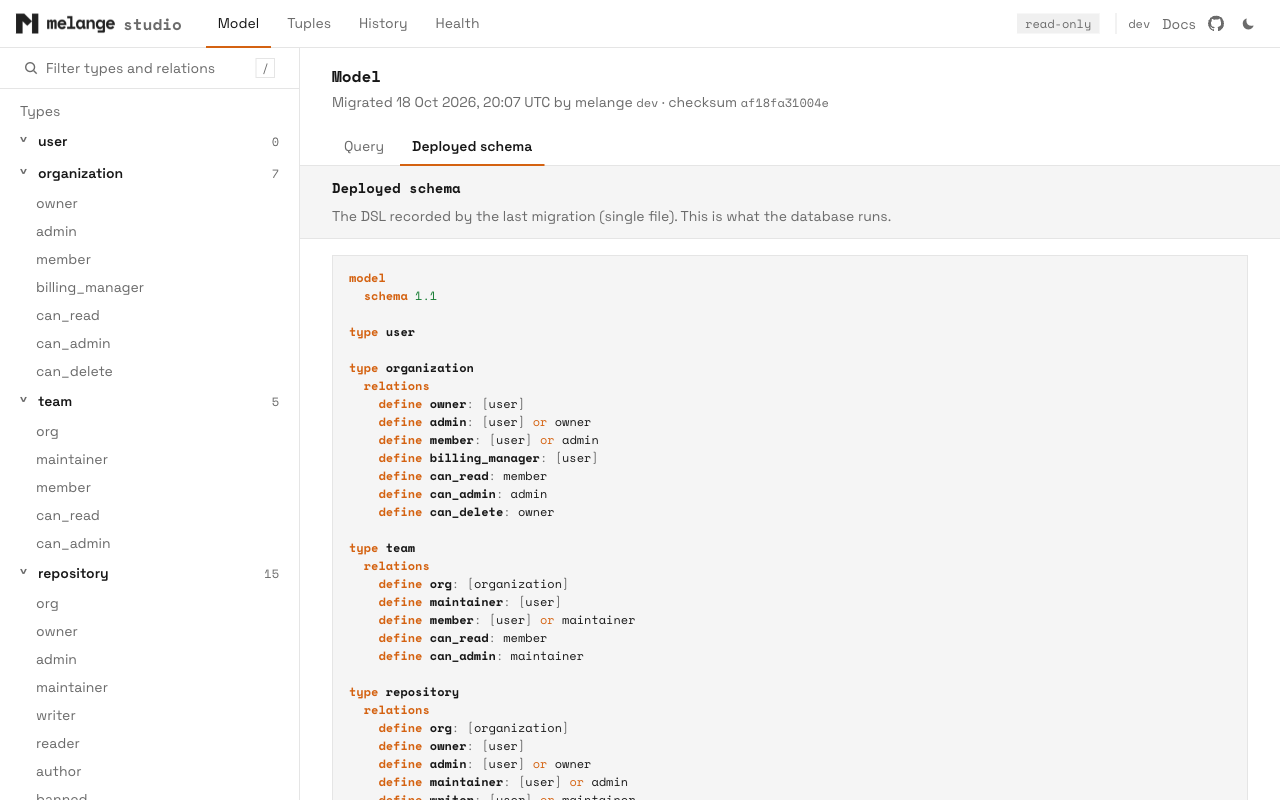
The Query form has four modes:
| Mode | Inputs | Result |
| ----------- | --------------------------- | ---------------------------------------------------------------------------------------- |
| **Explain** | subject, relation, object | Allowed or denied, with every path the check tried. See [Explaining Decisions](https://melange.sh/docs/guides/explaining-decisions.md) |
| **Expand** | relation, object | Who has the relation on the object, as a tree. Computed and tuple-to-userset pointers can be expanded in place. See [Expanding Permissions](https://melange.sh/docs/guides/expanding-permissions.md) |
| **Matrix** | subject, object | Every relation on the object's type, allowed or denied for the subject. Click a relation to explain it |
| **Analyze** | subject, relation, object | Runs `check_permission` under `EXPLAIN (ANALYZE, BUFFERS)` and shows the plan, timings, and the slowest generated functions |
Subjects and objects use `type:id` (`user:alice`, `document:1`). Each result shows how long the call took.
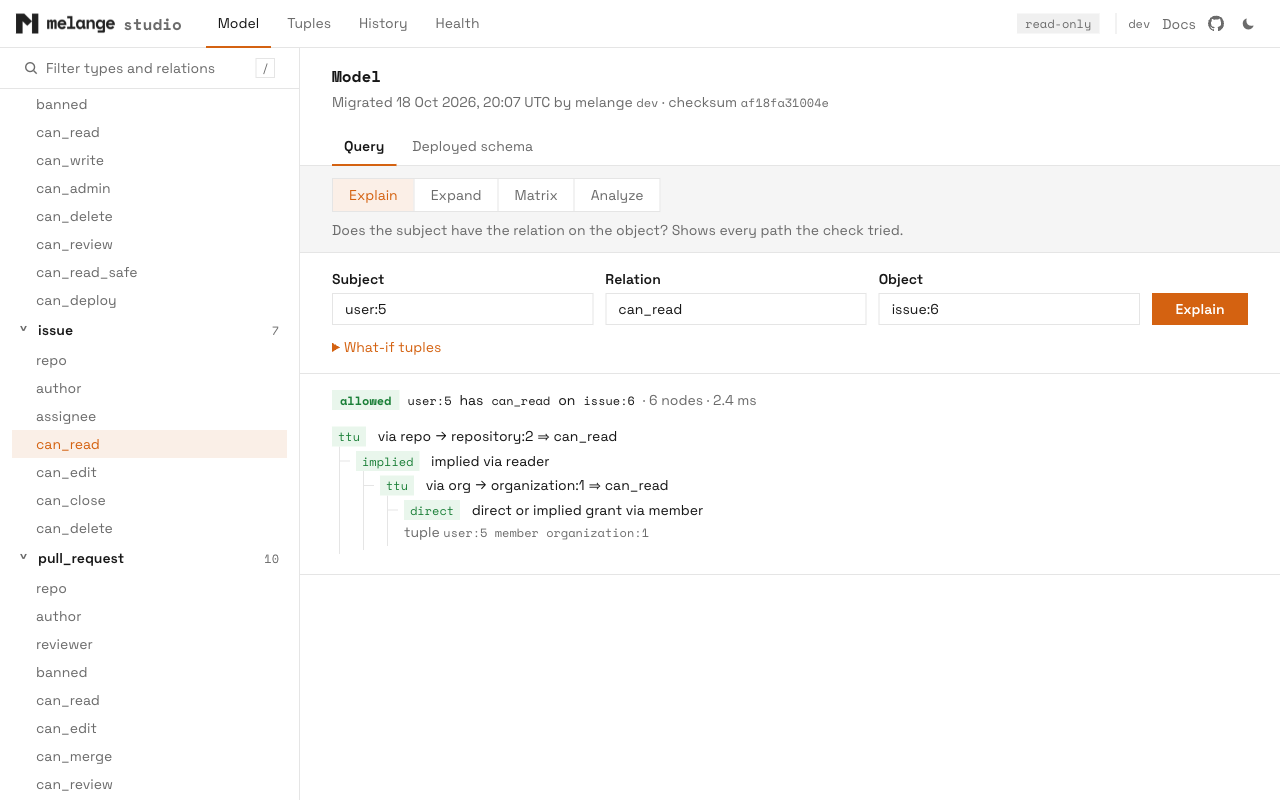
Matrix checks run in parallel, at most four list or check calls at a time across the whole server, each limited to 10 seconds.
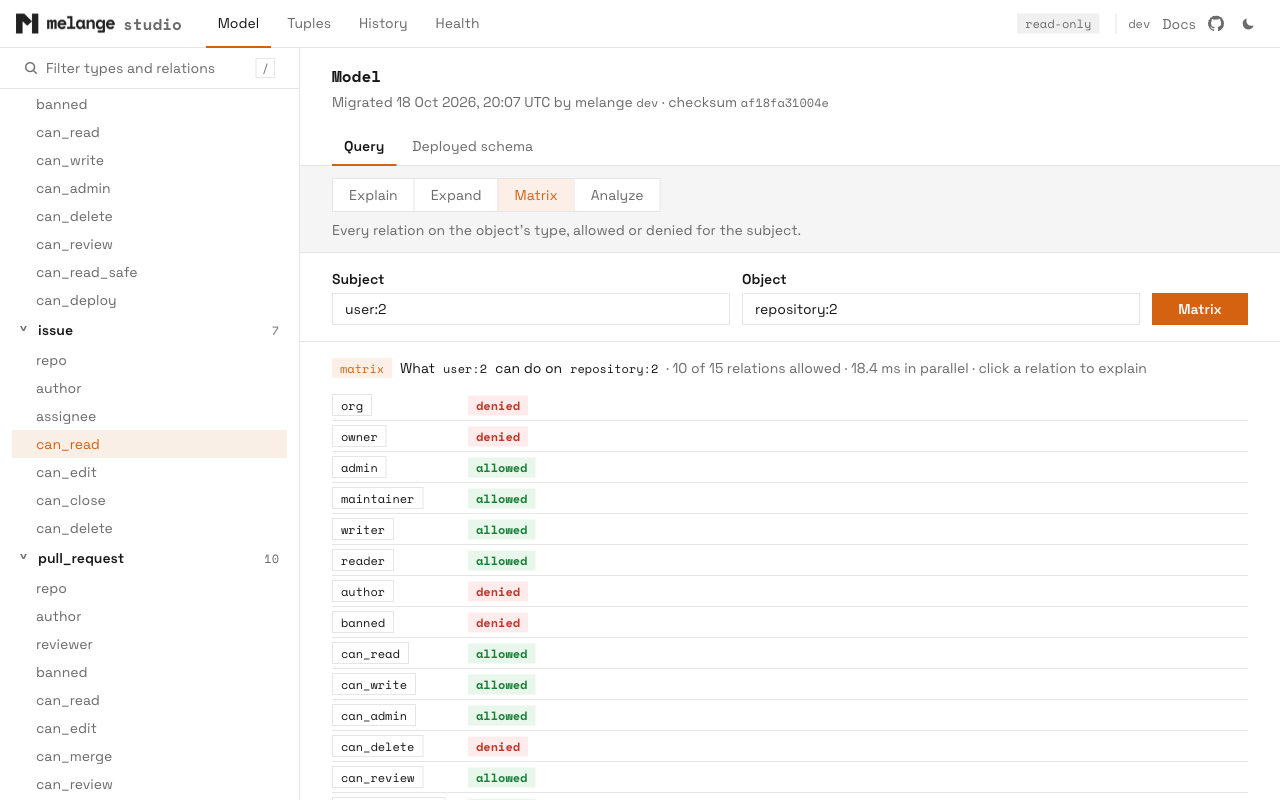
#### What-If Tuples
In Explain mode, open **What-if tuples** and enter one `subject relation object` tuple per line:
```
user:bob viewer document:1
group:eng#member editor document:1
```
Studio runs Explain twice, without and with the tuples, and shows both answers. The tuples are added to `melange_tuples` through a temporary view, the same way [contextual tuples](https://melange.sh/docs/guides/contextual-tuples.md) work, inside a transaction that is always rolled back. When studio can read the deployed model, each tuple is validated against it first: an unknown relation, or a subject type the relation does not accept directly, is reported by line number.
What-if needs a writable primary and the `TEMP` privilege on the database. It fails on a hot-standby replica, because a replica refuses read-write transactions. Plain Explain and the other query modes work on a replica.
#### Analyze
Analyze runs inside a read-only transaction with a 10 second `statement_timeout`. A check that runs longer is reported as timed out.
The plan of a PL/pgSQL call is a single opaque node, so the per-function breakdown comes from `pg_stat_xact_user_functions`. That needs `track_functions`, which only a superuser can set unless it is granted:
```sql
GRANT SET ON PARAMETER track_functions TO studio_reader; -- PostgreSQL 15+
```
Without it, Analyze still shows the plan and total timings, with a note that per-function times are unavailable.
#### Relation Pages
Each relation has a page showing its `define` line, the relations it reads (**Depends on**) and the relations that read it (**Used by**), the code generator's feature analysis, and the SQL source of its deployed functions (check, list objects, list subjects, explain, expand), read from `pg_proc`.
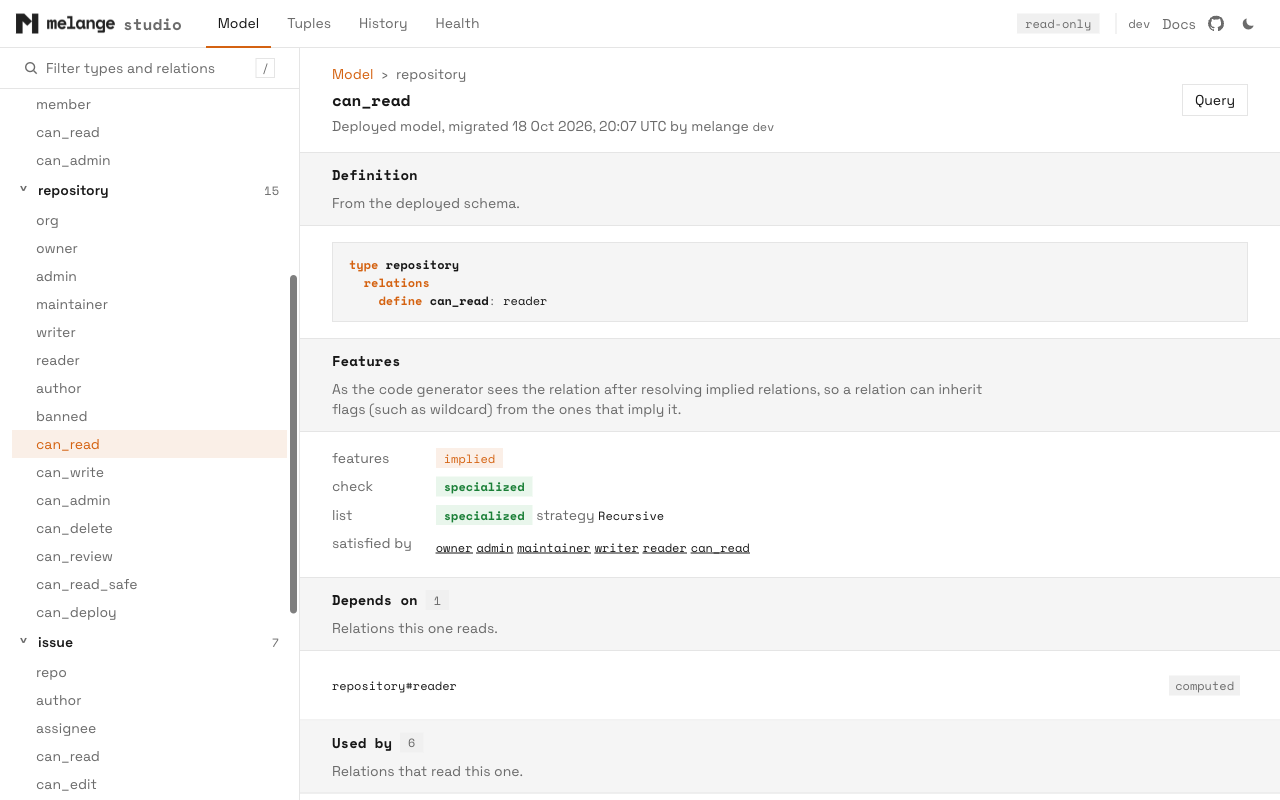
### Tuples
The Tuples page lists every type that appears in `melange_tuples`, with the number of distinct ids. The counts take a full pass over the view and are cached for 30 seconds.
Selecting a type lists its entities, 100 at a time; scrolling to the end of the list loads the next page. Search matches a substring of the id or the entity's label.
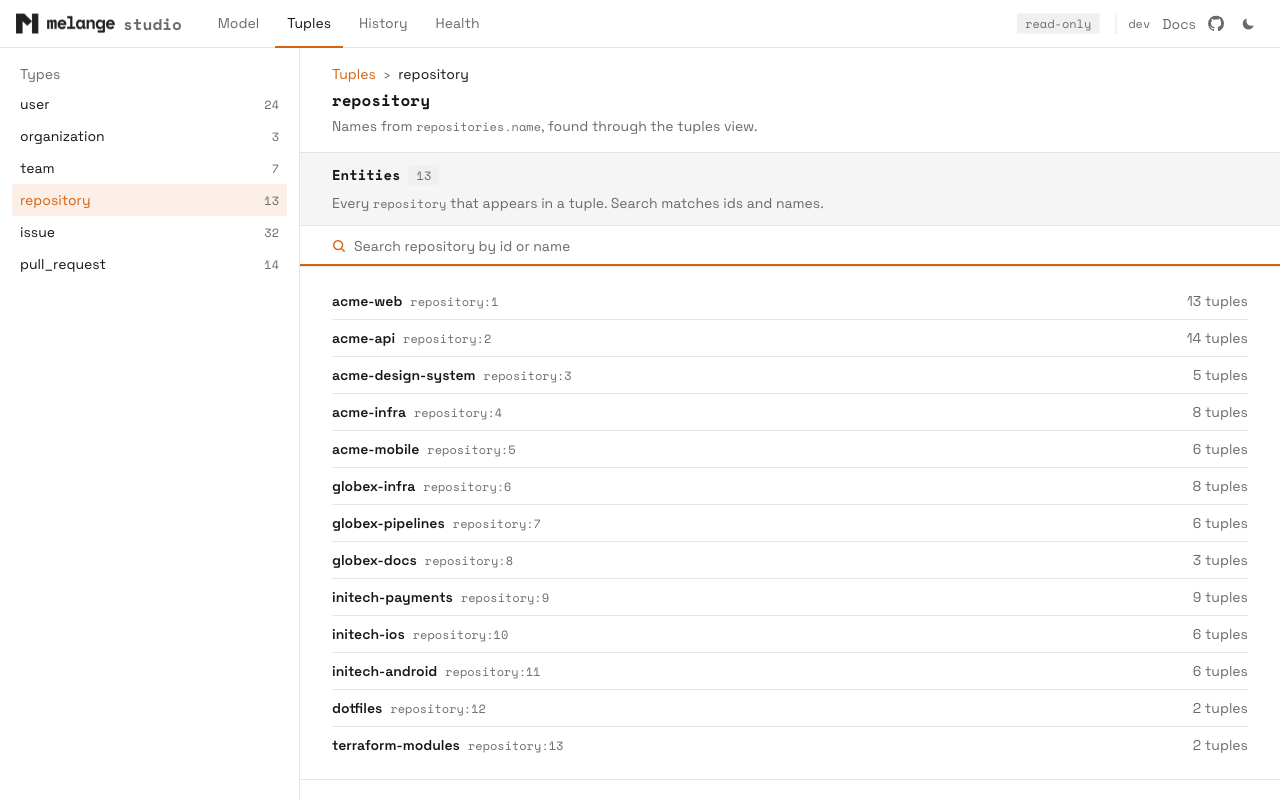
Selecting an entity opens three tabs:
- **Can access**: what the entity can reach as a subject, one object type at a time, through `ListObjects`.
- **Accessed by**: who can reach the entity as an object, one subject type at a time, through `ListSubjects`.
- **Direct tuples**: the raw tuples with the entity as subject or as object, with exact counts and a filter.
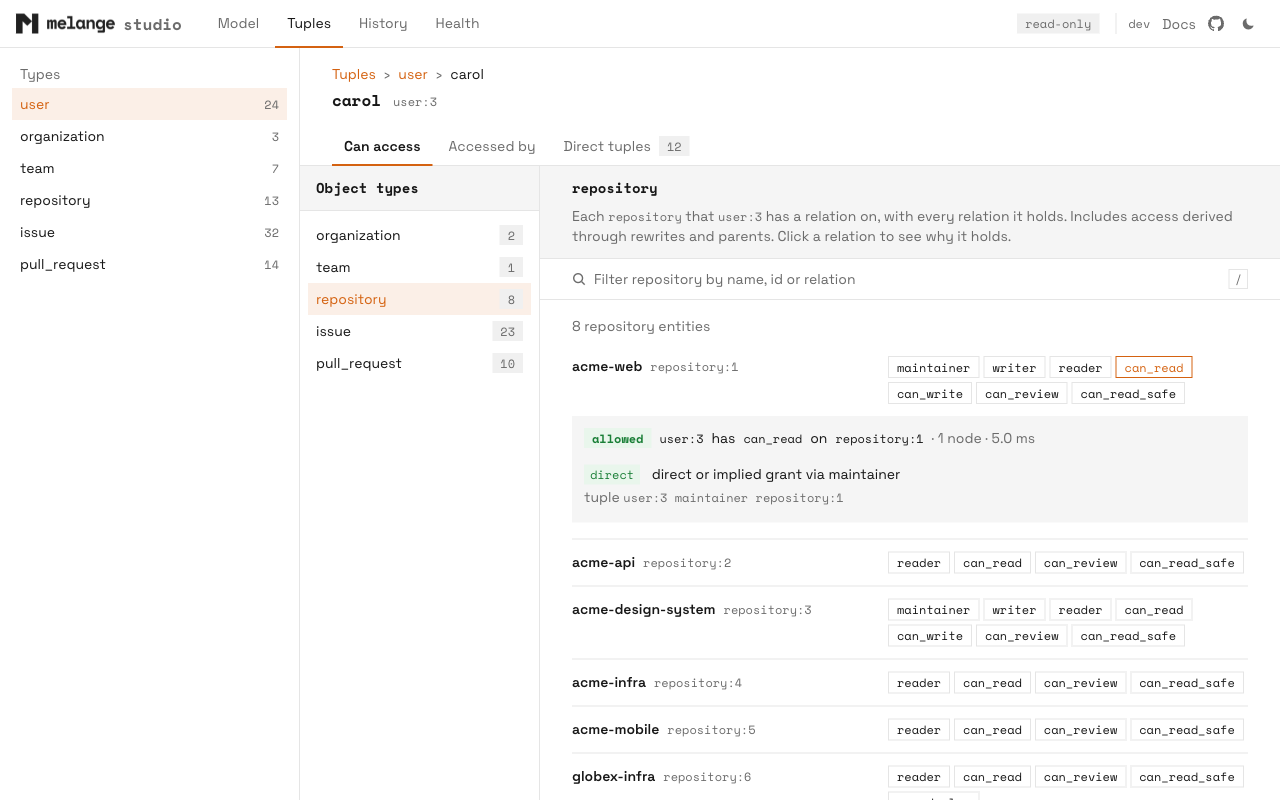
#### Access List Limits
Each access tab makes one list call per relation for the selected type. To keep large models usable:
- Each relation's list stops at 5,000 ids. When any relation hits the cap, the count gets a `+` suffix (for example `5,000+`) and the list notes that there may be more.
- A computed list is cached for 60 seconds and served 100 rows at a time as you scroll. The filter on these tabs runs over the cached list.
- At most four list calls run at once across the server, each limited to 10 seconds. A relation that times out shows an error in place of its rows.
- The count badges in the type navigation compute one at a time.
These are display limits, not limits of `ListObjects` or `ListSubjects`. Use the [Go API](https://melange.sh/docs/guides/listing-objects.md) or the SQL functions for complete lists.
#### Labels
Where it can, studio shows a readable name next to each id. It finds the name by planning `melange_tuples` with `EXPLAIN VERBOSE`: a view branch that maps a literal type to a plain column (for example `'user'` and `team_members.user_id`) is followed through primary and foreign keys to the domain table (`users.id`). The first of these columns that the table has becomes the label: `name`, `display_name`, `title`, `label`, `username`, `email`, `slug`.
If the view does not reveal a table, studio falls back to a table named after the type, or its plural (`user` or `users`), with an `id` column. The page header says where the labels came from, or that none were found. Discovery runs once per process; restart studio after schema changes.
Labels need `SELECT` on the domain tables. Without it, entities show by id.
### History
The History page shows the last 50 rows of `melange_migrations`, newest first: when each migration ran, the melange and codegen versions, the schema checksum, and how many functions it installed. This is the same data as [`melange history`](https://melange.sh/docs/reference/cli.md#history).
### Health
The Health page runs the same checks as [`melange doctor`](https://melange.sh/docs/reference/cli.md#doctor), grouped by category. The checks that compare a local schema file with the database use `--schema`, else `schema` in config, else `schemas/schema.fga`. If no file exists at that path, the Schema File check fails.
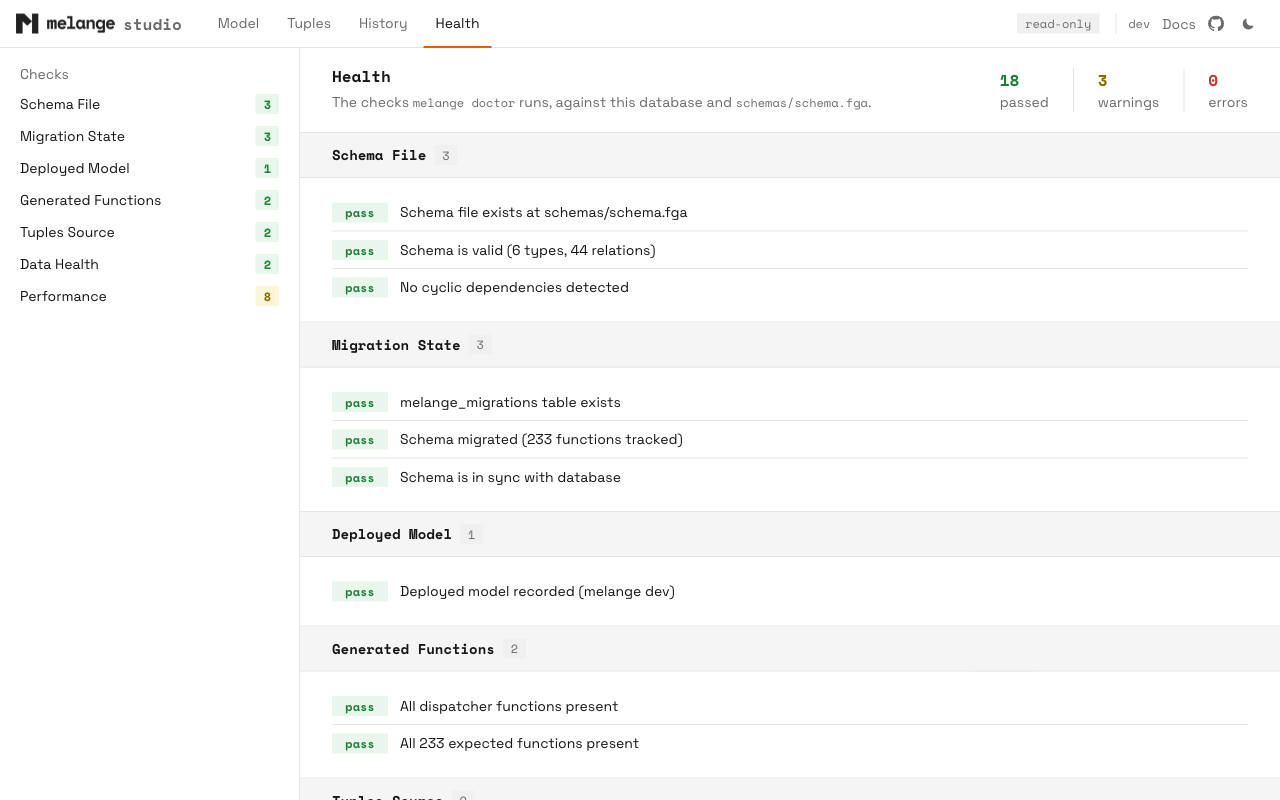
## Database Privileges
Studio only reads, so it can run as a dedicated low-privilege role. The minimum, for melange objects in the `public` schema:
```sql
CREATE ROLE studio_reader LOGIN PASSWORD '...';
GRANT USAGE ON SCHEMA public TO studio_reader;
GRANT SELECT ON public.melange_tuples, public.melange_migrations TO studio_reader;
```
This covers the Model page, Explain, Expand, Matrix, Analyze without the per-function breakdown, the Tuples browser without labels, History, and Health. It relies on PostgreSQL defaults that most databases keep:
- `EXECUTE` on the generated functions is granted to `PUBLIC` when a function is created. If you revoked it, grant `EXECUTE` on the functions in the melange schema.
- The system catalogs (`pg_proc`, `pg_class`, `pg_constraint`, `information_schema`) are readable by every role. Relation pages, labels, and Health read them.
- `TEMP` on the database is granted to `PUBLIC`. What-if needs it.
Optional grants:
| Feature | Grant |
| -------------------------------- | --------------------------------------------------------------------- |
| Labels in the Tuples browser | `SELECT` on the domain tables (or just their key and label columns) |
| What-if tuples | `TEMP` on the database, if revoked from `PUBLIC` |
| Per-function times in Analyze | `GRANT SET ON PARAMETER track_functions` (PostgreSQL 15+), or superuser |
Without `SELECT` on `melange_migrations`, studio cannot read the deployed model, so the schema view, Matrix, relation analysis, History, Health, and the access tabs are unavailable, and what-if tuples are not validated; Explain, Expand, and Analyze still work.
## Replicas
Studio works against a hot-standby replica, with one exception: what-if tuples need a read-write transaction to create the temporary view, which a replica refuses. Point studio at the primary to use what-if. Everything studio runs on the primary outside what-if is read-only.
## Security
- Studio binds a loopback address only, and rejects requests whose `Host` header is not `localhost` or a loopback IP. This blocks DNS-rebinding attacks, where a hostile page resolves its own domain to `127.0.0.1`.
- There is no authentication. Anyone who can reach the loopback port on your machine can use the console with studio's database role.
- Pages are served with a strict Content Security Policy (`default-src 'self'`, no inline scripts or `eval`), `X-Content-Type-Options: nosniff`, `Referrer-Policy: no-referrer`, and `Cache-Control: no-store`, so authorization data is not kept in the browser cache.
- Scripts, styles, and fonts are embedded in the binary. Pages load nothing from other hosts.
### Update Check
The only network request studio makes outside your database is the CLI's usual [update check](https://melange.sh/docs/reference/cli.md#update-notifications), made by the CLI process, not the browser. When a newer release exists, the top bar shows a `vX.Y.Z available` badge. Disable it with `--no-update-check`; it is also off when the `CI` environment variable is set.
The top bar also links to the melange documentation and GitHub repository. Those are ordinary links and are only fetched if you click them.
## See Also
- [CLI reference](https://melange.sh/docs/reference/cli.md#studio): `melange studio` flags
- [Explaining Decisions](https://melange.sh/docs/guides/explaining-decisions.md): the trace behind the Explain mode
- [Expanding Permissions](https://melange.sh/docs/guides/expanding-permissions.md): the tree behind the Expand mode
- [Troubleshooting](https://melange.sh/docs/guides/troubleshooting.md): `melange doctor` and common errors
---
# Using Coding Agents
Source: https://melange.sh/docs/guides/coding-agents/
> Point coding agents like Claude Code, Codex, or Cursor at Melange's docs, and give them project instructions for working on your schema.
Coding agents work best with Melange when they can read the docs as markdown and know the project's workflow before they start editing. This page covers both.
## Docs for Agents
The documentation is published in machine-readable forms:
| URL | Contents |
| --- | -------- |
| [`/llms.txt`](https://melange.sh/llms.txt) | An index of every docs page with a one-line description, following the [llms.txt](https://llmstxt.org) convention. |
| [`/llms-full.txt`](https://melange.sh/llms-full.txt) | Every user-facing docs page as markdown in one file. It is large (around 90k tokens), so use it only when an agent needs the whole manual. |
| `.md` | Any docs page as markdown, for example [`/docs/getting-started/quick-start.md`](https://melange.sh/docs/getting-started/quick-start.md). |
Point an agent at `https://melange.sh/llms.txt` and it can fetch only the pages it needs.
## Project Instructions
Most agents read a file of project instructions at the start of every session: `AGENTS.md` for Codex, Cursor, and most others, `CLAUDE.md` for Claude Code. A Melange section there makes the agent follow your workflow instead of guessing.
Generate the section with the CLI and append it to that file:
```bash
melange init agent >> AGENTS.md
# or, for Claude Code
melange init agent >> CLAUDE.md
```
`melange init agent` reads your [config file](https://melange.sh/docs/reference/configuration.md) and fills in the schema path, migration strategy (`melange migrate` or `melange generate migration`), and generated client location. Run it from the project root, and re-run it after changing those settings, replacing the old section.
For a new project, the `melange init` wizard asks whether to add it to `AGENTS.md` (or `CLAUDE.md` if that is the only one present), and skips the step if the section is already there. In non-interactive mode, pass `melange init -y --agents`.
For a project with built-in migrations and a Go client in `internal/authz`, the output is:
````markdown
## Authorization (Melange)
Permissions are an OpenFGA model that Melange compiles into PostgreSQL functions.
- Model: `melange/schema.fga`. Config: `melange/config.yaml`.
- Relationships come from the `melange_tuples` view over our tables, defined in our own migrations (Melange doesn't create it). Never insert tuples; change the underlying rows, or the view definition.
- `internal/authz` is generated; don't edit it.
- No OpenFGA conditions; express them as `WHERE` clauses in the tuples view or as contextual tuples (see [Replacing Conditions](https://melange.sh/docs/guides/conditions.md)). Use `check_permission` (or the client's check) for access decisions; listing objects or subjects can be slow and suits batch or admin use.
After editing the model:
1. `melange validate`
2. `melange generate client` (regenerates `internal/authz`)
3. `melange migrate` applies it to the configured database (`melange config show` prints the target). Only run it against a local dev database.
Unexpected allow or deny: run `melange explain